To Next Page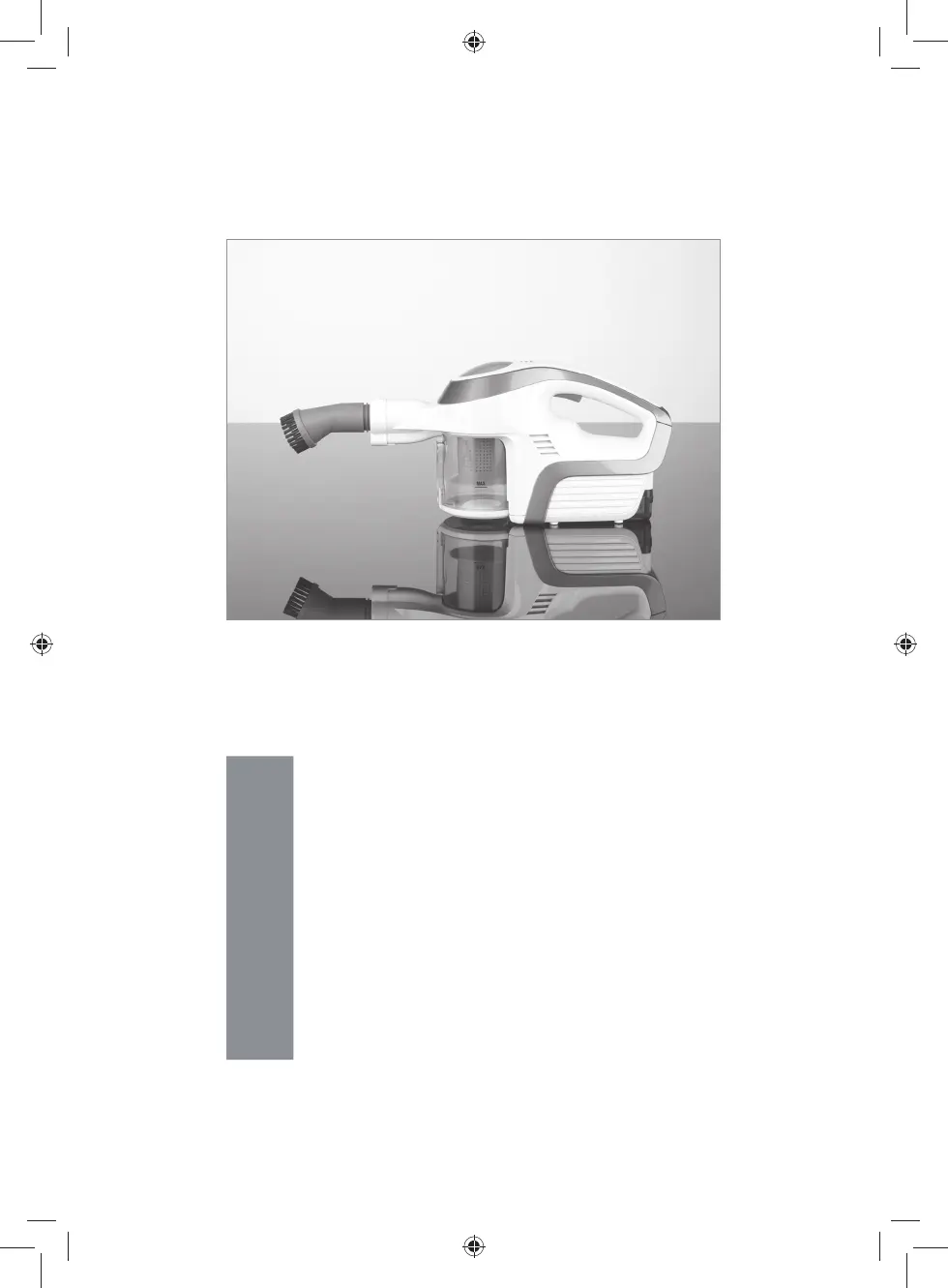
M
Mark SandersSep 10, 2025
How to fix a Cleanmaxx PC-P008E that operates slowly or doesn’t start?
- MMrs. Deanna NunezSep 10, 2025
If your device is operating slowly or not starting, the rechargeable battery may be empty. Charge it.

How to fix a Cleanmaxx PC-P008E that operates slowly or doesn’t start?
If your device is operating slowly or not starting, the rechargeable battery may be empty. Charge it.
What to do if Cleanmaxx PC-P008E battery is not charging?
If the battery of your Cleanmaxx Vacuum Cleaner isn't charging and the lamps on the charging station are off, ensure the device is correctly seated in the charging station. Also, check that the mains adapter is properly connected to both the plug socket and the charging station. Try a different plug socket, and check the fuse of the mains connection.
What to do if dust escapes from Cleanmaxx PC-P008E?
If dust escapes from your Cleanmaxx Vacuum Cleaner during cleaning, check that the dust container and filter have been inserted correctly and adjust if necessary. Also, verify that the dust container is closed correctly. If the filter or filter holder is heavily contaminated, clean it.
Why Cleanmaxx PC-P008E Vacuum Cleaner has unusual odor?
A new odor is normal when your Cleanmaxx Vacuum Cleaner is used for the first time; it disappears after a while.
Why does my Cleanmaxx PC-P008E have low suction?
There are several reasons why your Cleanmaxx Vacuum Cleaner might have low suction: * The battery may be too weak - charge the battery. * The dust container might be full - empty the dust container. * The filter or filter holder might be heavily contaminated - clean it. * The suction opening/nozzle could be blocked - switch off the device and remove the blockage. * Some items might be too big or heavy for the device to pick up.
Why is dust escaping from my Cleanmaxx PC-P008E?
If dust escapes from your Cleanmaxx Vacuum Cleaner during cleaning, check whether the dust container and filter have been inserted correctly and adjust the fit if necessary. Also, check whether the dust container is closed correctly. If the filter or the filter holder is heavily contaminated, clean it. If the filter is worn or damaged, replace it.
What to do if dust escapes from my Cleanmaxx PC-P008E while cleaning?
If dust is escaping from your Cleanmaxx Vacuum Cleaner during cleaning, consider the following: * Ensure the dust container and filter are correctly inserted and properly fitted. Adjust if necessary. * Verify that the dust container is closed correctly. * The filters may be heavily contaminated, so clean them in accordance with the “Cleaning and storage” chapter. * The filters may be worn or damaged, so replace them.
Why doesn't the control light illuminate on my Cleanmaxx PC-P008E Vacuum Cleaner?
If the control light doesn’t illuminate when the device is connected to the mains supply, check whether the mains adapter is properly connected to both the socket and the connector jack on the device. Also, try another socket to rule out a defective socket. Finally, check the fuse for your mains connection.
Why is the suction power weak on my Cleanmaxx Vacuum Cleaner?
Several factors could be responsible for weak suction power: the battery might be low (charge it up), the dust container might be full (empty it), the filters might be dirty (clean them), or the suction opening might be blocked (turn off the device and remove the blockage). It is also possible that some particles remain caught in the carpet floor or that they are too large / too heavy for the device to vacuum up; simply remove the debris by hand.
What to do if my Cleanmaxx Vacuum Cleaner battery is not charging?
If the battery of your Cleanmaxx Vacuum Cleaner is not charging and the lamps on the charging station are off, try the following: 1. Check if the battery is seated correctly in the charging station. 2. Ensure the mains adapter is correctly connected to both the plug socket and the charging station. 3. Try another plug socket to rule out a defective socket. 4. Check the fuse of the mains connection.
Explains symbols for injury risks, supplementary info, electrical safety, and energy class.
Defines DANGER (serious injury/life) and WARNING (possible serious injury/life).
Defines CAUTION (moderate injury) and NOTICE (property damage).
For normal household dust; lists substances not to be vacuumed.
Details warranty exclusions for improper handling and unauthorized repairs.
Read all notices; failure may cause shock, fire, or injuries.
Guidelines for children's use and supervision needs.
Disconnect from power, avoid liquids, use correct charger.
Inspect for damage; replace damaged parts immediately.
Warnings regarding water immersion, wet hands, and high humidity.
Keep away from packaging, cables, nozzles; prevent trip hazards.
Keep batteries from children; handle acid spills carefully.
Avoid flammable materials, blockages, and improper cable handling.
Protect from heat, moisture; use original spare parts.
Lists all parts included with the vacuum cleaner for user verification.
Labels and identifies the key parts of the handheld vacuum cleaner.
Explains the function of the articulated suction tube, floor nozzle, and upholstery nozzle.
Describes the tile nozzle, brush nozzle, furniture edge brush, and dusting mop.
Explains suction hose, angle piece, extension tubes, and nozzle adapters.
Remove packaging, labels; retain rating plate and warnings.
Charge battery fully before first use for maximum capacity.
Detailed instructions for connecting and charging the battery.
Explains the function of charging status and operating lamps.
Identifies when the battery is fully charged based on indicator lamps.
Procedure for safely disconnecting the mains adapter and battery.
Instructions for securely mounting the wall bracket to the wall.
How to attach the suction hose, floor nozzle, and upholstery nozzle.
How to connect these attachments using the appropriate nozzle adapter.
How to connect small nozzles using the small nozzle adapter.
Instructions for removing and inserting the dust container.
Ensure no large objects, check dust container, clean filter.
How to interpret battery charge status lamps during operation.
How to choose and attach the correct accessory for cleaning tasks.
Methods for switching the vacuum cleaner on and off.
Guidance on operating the device and adjusting the articulated tube.
Empty and clean the dust container after each cleaning session.
Warnings on cleaning HEPA/foam filters; not machine washable.
Clean housing with a damp cloth; avoid abrasive cleaners.
Color change in HEPA filter is normal and does not affect function.
Detailed steps for cleaning the HEPA filter and its holder.
How to wipe down the motor unit, tubes, hoses, and nozzles.
Instructions for removing and cleaning the brush from the floor nozzle.
Store in a cool, dry place away from sunlight and children/animals.
Remove the rechargeable battery if the device will not be used for a long period.
Solutions for slow operation or failure to start (battery, container, filter).
Addresses weak suction due to blockages, container fill, or filter issues.
How to fix dust escaping from the device during cleaning.
Solutions for issues when the battery is not charging.
Clarifies that initial odour is normal and temporary.
Details product number, model, voltage, output, and battery capacity.
Information on input/output specifications for the mains adapter and station.
Guidance on recycling packaging materials environmentally.
Instructions for disposing of batteries and the device as WEEE.
 General
| Weight | 4.5 kg |
|---|---|
| Filtration System | HEPA |
| Cord Length | 5 m |
| Type | Bagless |
| Dust Capacity | 1.2 L |