24
Troubleshooting
Should your device stop working properly at any time, exhibit signs of damage or require a
spare part, please contact the customer service department (see the "Customer Service"
chapter). For your own safety, do not attempt to carry out repairs yourself.
The following table contains tips on how you can remedy small problems yourself.
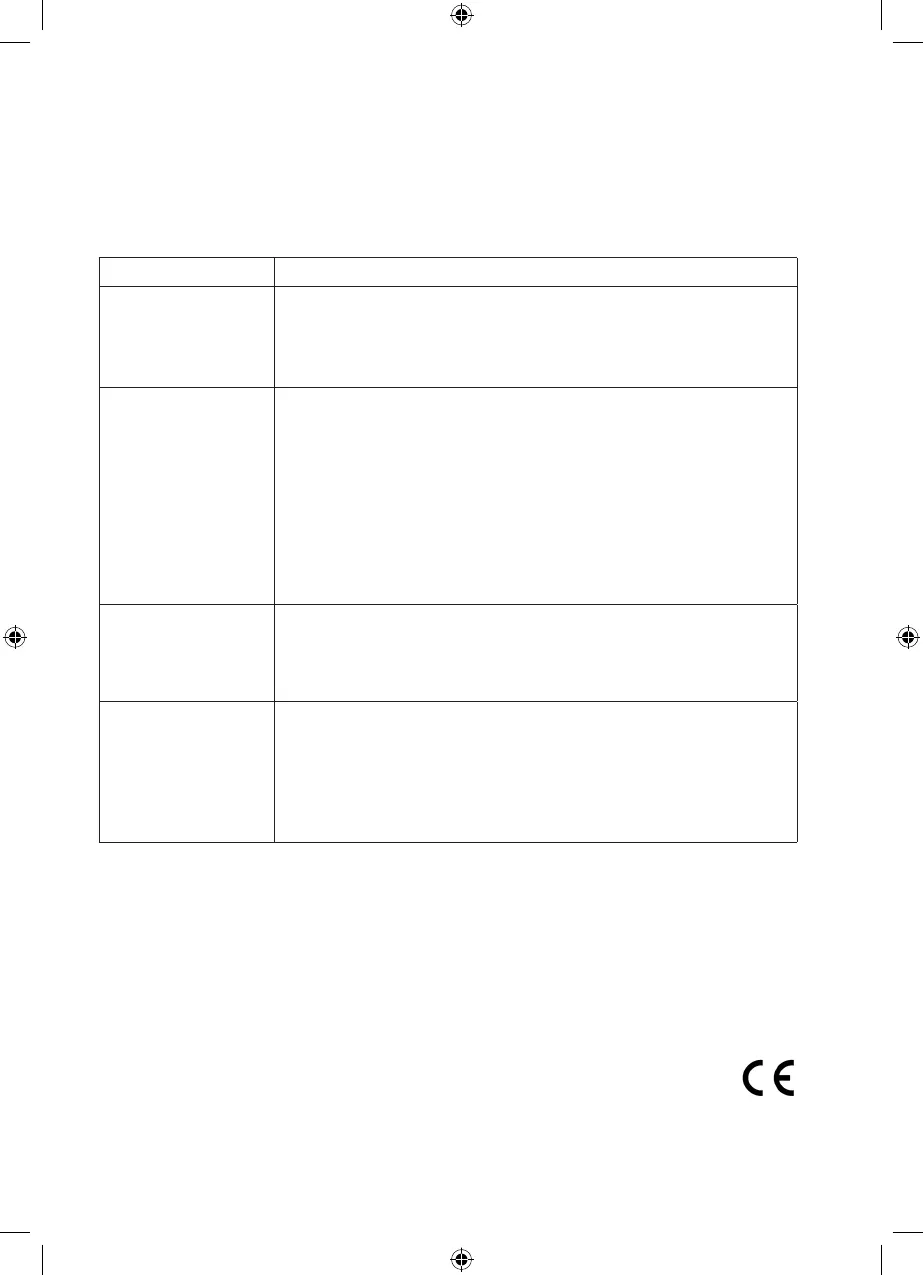
Problem Possible cause/solution/tips
The device does not
work.
• Is the plug not inserted in the mains socket correctly?
Insert the plug correctly.
• Is the mains socket defective? Try another mains socket.
• Check the fuse of your mains connection.
The performance is
weak.
• Is the dust container too full? Empty the container.
• Is the lter heavily clogged up? Clean it.
• Is the dust lter damaged or is it no longer possible to clean suf-
ciently? Contact the customer service department.
• Is the nozzle being used or the suction hose clogged? Switch off
the device, pull the mains plug out of the socket and remove the
blockage.
• Is the rotating brush of the turbo nozzle clogged? Remove the
blockages.
Dust escapes from
the device during
cleaning.
• Is the dust container full? Empty the dust container.
• Is the dust lter not inserted correctly? Press the dust lter
rmly into the dust container so that it sits directly on the hous-
ing wall all the way round.
During vacuum
cleaning, an unpleas-
ant smell is detected.
• Is the device being used for the rst time? A smell often develops
during the rst use of new devices. The smell should disappear
after you have used the device several times.
• Has the device already been used frequently? The device is defec-
tive. Switch off the device, pull the mains plug out of the socket
and immediately contact the customer service department.
Technical Data
Model: VC-S1001
Device: "cleanmaxx" Turbo Hand-Held Vacuum Cleaner 2 in 1 800
Watts
Voltage supply: 220-240 V ~ 50 Hz
Output: max. 800 W
Protection class: II
Volume of the
dust container: 0.6 litres
01328_9_DE-GB-FR-NL_V0.indb 24 07.09.11 12:28




 To Next Page