3
Step 1
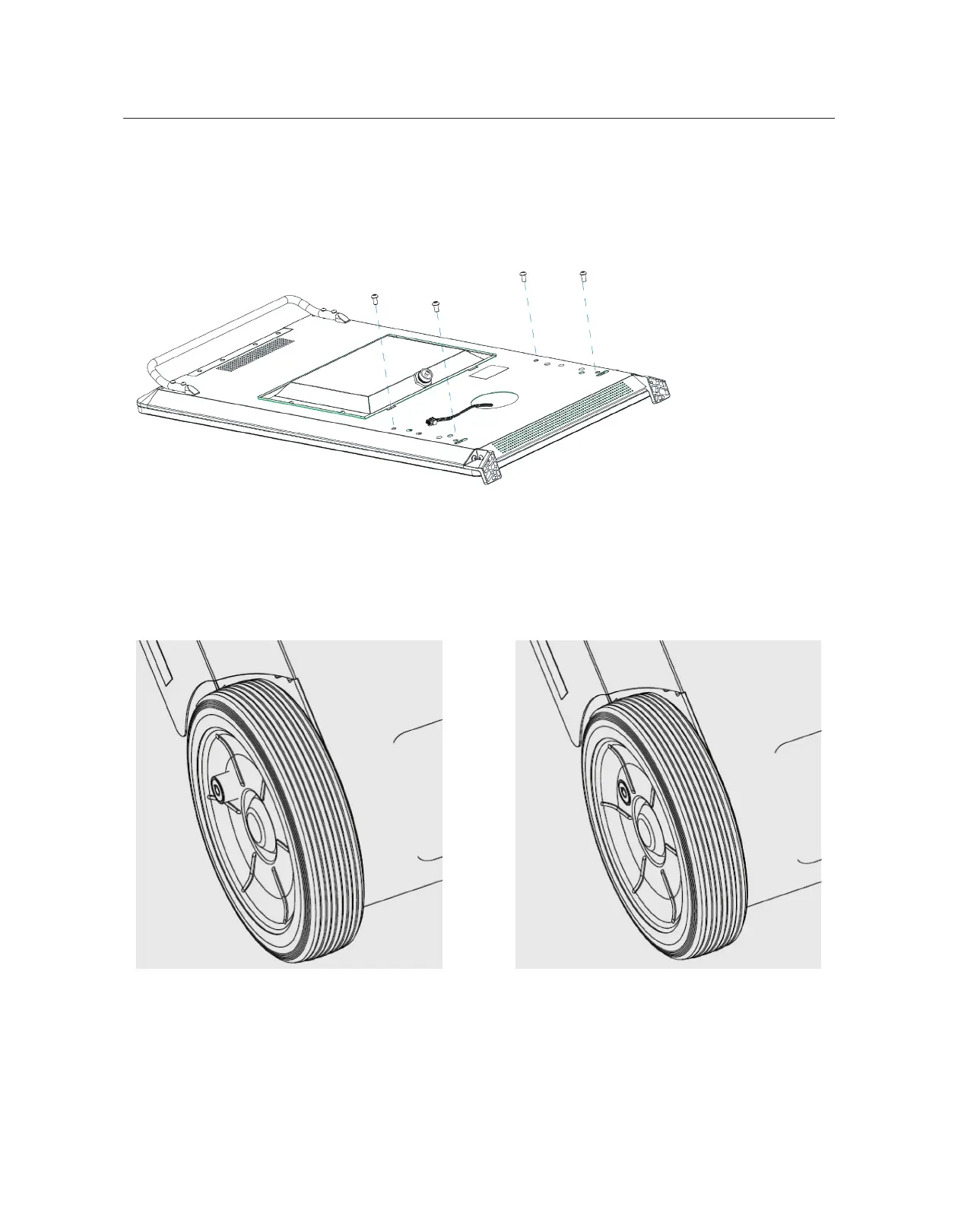
• Place the Display Unit upon a soft curved cushion or any material that will prevent damage to
the screen.
• Remove 4 x screws with 5mm hex head Allen key.
Mounting Instructions
Step 2
• Before working on the Battery Unit, ensure the locking pin of both wheels are in LOCK position.
How to lock? Use your thumb to push the
locking pin in until you hear a click sound.
You might have to turn the wheel a little bit.
UNLOCK POSITION LOCK POSITION



 To Next Page