© clearaudio electronic GmbH 2017 Page / Seite 3
Balance +
User manual
Bedienungsanleitung
1. Setting up operation
To ensure the best possible channel separation the left and right channels are entirely separate in
this design.
Therefore all switches are duplicated for the left and right channels.
Please make sure that both corresponding switches are always in the same position.
To change the small inset set-up switches use the tip of a ball-point pen or similar device.
Select cartridge type operation mode:
Set the switches on the bottom panel of the
Balance+
chassis as follows:
• MM operation: Both buttons ‘load’ & ‘gain’ not pressed in (load impedance = 47 kOhm)
• MC operation: Both buttons ‘load’ & ‘gain’ pressed in (load impedance = 510 Ohm)
Select input mode between unbalanced and balanced operation:
Set the switches on the bottom panel of the
Balance+
chassis as follows:
• Balanced / symmetrical operation: Both buttons not pressed in
(use balanced XLR interconnects for input and output)
• Unbalanced / unsymmetrical operation: Both buttons pressed in
(use unbalanced RCA / cinch interconnects for input and output)
Subsonic-Filter:
Set the switches on the bottom panel of the
Balance+
chassis as follows:
• Subsoniclterison: Both buttons ‘subsonic’ pressed in
• Subsoniclterisoff: Both buttons ‘subsonic’ not pressed in
Please note:
Beforeswitchinganysettingsbesuretoshutoffthepowertothe
Balance+
using the
switchontherearpanelofthepowersupply.
Mutefunction:
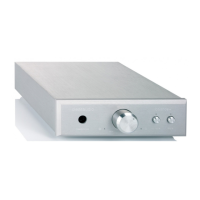
The button marked ‘mute’ on the front panel switches off the musical signal. A blue light above
the switch shows that the mute function is activated.
Variablefunction:
The button marked ‘variable’ on the front panel activates / deactivates the volume control.
A blue light above the switch shows that volume knob will adjust the output level.
When the light is not lit the variable volume is bypassed and the
Balance+
mustbefed
throughavolume-controlledpreamplier!
Topreventyourloudspeakerfromanydamagepleasemakesurethatyourpower
amplier(s)arealwaysswitchedoffwhenyouareconnectingtheinterconnectstoor
fromthe
Balance+
phono-preamplier!


 To Next Page