12
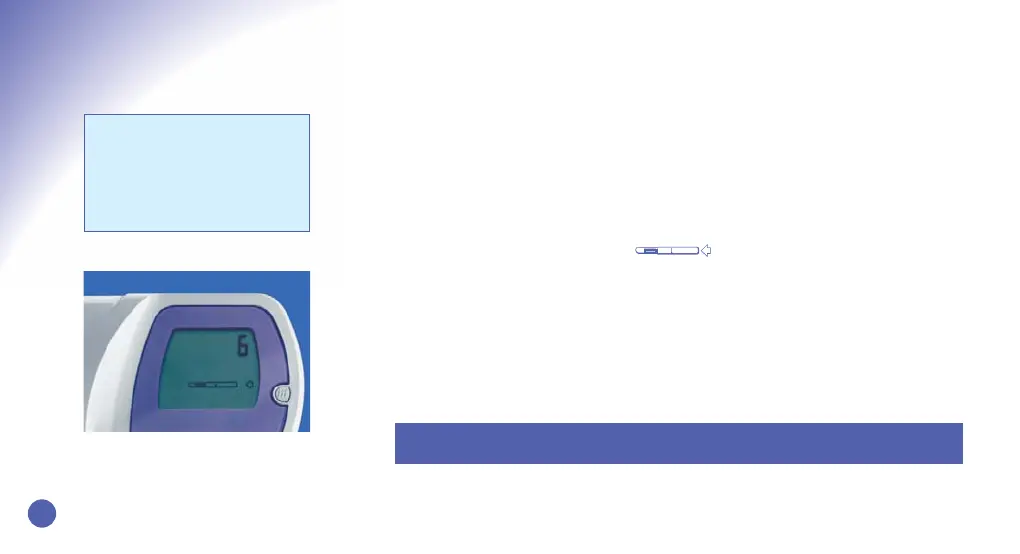
Display indicates that the Monitor
requires a Test Stick
Performing Tests
• Turn on your Clearblue® Easy Fertility Monitor every morning within your Testing
Window and before going to the bathroom. You will notice that the ‘m’ symbol is
displayed for the first 5 days of each cycle, and that the number on the Display
Screen changes each day to tell you which day of your cycle you are on. Please
note that the cycle day only advances when the Testing Window opens (refer to
page 10).
• On mornings when the Monitor requires further information about your hormone
changes, a test will be requested . Tests must be performed with the
first urine of the day, within the Testing Window.
• In Cycle 1, your first test will be requested on day 6. The Monitor will then request
a test every day for a total of 10 or 20 days depending on your cycle length, and
when it sees your Peak Fertility. In subsequent cycles the first test day will vary
between day 6 and 9, according to what the Clearblue® Easy Fertility Monitor has
learned about your cycle, and you will still be asked for a test every day for 10 or
20 days.
Testing
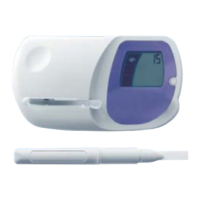
Please Note: You will need to buy a box of Test Sticks before starting. Always start
your cycle with enough Test Sticks from the same pack for 10 tests.
Please Note: Only Clearblue®
Easy Fertility Monitor Test Sticks
can be used with the Clearblue®
Easy Fertility Monitor. Unlike
other products, they cannot be
visually interpreted.
b09401_CB_FAM_Booklet.qxd 8/20/08 11:18 AM Page 14


 To Next Page