19
Symbols and Errors: Practical Advice
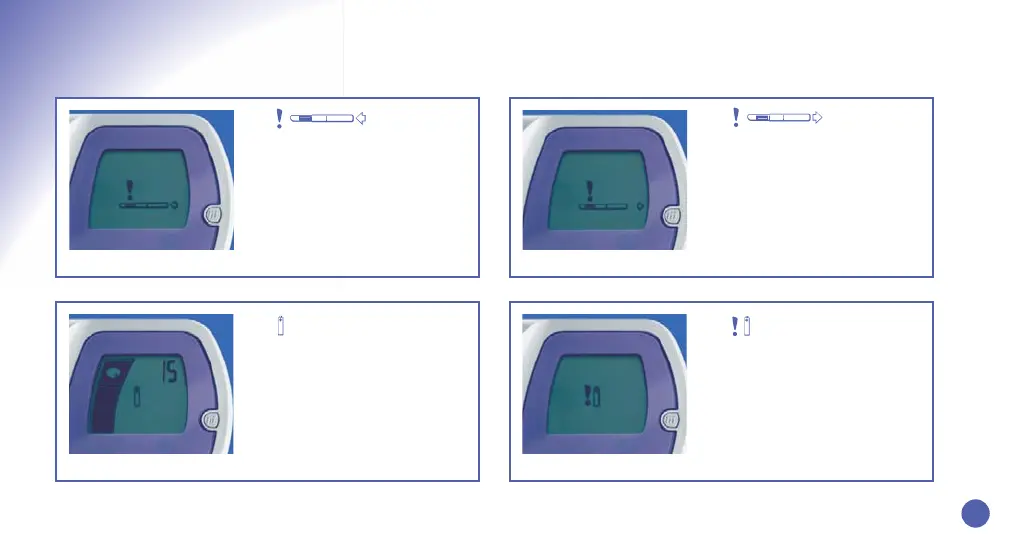
Reinsert the Test Stick.
This symbol may appear if the Test
Stick is removed from the Test Stick
Slot and the Monitor has not finished
reading it. Simply replace the Test
Stick into the slot within 15 minutes
of wetting it and the Monitor will
read it as normal.
1. 2.
Remove Your Test Stick.
This symbol may appear if your
Monitor was switched on with a Test
Stick in the Slot or your Monitor was
not ready for a test.
3.
Batteries are Low.
This symbol tells you that your
batteries are getting low and need to
be replaced.You must do this within
4 weeks of the symbol first
appearing. Refer to page 8 for
instructions on how to replace.
4.
Batteries are Dead.
This symbol indicates that the
Monitor will no longer function
unless the batteries are replaced
immediately.
b09401_CB_FAM_Booklet.qxd 8/20/08 11:18 AM Page 21


 To Next Page