MY DEVICES
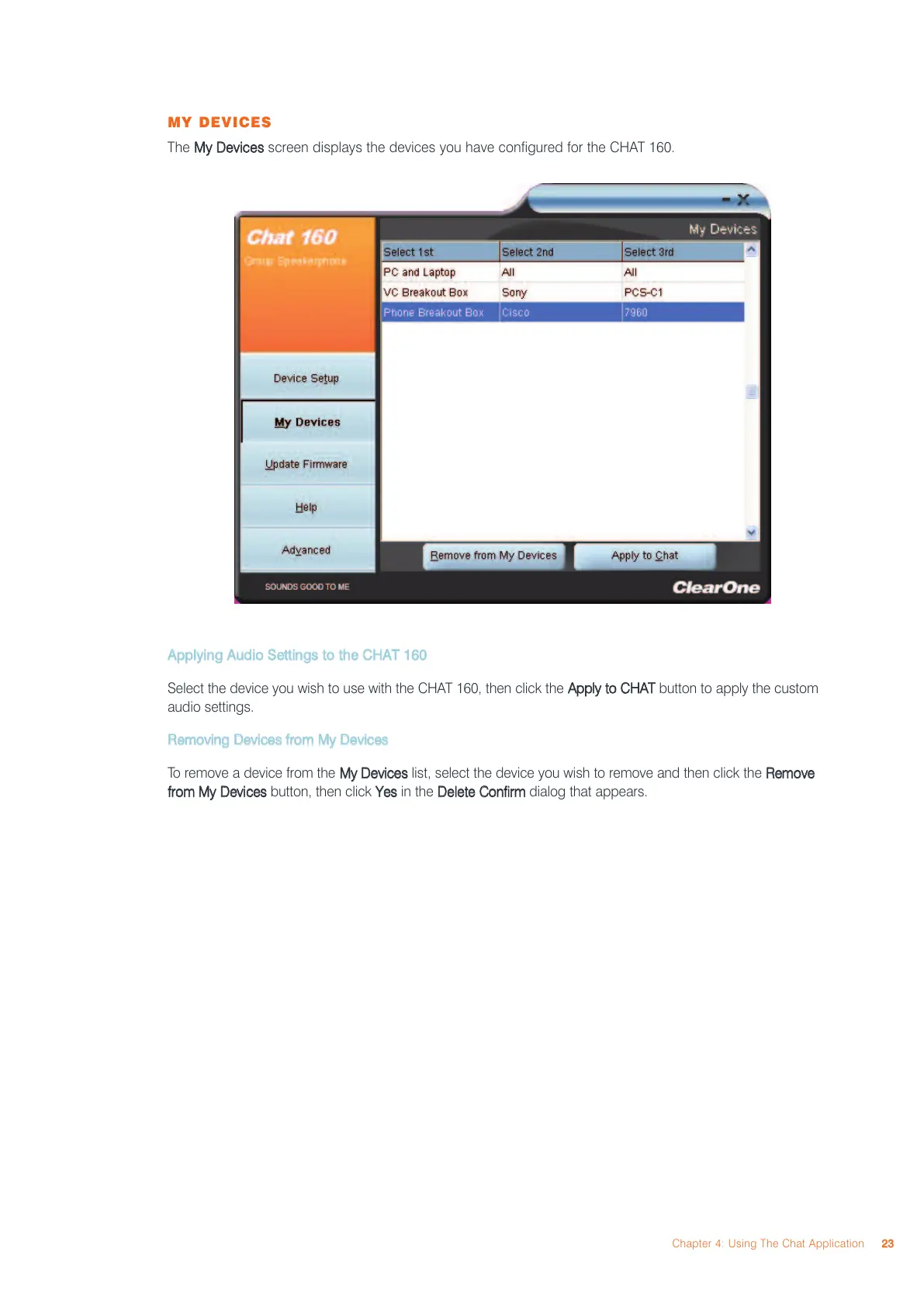
The
MMyy DDeevviicceess
screen displays the devices you have configured for the CHAT 160.
AAppppllyyiinngg AAuuddiioo SSeettttiinnggss ttoo tthhee CCHHAATT 116600
Select the device you wish to use with the CHAT 160, then click the
AAppppllyy ttoo CCHHAATT
button to apply the custom
audio settings.
RReemmoovviinngg DDeevviicceess ffrroomm MMyy DDeevviicceess
To remove a device from the
MMyy DDeevviicceess
list, select the device you wish to remove and then click the
RReemmoovvee
ffrroomm MMyy DDeevviicceess
button, then click
YYeess
in the
DDeelleettee CCoonnffiirrmm
dialog that appears.
Chapter 4: Using The Chat Application
2233



 To Next Page