HELP
The
HHeellpp
button provides the following options:
• Click
HHeellpp
to activate the online help file.
• Click
AAbboouutt
to get information about your CHAT 160, including software and firmware revision numbers.
• Click
CClleeaarrOOnnee HHoommeeppaaggee
to visit the ClearOne website using your default web browser.
• Click
RReeggiissttrraattiioonn
to register your CHAT 160 with ClearOne using your default web browser.
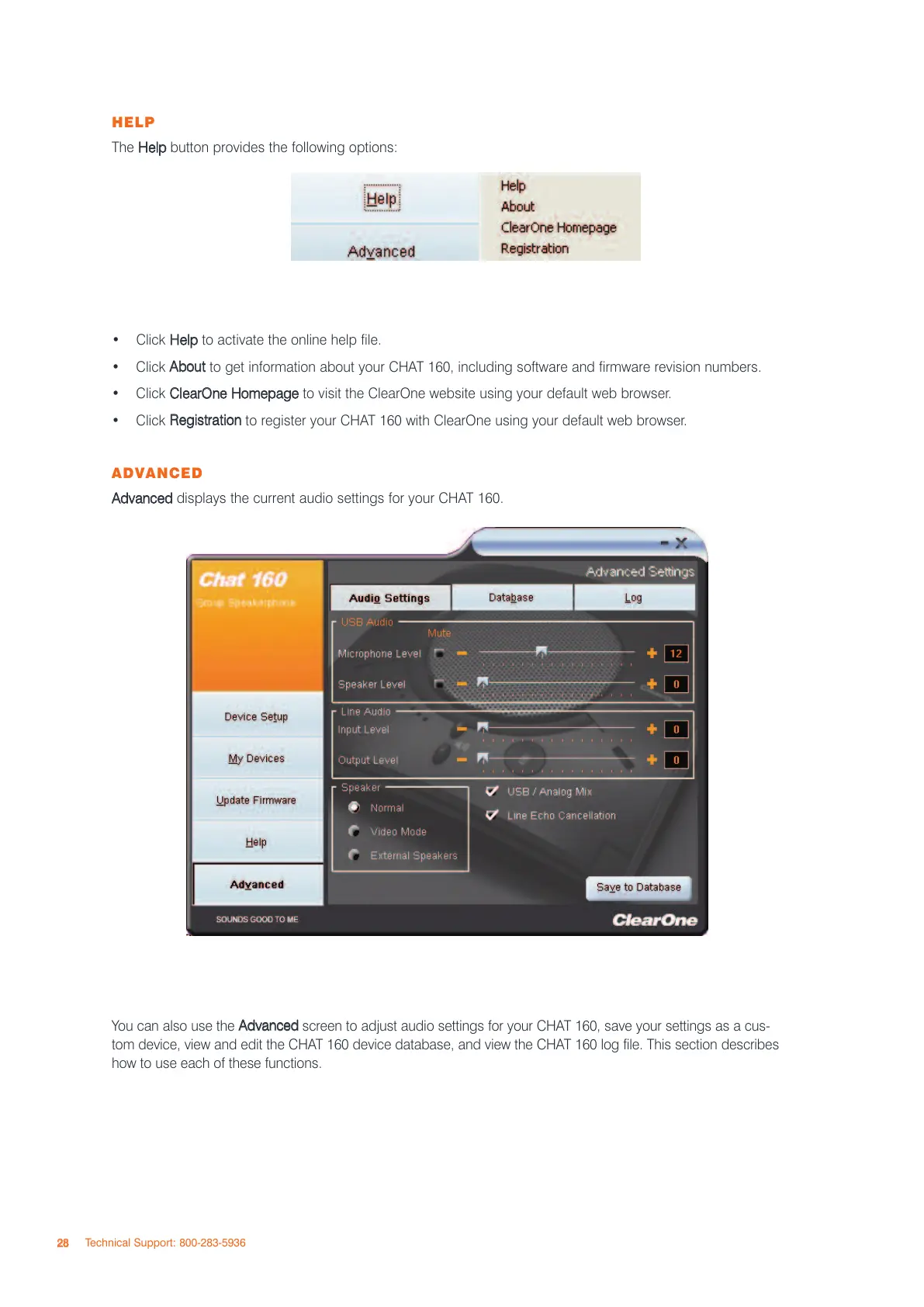
ADVANCED
AAddvvaanncceedd
displays the current audio settings for your CHAT 160.
You can also use the
AAddvvaanncceedd
screen to adjust audio settings for your CHAT 160, save your settings as a cus-
tom device, view and edit the CHAT 160 device database, and view the CHAT 160 log file. This section describes
how to use each of these functions.
2288
Technical Support: 800-283-5936



 To Next Page