Chapter 2: Getting Started 3
CHAPTER 2: GETTING STARTED
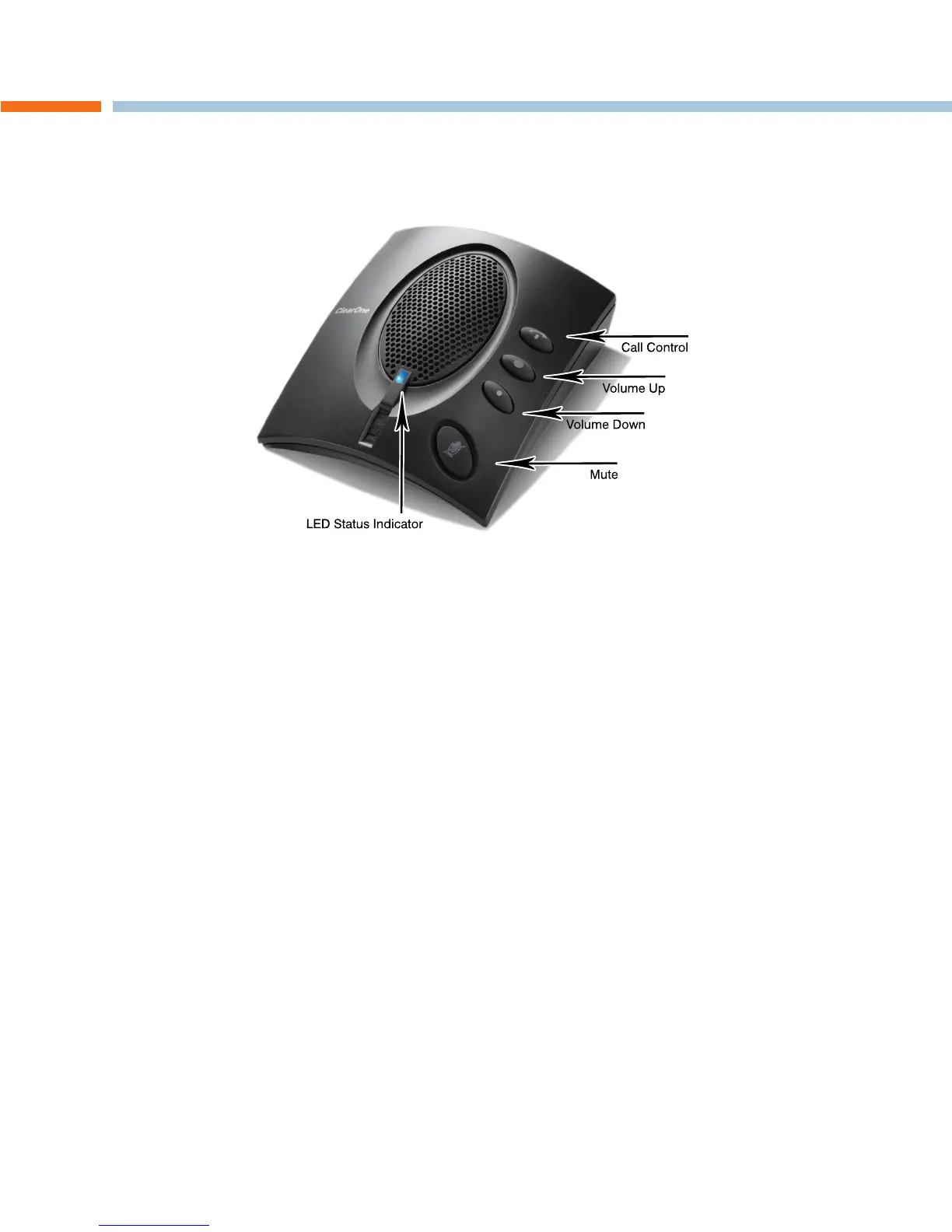
CHAT 60-U CONTROLS
Power LED Indicator
The LED status indicator lights blue when the CHAT 60-U is connected to a PC via USB.
The LED status indicator changes to red when Mute is on.
Call Control Button
The Call Control button is used to:
To • Answer an in-coming call simply press the Call Control button when the phone rings.
To • End a call when finished, press the Call Control button and the phone will hang up.
Volume and Mute Buttons
Use the Volume Up/Down buttons to adjust the volume level of the CHAT 60-U.
Use the Mute button to mute the CHAT 60-U’s microphone until the button is pressed again.
You can use the volume controls in Windows to make these adjustments as well.
> NOTE: Any changes made to the volume level by pressing the CHAT 60-U volume control buttons will
change the PC’s system volume settings accordingly.
VoIPon www.voipon.co.uk sales@voipon.co.uk Tel: +44 (0)1245 808195 Fax: +44 (0)1245 808299



 To Next Page