47
System Configuration ~ Processing
Technical Services Group ~ 1-800-283-5936 (USA) ~ 1-801-974-3760
Processing A–H
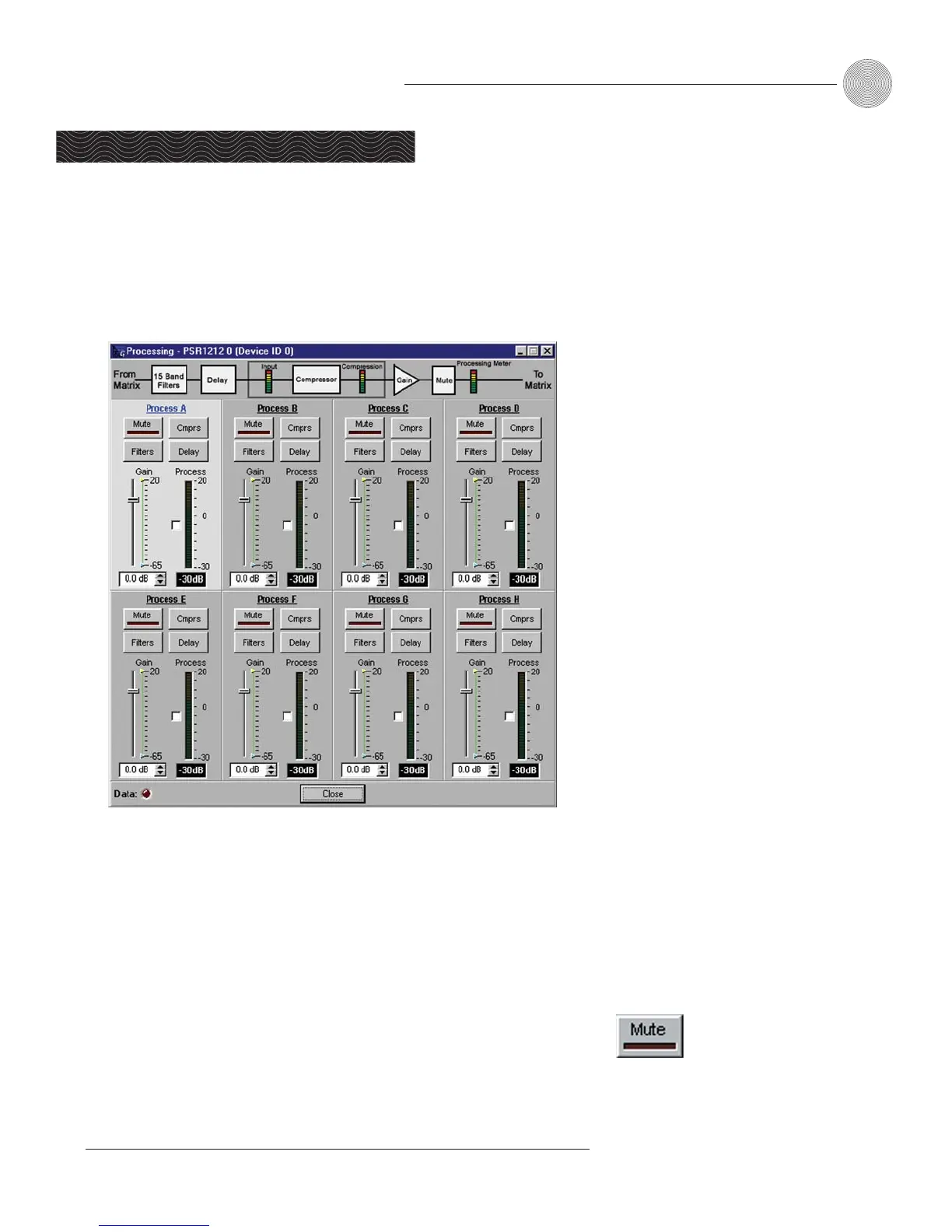
There are eight processing block
s in the PSR1212, each with filters, compressors, and
delay to provide pinpoint audio configuration
s. To open the Processing configuration
window, click the Processing A–H button on the Flow Screen. The To and From
Processing buttons on the Matrix Screen will also open this window.
To select a processing block, click a blank area in the Process pane. If you
click on the Process label, a secondary window will open, allowing you to rename
the processing block. The background color for the selected processor will be light
gray. The configurable properties of these processors are defined in this section.
Mute
Mute mutes the processor. The light on the button illuminates red when Mute is
activated. Default is off (unmuted).
Processing
Figure 3.45. Processing window


 To Next Page