EasyManua.ls Logo

ClearOne PSR1212 - User Manual

ClearOne PSR1212
145 pages
Print Icon
To Next Page IconTo Next Page
Loading...
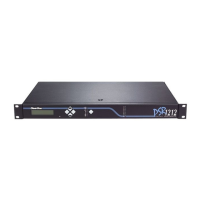
PSR1212 Digital Matrix Mixer
Installation & Operation Manual

Table of Contents

Other manuals for ClearOne PSR1212

Question and Answer IconNeed help?

Do you have a question about the ClearOne PSR1212 and is the answer not in the manual?

Summary

CHAPTER 1: Introduction

Product Overview

Introduces the PSR1212, its features, and applications.

New Features

Details the new functionalities and improvements of the PSR1212.

Unpacking

Lists the items included with the PSR1212 unit.

Controls and Connections

Describes front and rear panel controls and connectors.

Front Panel Controls

Details the LCD, buttons, and LED indicators on the front panel.

Rear Panel Connections

Explains the various connectors and ports on the rear panel.

Networking

Explains the expansion bus and network capabilities of the PSR1212.

Operational Requirements

Outlines power, environment, and software requirements for operation.

Power, Equipment Placement, and Environment

Covers power, rack-mounting, and environmental conditions.

G-Ware Requirements

Lists the minimum system configuration for G-Ware software.

CHAPTER 2: Installation

Hardware Setup

Illustrates typical hardware connections for the PSR1212 system.

To Connect the Unit

Provides step-by-step instructions for connecting the PSR1212 unit.

Networking Units

Explains how to connect multiple PSR1212 units via the expansion bus.

Expansion Bus Connections

Details how to physically connect units using the expansion bus.

Device IDs

Explains how to assign unique network addresses to PSR1212 units.

Mixer Mode

Describes master and slave modes for networked units.

To Select a Mixer Mode

Steps to configure mixer mode via the front panel.

LCD Programming

Guides on using the front panel LCD for configuration.

LCD Menu Tree

Shows the hierarchical structure of the front panel LCD menus.

System Menu Parameters

Details parameters available in the System menu.

RS-232 Menu Configuration

Outlines RS-232 configuration submenus like Baud Rate.

Flow Control and Modem Settings

Covers RS-232 flow control and modem configuration.

CHAPTER 3: System Configuration

G-Ware Requirements

Lists the minimum system configuration for G-Ware software.

Installing G-Ware

Step-by-step guide for installing the G-Ware software.

Site Setup

Explains how to create and configure site files using G-Ware.

Creating a New Site

Guides on creating a new site file within G-Ware.

Adding a PSR1212 Unit

Instructions for adding PSR1212 units to a site file.

Configuring Unit Properties

Details configuring communication and security properties.

G-Ware Screens Overview

Introduces the Flow and Matrix screens for G-Ware configuration.

Flow Screen Functions

Describes the main access window for G-Ware features.

Matrix Screen Routing

Explains the screen used for routing audio connections.

Audio Routing Configuration

Details routing audio via expansion bus and processing channels.

Expansion Bus and Processing Routing

Describes routing audio via expansion bus and processing channels.

Cross Point Attenuation

Details adjusting audio levels at cross points in the matrix.

Inputs and Outputs Configuration

Covers configuration of inputs 1-8, 9-12, and outputs 1-12.

Inputs 1-8 Settings

Configuration details for inputs 1-8, including mute and AGC.

Inputs 9-12 Settings

Configuration for line-level inputs 9-12.

Outputs 1-12 Settings

Configuration for line-level outputs 1-12.

Expansion Buses Setup

Details how to label expansion bus inputs and outputs.

Processing Channels Configuration

Details the eight processing blocks with filters, compressors, and delay.

Processing Block Settings

Covers mute, compressor, filters, and delay configurations.

Gain and Meter Settings

Adjusting gain and understanding meter readings for processing.

Gating Group Select and Configuration

How to assign inputs to gating groups and configure settings.

CHAPTER 4: Advanced Configuration

Presets Overview

Explains the concept and benefits of using presets for flexible room configuration.

Creating Presets

Guides on how to create presets using G-Ware.

Preset Configuration Options

Details options for configuring preset properties like number, name, and protection.

Running Presets

Methods for executing presets using G-Ware or front panel.

Running Presets via G-Ware

Instructions for running presets using G-Ware software.

Running Presets via Front Panel

How to run presets using the PSR1212's front panel.

Macros Overview

Explains the function and capabilities of macros.

Creating Macros

Explains the two methods for creating macros in G-Ware.

Using the Macro Recorder

Step-by-step guide for using the Macro Recorder.

Using the Macro Editor

Step-by-step guide for creating macros directly in the Macro Editor.

CHAPTER 5: Operation

Utilities in G-Ware

Introduces the utility programs available in G-Ware for system management.

Signal Generator Utility

How to use the Signal Generator to create test audio signals.

Document Compare Utility

Utility for comparing configuration information between sites or files.

Print Reports Utility

How to print various configuration reports using G-Ware.

GFirm Firmware Utility

Utility for upgrading the unit's firmware.

G-Ware Switcher Utility

Tool for switching between different G-Ware software versions.

Monitoring Views in G-Ware

Introduces monitoring tools within G-Ware for system status.

Gate View Monitoring

How to view gating activity on each mic input.

Meter Views Monitoring

How to monitor signal levels on inputs, outputs, or processing channels.

CHAPTER 6: Control

GPIO Builder

Tool for configuring GPIO assignments on Control/Status Port A.

Control;Status A Port Configuration

Overview of the Control/Status A port and steps to program its pins.

Remote Builder

Tool for configuring XAP IR Remote and ClearOne Control Panels.

XAP IR Remote Configuration

Details on using the XAP IR Remote for system control.

ClearOne Control Panels Setup

Information on connecting and using ClearOne Control Panels.

RS-232 Port Control

Covers remote modem access and serial commands via RS-232.

Remote Modem Access

How to access the unit remotely via modem connection.

Serial Commands and Strings

Information on sending serial commands and creating command strings.

Appendix A: Specifications

Technical Specifications Summary

Lists the physical, electrical, and performance specifications of the PSR1212.

Appendix B: Pinouts

RS-232 Port Pinouts and Connections

Covers RS-232 pinouts and connection diagrams for various devices.

Control;Status Port Pinouts

Details pinouts for Control/Status A and B ports.

RS-485 and Connector Pinouts

Pinouts for RS-485, SET, and LINE connectors.

Appendix C: Control Panel

Control Panel Installation and Connection

Instructions for installing and connecting control panels.

DIP Switch ID Assignment

How to assign a unique ID using DIP switches on control panels.

Control Panel Wiring

Explains the wiring process for control panels and daisy-chaining.

Appendix D: Accessories

Available Accessories List

Lists available accessories for the PSR1212 with part numbers.

Appendix E: Serial Commands

Command Structure and Conventions

Explains how serial commands are formatted and conventions used.

Serial Command Reference

Lists and describes various serial commands for controlling the PSR1212.

Appendix F: Warranty

Warranty Information

Information about the product warranty and coverage.

Appendix G: Compliance

FCC Part 15 Compliance

Details compliance with FCC Part 15 rules for Class A digital devices.

Safety Information

Safety precautions for equipment installation and connections.

Glossary

Term Definitions

Definitions of technical terms used in the manual.

Index

Topic Index

Alphabetical index of topics and page numbers for quick reference.

Summary

CHAPTER 1: Introduction

Product Overview

Introduces the PSR1212, its features, and applications.

New Features

Details the new functionalities and improvements of the PSR1212.

Unpacking

Lists the items included with the PSR1212 unit.

Controls and Connections

Describes front and rear panel controls and connectors.

Front Panel Controls

Details the LCD, buttons, and LED indicators on the front panel.

Rear Panel Connections

Explains the various connectors and ports on the rear panel.

Networking

Explains the expansion bus and network capabilities of the PSR1212.

Operational Requirements

Outlines power, environment, and software requirements for operation.

Power, Equipment Placement, and Environment

Covers power, rack-mounting, and environmental conditions.

G-Ware Requirements

Lists the minimum system configuration for G-Ware software.

CHAPTER 2: Installation

Hardware Setup

Illustrates typical hardware connections for the PSR1212 system.

To Connect the Unit

Provides step-by-step instructions for connecting the PSR1212 unit.

Networking Units

Explains how to connect multiple PSR1212 units via the expansion bus.

Expansion Bus Connections

Details how to physically connect units using the expansion bus.

Device IDs

Explains how to assign unique network addresses to PSR1212 units.

Mixer Mode

Describes master and slave modes for networked units.

To Select a Mixer Mode

Steps to configure mixer mode via the front panel.

LCD Programming

Guides on using the front panel LCD for configuration.

LCD Menu Tree

Shows the hierarchical structure of the front panel LCD menus.

System Menu Parameters

Details parameters available in the System menu.

RS-232 Menu Configuration

Outlines RS-232 configuration submenus like Baud Rate.

Flow Control and Modem Settings

Covers RS-232 flow control and modem configuration.

CHAPTER 3: System Configuration

G-Ware Requirements

Lists the minimum system configuration for G-Ware software.

Installing G-Ware

Step-by-step guide for installing the G-Ware software.

Site Setup

Explains how to create and configure site files using G-Ware.

Creating a New Site

Guides on creating a new site file within G-Ware.

Adding a PSR1212 Unit

Instructions for adding PSR1212 units to a site file.

Configuring Unit Properties

Details configuring communication and security properties.

G-Ware Screens Overview

Introduces the Flow and Matrix screens for G-Ware configuration.

Flow Screen Functions

Describes the main access window for G-Ware features.

Matrix Screen Routing

Explains the screen used for routing audio connections.

Audio Routing Configuration

Details routing audio via expansion bus and processing channels.

Expansion Bus and Processing Routing

Describes routing audio via expansion bus and processing channels.

Cross Point Attenuation

Details adjusting audio levels at cross points in the matrix.

Inputs and Outputs Configuration

Covers configuration of inputs 1-8, 9-12, and outputs 1-12.

Inputs 1-8 Settings

Configuration details for inputs 1-8, including mute and AGC.

Inputs 9-12 Settings

Configuration for line-level inputs 9-12.

Outputs 1-12 Settings

Configuration for line-level outputs 1-12.

Expansion Buses Setup

Details how to label expansion bus inputs and outputs.

Processing Channels Configuration

Details the eight processing blocks with filters, compressors, and delay.

Processing Block Settings

Covers mute, compressor, filters, and delay configurations.

Gain and Meter Settings

Adjusting gain and understanding meter readings for processing.

Gating Group Select and Configuration

How to assign inputs to gating groups and configure settings.

CHAPTER 4: Advanced Configuration

Presets Overview

Explains the concept and benefits of using presets for flexible room configuration.

Creating Presets

Guides on how to create presets using G-Ware.

Preset Configuration Options

Details options for configuring preset properties like number, name, and protection.

Running Presets

Methods for executing presets using G-Ware or front panel.

Running Presets via G-Ware

Instructions for running presets using G-Ware software.

Running Presets via Front Panel

How to run presets using the PSR1212's front panel.

Macros Overview

Explains the function and capabilities of macros.

Creating Macros

Explains the two methods for creating macros in G-Ware.

Using the Macro Recorder

Step-by-step guide for using the Macro Recorder.

Using the Macro Editor

Step-by-step guide for creating macros directly in the Macro Editor.

CHAPTER 5: Operation

Utilities in G-Ware

Introduces the utility programs available in G-Ware for system management.

Signal Generator Utility

How to use the Signal Generator to create test audio signals.

Document Compare Utility

Utility for comparing configuration information between sites or files.

Print Reports Utility

How to print various configuration reports using G-Ware.

GFirm Firmware Utility

Utility for upgrading the unit's firmware.

G-Ware Switcher Utility

Tool for switching between different G-Ware software versions.

Monitoring Views in G-Ware

Introduces monitoring tools within G-Ware for system status.

Gate View Monitoring

How to view gating activity on each mic input.

Meter Views Monitoring

How to monitor signal levels on inputs, outputs, or processing channels.

CHAPTER 6: Control

GPIO Builder

Tool for configuring GPIO assignments on Control/Status Port A.

Control;Status A Port Configuration

Overview of the Control/Status A port and steps to program its pins.

Remote Builder

Tool for configuring XAP IR Remote and ClearOne Control Panels.

XAP IR Remote Configuration

Details on using the XAP IR Remote for system control.

ClearOne Control Panels Setup

Information on connecting and using ClearOne Control Panels.

RS-232 Port Control

Covers remote modem access and serial commands via RS-232.

Remote Modem Access

How to access the unit remotely via modem connection.

Serial Commands and Strings

Information on sending serial commands and creating command strings.

Appendix A: Specifications

Technical Specifications Summary

Lists the physical, electrical, and performance specifications of the PSR1212.

Appendix B: Pinouts

RS-232 Port Pinouts and Connections

Covers RS-232 pinouts and connection diagrams for various devices.

Control;Status Port Pinouts

Details pinouts for Control/Status A and B ports.

RS-485 and Connector Pinouts

Pinouts for RS-485, SET, and LINE connectors.

Appendix C: Control Panel

Control Panel Installation and Connection

Instructions for installing and connecting control panels.

DIP Switch ID Assignment

How to assign a unique ID using DIP switches on control panels.

Control Panel Wiring

Explains the wiring process for control panels and daisy-chaining.

Appendix D: Accessories

Available Accessories List

Lists available accessories for the PSR1212 with part numbers.

Appendix E: Serial Commands

Command Structure and Conventions

Explains how serial commands are formatted and conventions used.

Serial Command Reference

Lists and describes various serial commands for controlling the PSR1212.

Appendix F: Warranty

Warranty Information

Information about the product warranty and coverage.

Appendix G: Compliance

FCC Part 15 Compliance

Details compliance with FCC Part 15 rules for Class A digital devices.

Safety Information

Safety precautions for equipment installation and connections.

Glossary

Term Definitions

Definitions of technical terms used in the manual.

Index

Topic Index

Alphabetical index of topics and page numbers for quick reference.

ClearOne PSR1212 Specifications

Audio Performance IconAudio Performance
frequency response20 Hz to 20 kHz ±1dB
noise (EIN)-126 dBu
total harmonic distortion + noise (THD+N)<0.02%
signal to noise ratio (SNR)80 dB
dynamic range100 dB
crosstalk<-91 dB re 20 dBu @ 20 kHz
Power IconPower
power input range100-240 VAC; 50/60 Hz
power consumption30 W typical
+5 VDC pins current protection300 mA
+15 VDC current protection300 mA
Operating Environment IconOperating Environment
operating temperature32-100° F/0-38° C
humidity15% to 80%, non-condensing
Mic/Line Inputs and Outputs IconMic/Line Inputs and Outputs
mic/line input impedance5 kž
mic/line nominal leveladjustable -55 dBu, -25 dBu, 0 dBu
mic/line maximum level-35 dBu, -5 dBu, +20 dBu
line inputs impedance>10 kž
line inputs nominal level0 dBu
line inputs maximum level20 dBu
outputs impedance50 ž
outputs nominal level0 dBu
outputs maximum level20 dBu
Weight and Dimensions IconWeight and Dimensions
dimensions17.25" x 10.25" x 1.25"
dimensions metric43.8 x 26 x 4.5 cm
weight7 lb/4.5 kg dry
shipping weight12 lb/5.9 kg