67
Operation ~ Utilities
Technical Services Group ~ 1-800-283-5936 (USA) ~ 1-801-974-3760
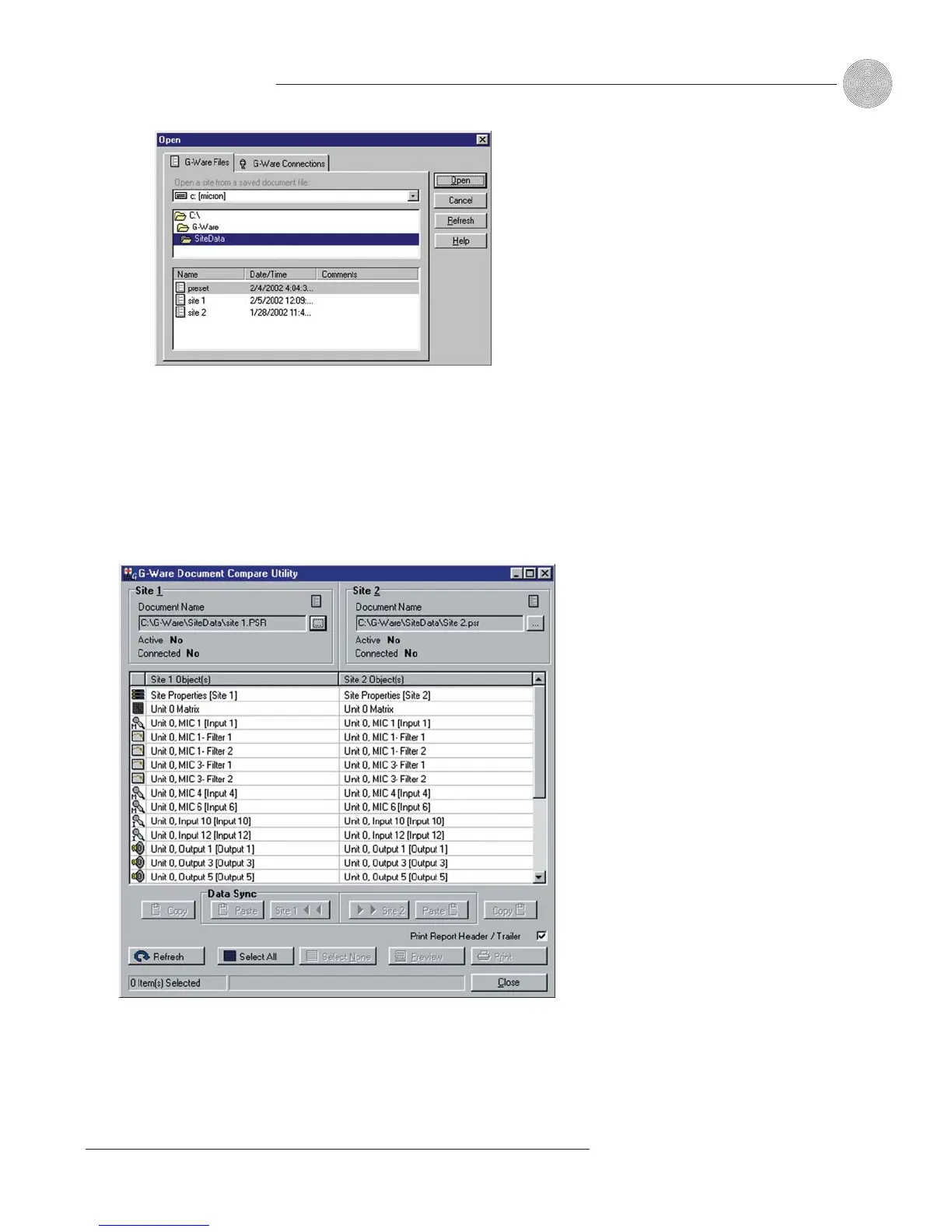
4. Repeat steps 1–3 to select the second second unit, site, or file for
comparison.
When you click Open, G-Ware automatically compares information from the
selected items and displays a table of parameters which differ (note that the
actual differences are not displayed at this point). This process can take a
minute or two.
5. To view the difference(s) between two sources on a single parameter, select
the row in the table you want to examine, then click Preview. This opens
the Print Preview window, which shows what the differences are.
Figure 5.6. Document Compare Utility showing two PSR1212 sites. The items
listed in the Site 1 and Site 2 columns show where the differences are found.
Figure 5.5. Open window


 To Next Page