32
Bluetooth
Cleer GOAL
Bluetooth Bluetooth
ON
2. Select “Cleer GOAL” on the
Bluetooth device list to pair the
earbuds.
3. Enjoy your music with GOAL.
1. GOAL will power ON automatically
when removed from the charging
case.
* GOAL will go into pairing mode
automatically when powered ON for
the first time (if you need to manually
go into pairing mode, please follow
the steps on page 4).
** GOAL will automatically connect
to the last connected device if it is in
range and available for pairing.
GOAL
QUICK START GUIDE
GOAL
INTRODUCTION
GOAL
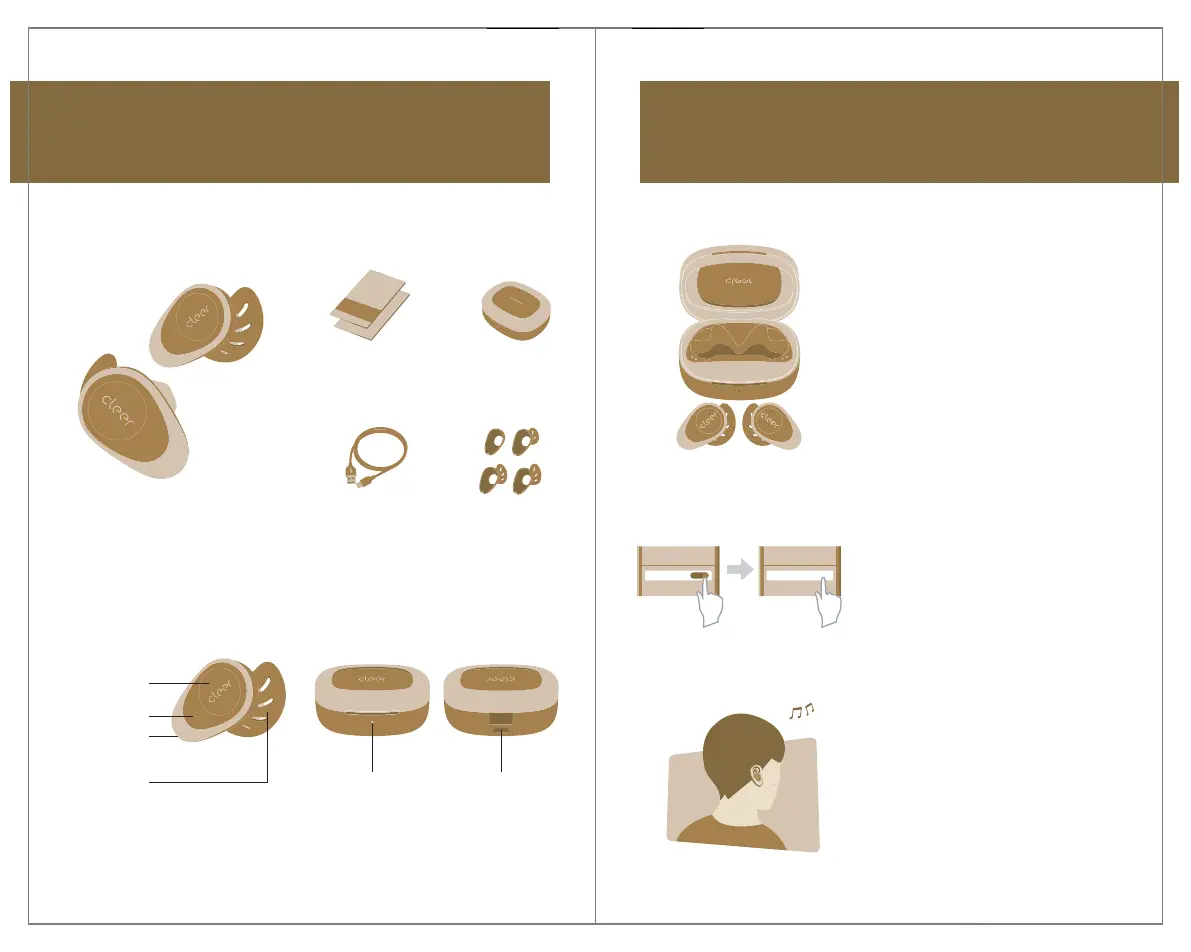
True wireless active headphone
Quick start guide /
User manual /
Warranty card (This booklet) /
Thank you card
Charging
case
Freebit silicone
skirts (S, M, L),
Silicone sleeve
(no skirt)
Box contents
Overview
Charging cable
USB-C to USB-A
LED indicator
Touch pad
LED indicator
Microphone
Freebit
silicone skirt
USB-C port


 To Next Page