98
RL
/
GOAL
USER MANUAL
GOAL
USER MANUAL
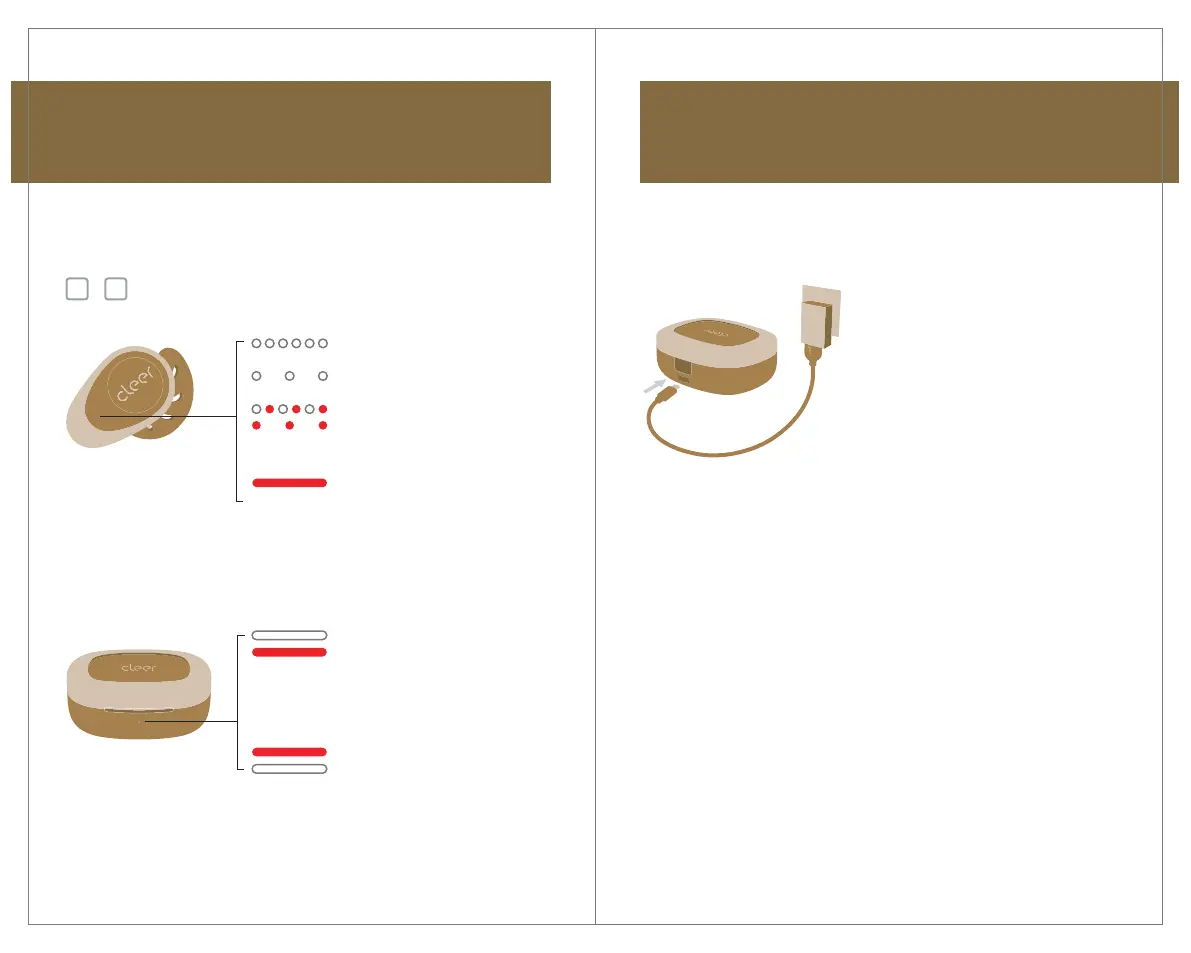
7. Charging
Connect the GOAL charging case
to a power source with the provided
USB-C cable.
A 5-minute charge of the earbuds
will give 1 hour of playtime. Up to
20 hours of total playtime with fully
charged earbuds and charging case.
Power ON but not connected
to any device
Power ON and connected
to a device
Pairing mode
Battery level below 20%
Charging
Battery full
When not charging
Battery level over 20%
Battery level below 20%
When charging
Charging
Battery full
6. LED behavior
LED OFF
Earbud is out of the charging case
Earbud is in the charging case
* The LED will turn o after 3 seconds if the
case is not connected to a power source


 To Next Page