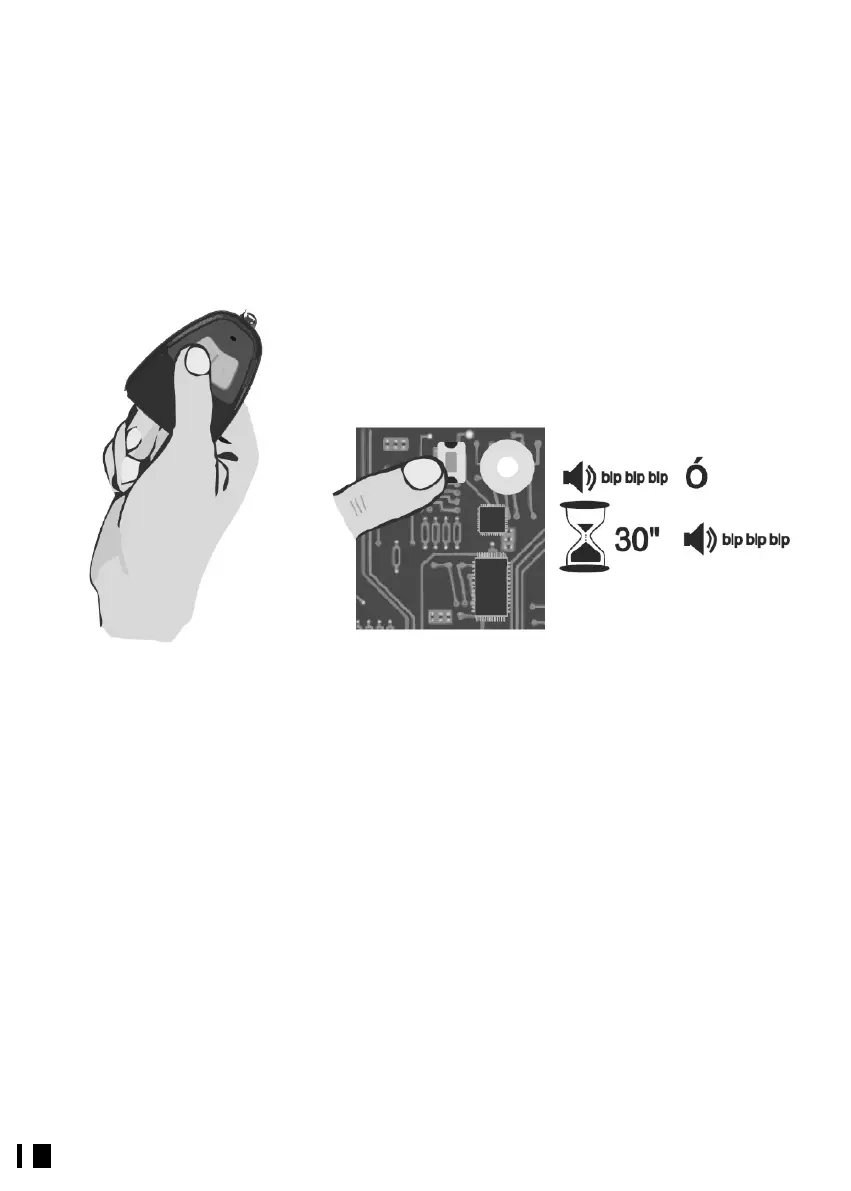
2.- Once in programming mode you can authorize the desired transmitters by pressing
any button on each transmitter; for each transmitter programmed a short beep will
sound. (Fig. 3)
3.- To exit programming mode you may do the following: (Fig. 4)
- Wait 30 seconds for the Receiver to leave programming mode on its own.
- Press the program button on the Receiver.
- Press a channel on any of the transmitters that has been authorized other than the last
one programmed.
The Receiver indicates that it has left programming mode with 3 short beeps.
Mode c:
If Direct Authorization programming mode is enabled, pressing any button on a
transmitter near the Receiver will automatically authorize it as long as the Personalization
and Installation Key match. For each transmitter programmed a short beep will sound.
Possible programming issues
If you hear 3 short beeps when trying to program a transmitter, this means the Receiver
has left Programming mode, as the transmitter had already been programmed
previously.
If no beeps sound when trying to program a transmitter, the transmitter’s personalization
or installation key does not match those of the Receiver.
If when trying to program a transmitter 3 double beeps sound, this means the Receiver’s
memory is full and that transmitter has not been programmed.


 To Next Page