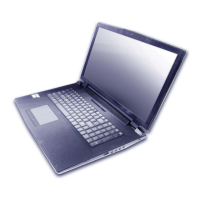
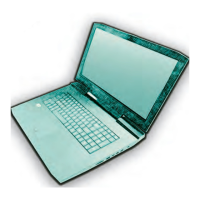
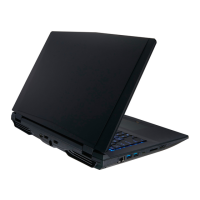
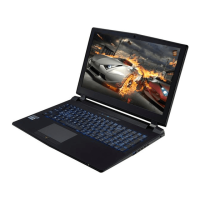
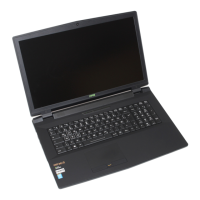
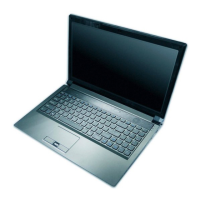
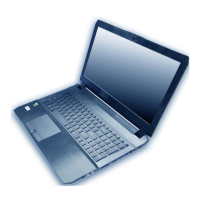
This document is a service manual for a notebook computer, specifically models P870DM and P870DM-G. It provides essential information for care, operation, and disassembly, targeting service personnel and users performing upgrades.
Function Description
The notebook computer is a portable computing device designed for general use, featuring a full-color illuminated keyboard, a touchpad with scrolling functionality, and integrated audio with a sub-woofer. It supports various external peripherals and display options. The manual details procedures for maintenance and upgrades, including battery removal, hard disk drive replacement, and memory module installation.
Important Technical Specifications
Processor Options
The notebook supports Intel® Core™ i7 and i5 processors.
- i7-6700K (4.00GHz): 8MB Smart Cache, 14nm, DDR4-2133MHz, TDP 91W.
- i5-6600K (3.50GHz): 6MB Smart Cache, 14nm, DDR4-2133MHz, TDP 91W.
- i5-6500 (3.20GHz): 6MB Smart Cache, 14nm, DDR4-2133MHz, TDP 65W.
- i5-6400 (2.70GHz): 6MB Smart Cache, 14nm, DDR4-2133MHz, TDP 65W.
- K-series processors support Intel® XTU over-clocking technology.
Video Adapter Options
The notebook offers high-performance NVIDIA® GeForce GTX graphics cards.
- NVIDIA® GeForce GTX 980M PCIe Video Card: 8GB GDDR5 Video RAM on board. Supports NVIDIA® SLI Technology.
- NVIDIA® GeForce GTX 970M PCIe Video Card: 6GB GDDR5 Video RAM. Supports NVIDIA® SLI Technology.
- NVIDIA® GeForce GTX 980 PCIe Video Card: 8GB GDDR5 Video RAM.
LCD Options
- 17.3" (43.94cm), 16:9 aspect ratio.
- Available resolutions: QFHD (3840x2160) and FHD (1920x1080).
Core Logic
BIOS
- AMI BIOS (64Mb SPI Flash-ROM).
Memory
- Four 260 Pin SO-DIMM Sockets Supporting DDR4 2133MHz Memory.
- Memory expandable from 4GB (minimum) up to 64GB (maximum).
- The real memory operating frequency depends on the FSB of the processor.
- Note: Quad-Core CPUs support four SO-DIMMs; Dual-Core CPUs support two SO-DIMMs maximum. Primary memory sockets are under the component bay cover, secondary sockets are under the keyboard (not user upgradable).
Pointing Device
- Built-in Touchpad with scrolling key functionality.
Keyboard
- Full Color Illuminated Full-size Winkey Keyboard with numeric keypad and anti-ghost keys.
Audio
- High Definition Audio Compliant Interface.
- S/PDIF Digital Output.
- Two Speakers and a Sub-Woofer.
- Sound Blaster Audio.
- ANSP™ 3D Sound Technology on Headphone Output.
- Built-In Array Microphone.
- External 7.1CH Audio Output Supported by Headphone, Microphone, Line-In and S/PDIF Out Jacks.
Storage
- Two changeable 2.5" (6cm) 7.0mm (h)/ 9.5mm (h) SATA (Serial) Hard Disk Drives/Solid State Drives (SSD) supporting RAID level 0/1.
- (Factory Option) Two M.2 SATA 2280 SSDs supporting RAID level 0/1.
- (Factory Option) Two M.2 PCIe Gen3 x4 2280 SSDs supporting RAID level 0/1.
Security
- Security (Kensington® Type) Lock Slot.
- BIOS Password.
- Fingerprint Reader Module (Optional).
- Trusted Platform Module 2.0.
Interface Ports
- One USB 3.1 Port/Thunderbolt Port.
- Five USB 3.0 Ports (including one AC/DC Powered USB port).
- One HDMI-Out Port.
- Two Mini DisplayPorts (1.2).
- One S/PDIF Out Jack.
- One Headphone/Speaker-Out Jack.
- One Microphone-In Jack.
- One Line-In Jack.
- Two RJ-45 LAN Jacks.
- One DC-In Jack.
M.2 Slots
- Slot 1 for Combo WLAN and Bluetooth Module.
- Slot 2 for SATA or PCIe Gen3 x4 SSD.
- Slot 3 for SATA or PCIe Gen3 x4 SSD.
Communication
- Built-In Gigabit Ethernet LAN.
- 2.0M FHD PC Camera Module.
- WLAN/Bluetooth M.2 Modules (Factory Options):
- Intel® Wireless-N 7265 (802.11b/g/n) + Bluetooth 4.0.
- Intel® Wireless-AC 3165 (802.11ac) + Bluetooth 4.0.
- Intel® Wireless-AC 8260 (802.11ac) + Bluetooth 4.1.
- Qualcomm® Atheros Killer™ Wireless-AC 1535 (802.11ac) + Bluetooth 4.1.
- Third-Party Wireless LAN (802.11b/g/n) + Bluetooth 4.0.
Card Reader
- Embedded Multi-In-1 Push-Push Card Reader supporting MMC (MultiMedia Card), RS MMC, SD (Secure Digital), Mini SD, SDHC, and SDXC (up to UHS-II).
Environmental Spec
- Temperature:
- Operating: 10°C - 35°C.
- Non-Operating: -20°C - 60°C.
- Relative Humidity:
- Operating: 20% - 80%.
- Non-Operating: 10% - 90%.
Power
- Embedded 8-cell Smart Lithium-Ion Battery Pack, 89WH.
- Full Range AC/DC Adapter.
- AC Input: 100-240V, 50-60Hz.
- DC Output: 19.5V, 16.9A (330W).
- Minimum AC/DC Adapter: 19.5V, 11.8A (230 Watts).
Dimensions & Weight
- 428mm (w) * 308mm (d) * 45mm (h).
- 4.8kg (Barebone System with 1 Video Card and 89WH Battery).
Usage Features
- System Startup: Detailed steps for initial setup, including connecting peripherals, AC/DC adapter, and proper lid opening.
- Battery Guidelines: Recommendations for battery storage (60-70% charge for extended periods, check every 3 months) and warnings against improper disposal or handling.
- Battery Level Indicator: Accessible via a taskbar icon, warns when battery drops below 10% (will not boot up) and advises recharging within one week.
- HDD Installation: Supports 7mm(h) and 9.5mm(h) SATA HDDs/SSDs, with instructions for foam rubber inserts to accommodate different drive heights.
- Memory Installation: Instructions for installing DDR4 SO-DIMM modules, emphasizing correct orientation and secure seating.
- WLAN Module Installation: Steps for connecting antenna cables and securing the module.
- M.2 SSD Installation: Procedures for installing M.2 SSD modules, including proper screw placement.
Maintenance Features
- Care and Operation:
- Avoid dropping or exposing the computer to shock, unstable surfaces, or heavy objects.
- Keep dry and away from excessive heat or direct sunlight.
- Do not use or store in humid environments.
- Ensure vents are not blocked to prevent overheating.
- Proper shutdown procedures are crucial to prevent data loss.
- Regular maintenance is recommended.
- Do not disassemble the computer yourself.
- Safety Precautions:
- Always turn off the computer and disconnect all power supplies and peripherals before performing any maintenance or upgrades.
- Remove the battery to prevent accidental power-on.
- Beware of hazardous moving parts (e.g., fan blades).
- Avoid static discharge by using an anti-static wrist strap when handling internal components.
- Avoid touching connector leads to prevent corrosion from oils.
- Keep the work environment clean to prevent dust and particulate matter from affecting performance.
- Keep track of all components, especially small screws, during disassembly.
- Tools: Recommended tools include M3, M2.5, and M2 Philips-head screwdrivers (M2.5 magnetized), a small flat-head screwdriver, needle-nose pliers, and an anti-static wrist-strap.
- Connections: Guidance on handling different connector types (locking collar, pressure sockets, board-to-board) to prevent damage during disassembly and reassembly.
- Cleaning: Use a soft, clean cloth; do not apply cleaner directly to the computer or use volatile/abrasive cleaners.
- Overheating Prevention: Ensure nothing blocks the vent/fan intakes during use.

 Need help?

 To Next Page

 General