11
LED atmospheric light
Press the ambience button to start the atmospheric light function.
Press the ambience button repeatedly to obtain the desired colour scheme
(white, blue,green, red, purple, Gradient color).
To end the atmospheric light function, press the ambience button again after the colour
changes to Gradient color. The indicator light goes out.
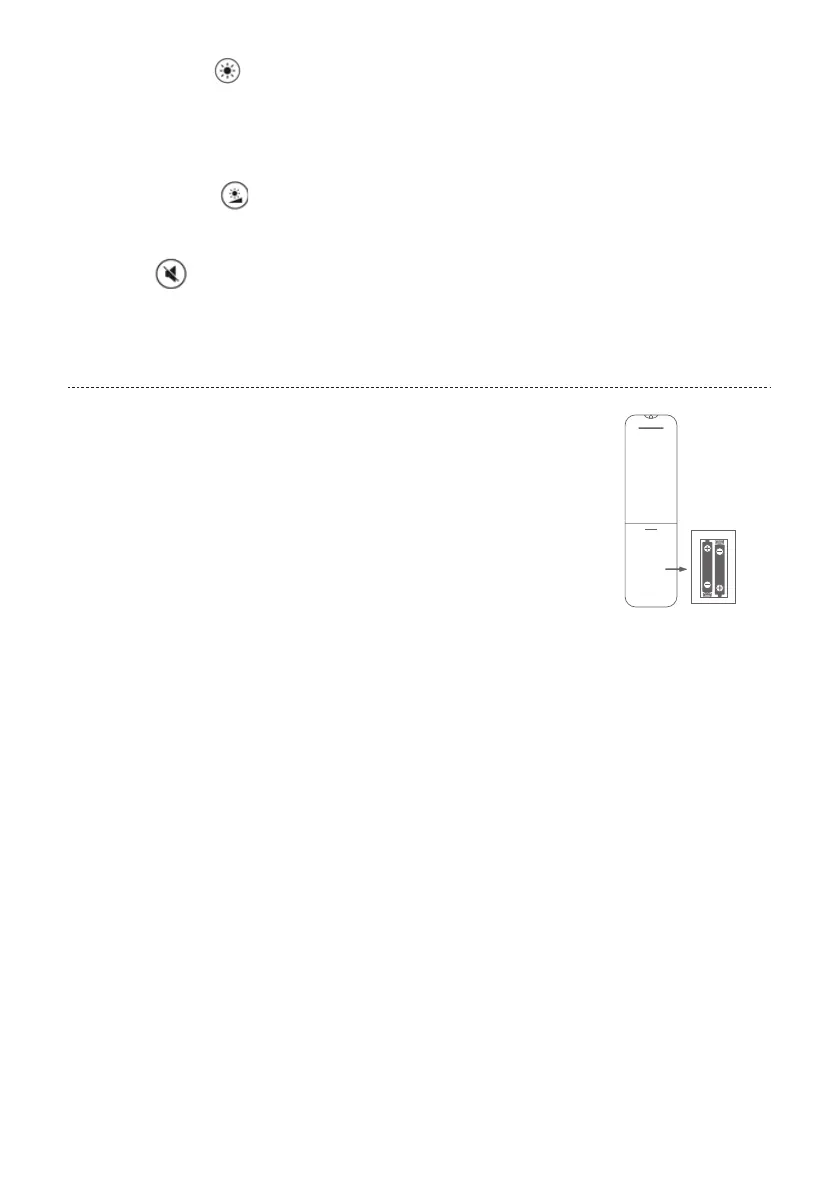
Brightness level button
Press the button to adjust the brightness of the light.
Note: Up to 4 brightness levels can be set for each light color.
Voice button
Press button to turn o tone of fan.The fan cancel“didi”sound.
INSERT BATTERIES INTO THE
REMOTE CONTROL
1. Before using the remote control:Press down battery cover on the back of the
remote control and slide to remove the cover.
2. Insert two new AAA 1.5V alkaline batteries align with polarity indicator
markings (+/-) inside the battery compartment.
3. Reattach the battery cover, making sure the locking tabs click into place.
WARNINGS:
• Keep batteries out of children’s reach.
• Use only alkaline batteries. Do not use rechargeable batteries.
• Do not use old and new or dierent types of batteries in combination. Do not use the remote if the
batteries have leaked.
• Remove the batteries if they are discharged or if the remote control is not being used for a long period of
time. Dispose of used batteries immediately.
• Battery must be recycled or disposed of properly. Do not dispose of battery in a fire, oven or near any
flammable object as this may cause an explosion. Do not dispose of battery in regular trash, municipal
waste stream or by fire as battery may leak or explode.
Thermal Cut-Out
A Thermal Cut-Out is built into this heater to minimise the risk of overheating and maximise safety to users.
A heat sensing device monitors internal temperatures in the appliance. If heat levels rise beyond a preset
safety threshold the Cut-Out will switch o power to the heat elements, eliminating further danger. Let the
heater cool for approximately 10 minutes, then it will function normally again. In the event of a Thermal
Cut-Out check for visible obstructions to air inlets. Try moving the appliance to a new position. Sometimes
placement close to walls and furniture can restrict air movement enough to cause the heater to shut down.
Safety Tip-Over Switch
This appliance is fitted with a safety tip-over switch which automatically turns the unit o when it is tilted or
tipped over. Always ensure that the unit is placed on flat solid ground before operating.


 To Next Page