9
IP CAMERA / Verify IP Address Info
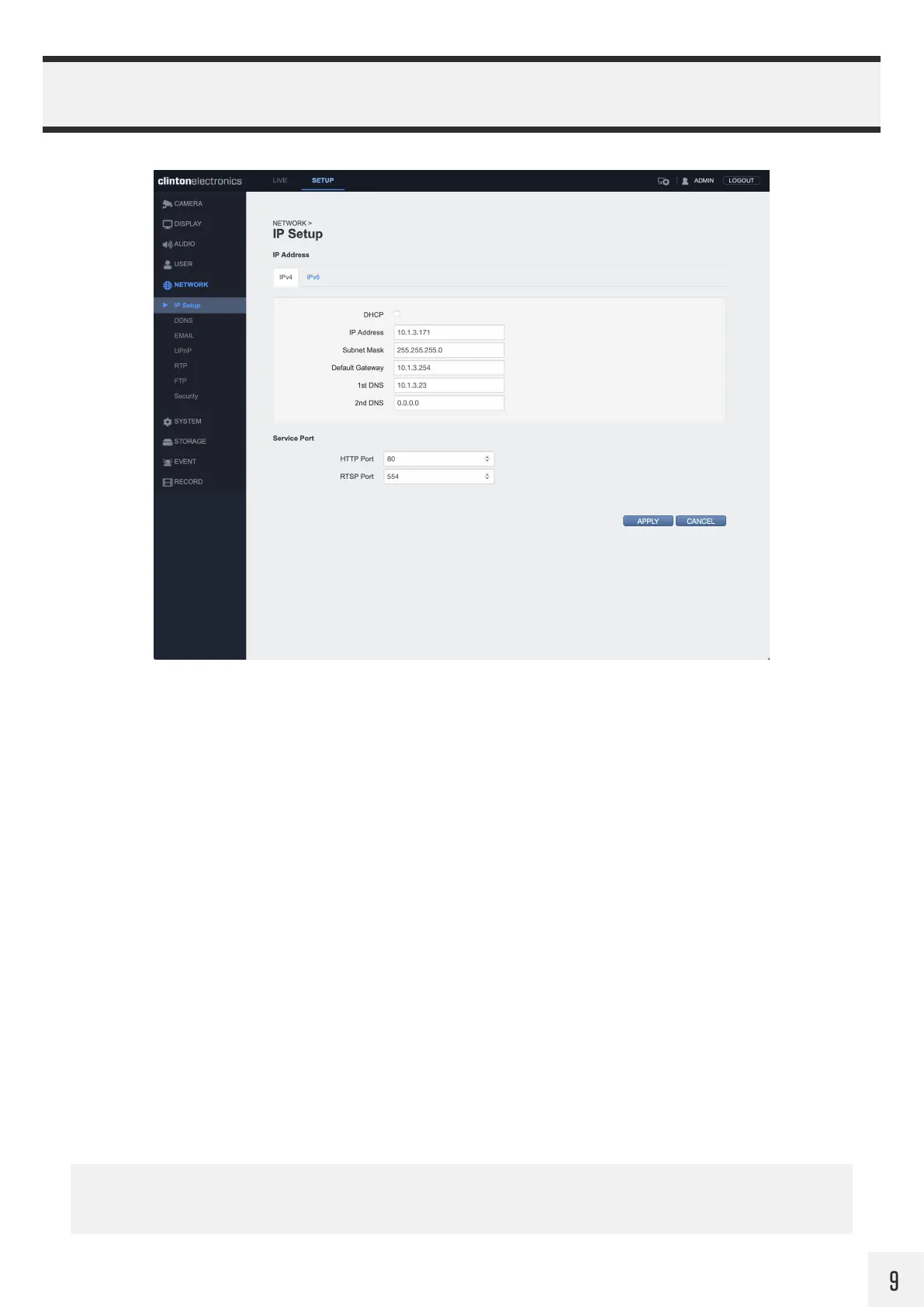
Verify that the IP Address of the camera is correct or assign a new IP Address to the camera.
Click the APPLY button at the bottom of the page to save IP Setup changes. Once clicked you will be disconnected
from the camera. To log in to the camera again, enter the newly assigned IP Address.
By default, the camera uses DHCP to get an IP Address and other network information from the connected
DHCP server/router. To prevent the camera from potentially getting a new IP Address it is recommended to
disable DHCP once the IP Address is set/confirmed to be correct.
If you are unsure about assigning an IP address to the camera, it’s best to check with the network administrator
to avoid potential IP address conflicts.
To access the web viewer when HTTPS is enabled:
In the web browser enter: https://[ip.address]:[HTTPs port], example: https://192.168.109.115:8443


 To Next Page