10
IP CAMERA / Set Time & Date
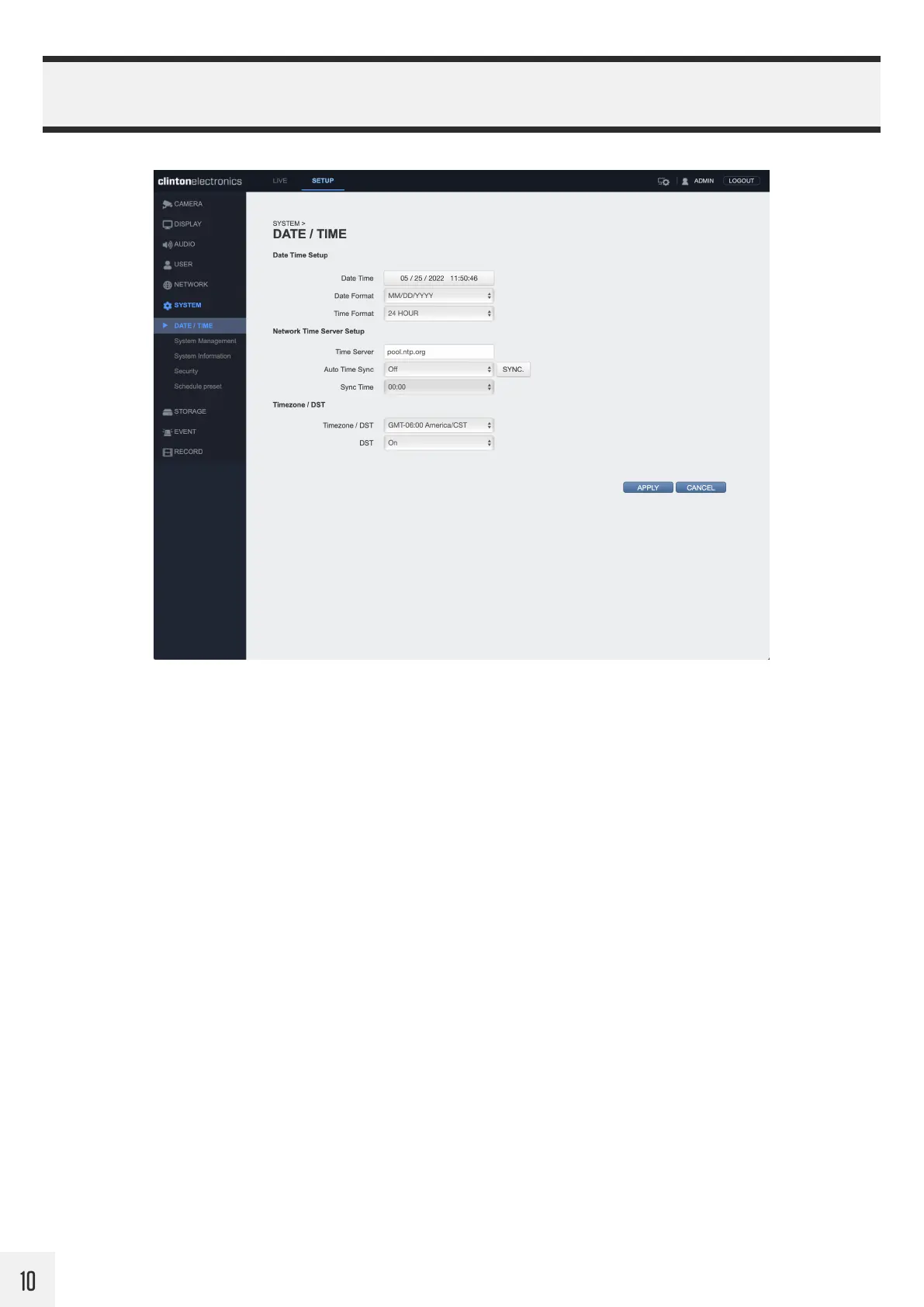
It’s recommended to check and/or configure the Date & Time for the camera, especially if this information will
be embedded onto the network stream, used for recording, or if time-based schedules will be used for event
notifications.
The default Time Server is [pool.ntp.org], but this can be edited to a dierent network time server address,
example: 192.168.109.5 where 5 is the NTP server.
To automatically have the camera sync it’s time to the Time Server, set Auto Time Sync to ON, then set a desired
Sync Time.
Set the Timezone and DST (Daylight Saving Time) options for the camera.
Click the APPLY button at the bottom of the page to save DATE/TIME changes.


 To Next Page