17
IP CAMERA / Viewing Backup Files
Download and install Backup Player from www.clintonelectronics.com/support
(Windows only).
1
• Viewing files directly from microSD card requires VLC Media Player. If you do not have VLC Media Player, it can
be downloaded for free from: https://www.videolan.org/vlc/ Each file on the microSD card will be 5 seconds
long, because of this it is recommended to perform Playback and Backup of video through the web interface.
To view video backups from web interface ‘BACKUP’:
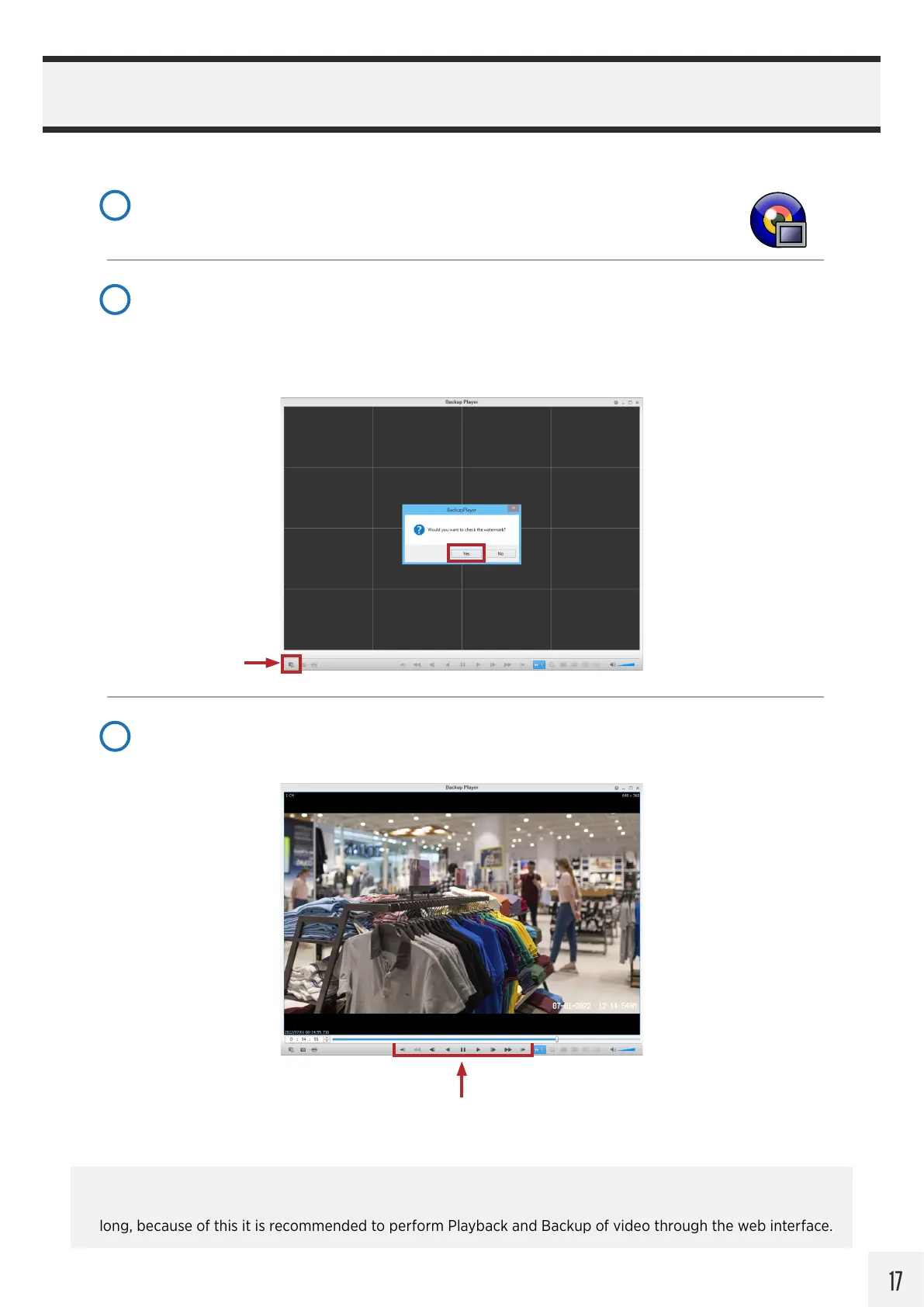
Launch Backup Player, then click on the File Open icon in the lower-left corner of the window, or
drag-and-drop the backup file onto the black viewer area. (Saved video backups can be found here:
Windows (C:) / Save Video )
Click Yes when asked to check for the watermark to verify that the video has not been edited.
2
File Open
After checking the watermark, the video will load and begin playing. Click Pause to drag the timeline
playhead to the desired time.
3
Playback Controls


 To Next Page