8
IP CAMERA / Set Admin Password
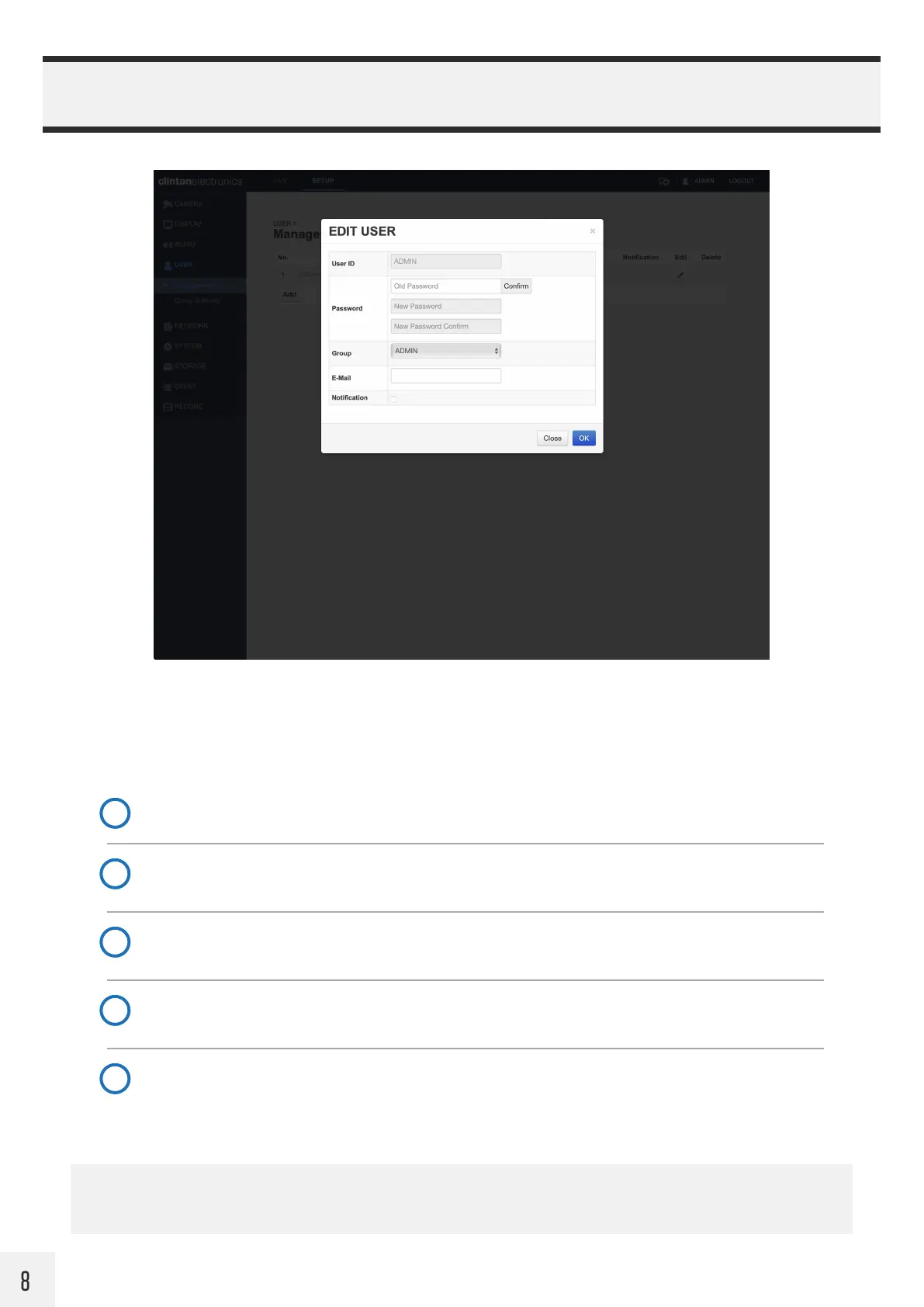
Follow the steps detailed below to edit the ADMIN password, or to create new user accounts.
To access the User Management page, click the User icon in the top right corner or click User, then select
Management.
Click the Edit (Pencil) icon
1
Enter the old password
Click Confirm.
2
Enter new password
The new password must be a minimum of 8 characters in length, but no longer than 16 characters.
3
Confirm new password
Re-enter the new password.
4
Click OK to save the new password
You will automatically be logged out after saving the new password, log back in with new password.
5
If the ADMIN password is lost, the camera will require a Factory Default. Refer to the Factory Default procedure
detailed in the PVM Basic Setup Guide. Factory Default will erase the password set during initial setup.


 To Next Page