12
IP CAMERA / Face Detection Box
ATTENTION:
• AI Face Detector by default is set to OFF. Check with supervisor before enabling this feature. The following
steps are optional and should be skipped if this feature is not to be used.
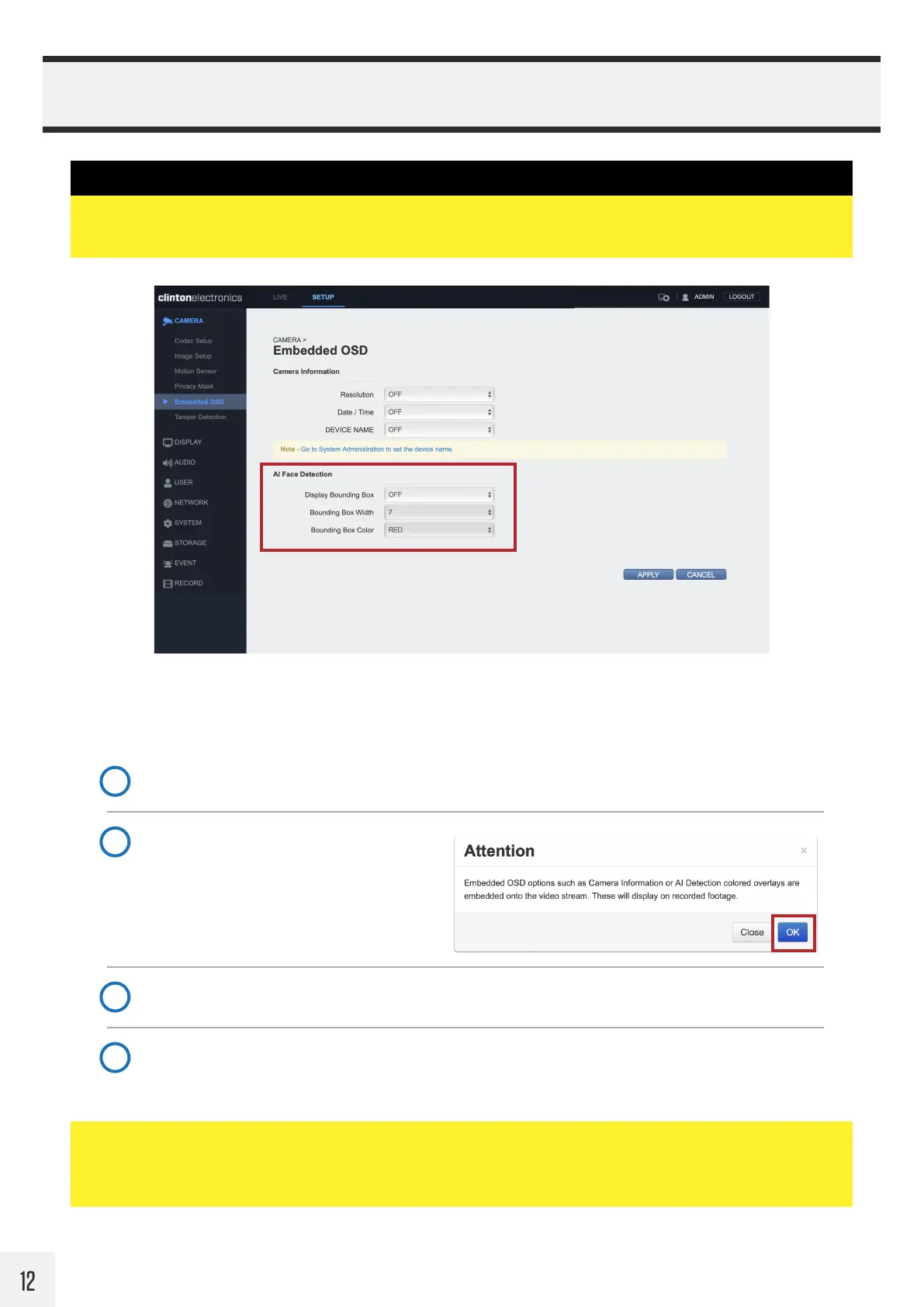
The camera can be configured to overlay a colored frame around faces, giving the impression of advanced AI
monitoring.
Follow the steps below to enable this feature:
Select Display Bounding Box, and change from OFF to ON.
1
Adjust the Box Width and Color. For a thicker Box Width increase the number.
3
Click APPLY to save changes. Once saved, the colored Face Detection boxes will display on the video.
4
When prompted, click OK to acknowledge
that the colored box will be embedded onto
the network video stream.
2
ATTENTION:
• The colored detection boxes will be embedded into the video stream. Do not enable this feature if you do not
want the colored boxes to be saved on recorded video.



 To Next Page