5
IP CAMERA / Adjusting Basic Camera Settings
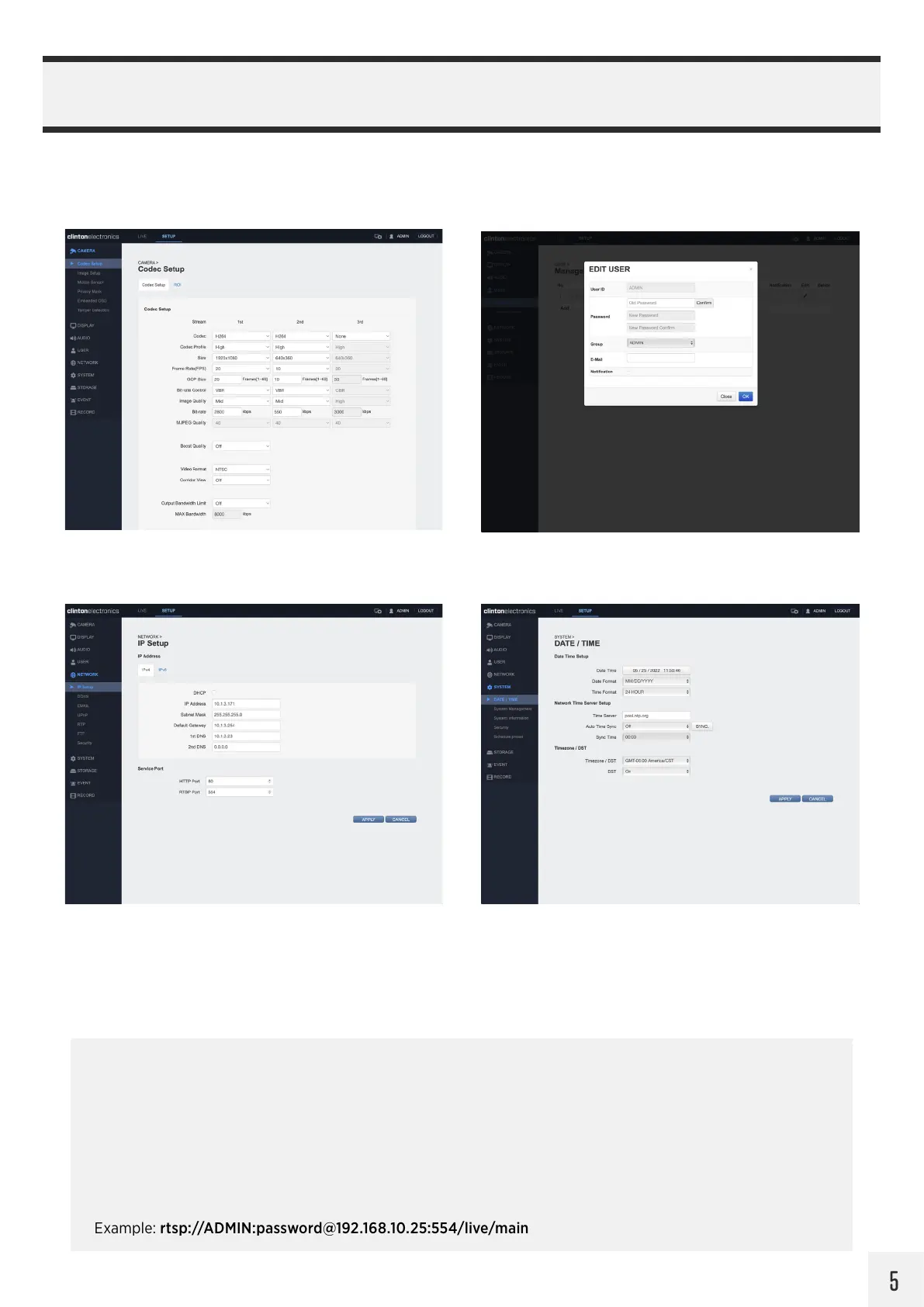
Before completing the installation it’s recommended to check and adjust basic camera settings such as: Codec, Date/
Time, Admin password, and confirm the IP Address settings.
CAMERA / Codec USER / Management
NETWORK / IP Setup SYSTEM / Date & Time
RTSP Stream Info:
To view the camera’s live RTSP stream use the camera’s IP Address, RTSP port number, then live and main.
After connecting you will be prompted to enter the User ID and Password for the camera.
Example: rtsp://192.168.10.25:554/live/main *554 is the default RTSP port number
For the 2nd, 3rd and Supplementary (4th) RTSP streams, replace main with second, third, or fourth.
Example: rtsp://192.168.10.25:554/live/second
To view the RTSP stream and login with credentials (without second login prompt):
Example: rtsp://ADMIN:password@192.168.10.25:554/live/main


 To Next Page