M0Q940G14-03 WSAT-XIN 21-171 33
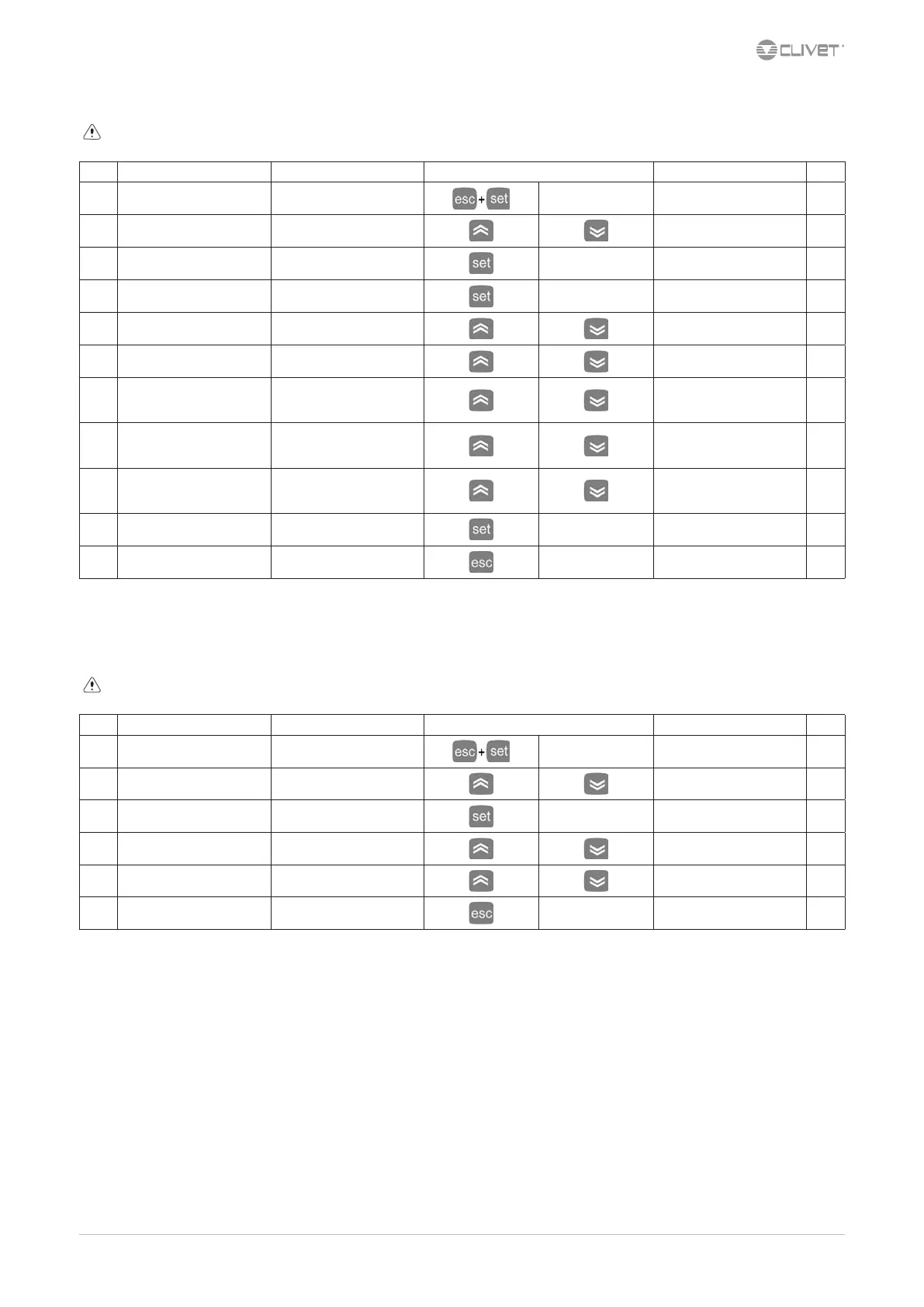
8.12 Alarm log
Before resetting an alarm identify and remove its cause.
Repeated resets can cause irreversible damage.
Step Display Action Keys Menu/Variable Notes
1 Main menu Press
PAr
2 PAr Select
EU
3 EU Press
Last registered alarm
EU00
4 EU00 Press
Access to alarm code info
Er01
5 Er01 Select
Hour of the alarm
20:01
6 20:01 Select
Date of the alarm
27.10
7 27.10 Select
Alarm output hour
Example: alarm still active
--:--
8 --:-- Select
Alarm output date
Example: alarm still active
--:--
9 --:-- Select
Type of alarm:
AUto (automatic)
MAnu (manual)
10 AUto Press
11 Press Back to the previous menu
For details see:
10.1 Alarmsp.45
8.13 Alarms log reset
Before resetting an alarm identify and remove its cause.
Repeated resets can cause irreversible damage.
Step Display Action Keys Menu/Variable Notes
1 Main menu Press
PAr
2 PAr Select
FnC
3 FnC Press
dEF
4 dEF Select
EUr
5 EUr Press 3 sec.
YES
6 Press
Back to the previous menu
For details see:
10.1 Alarmsp.45


 To Next Page
 Loading...