ClonerAlliance Box Pro User Manual
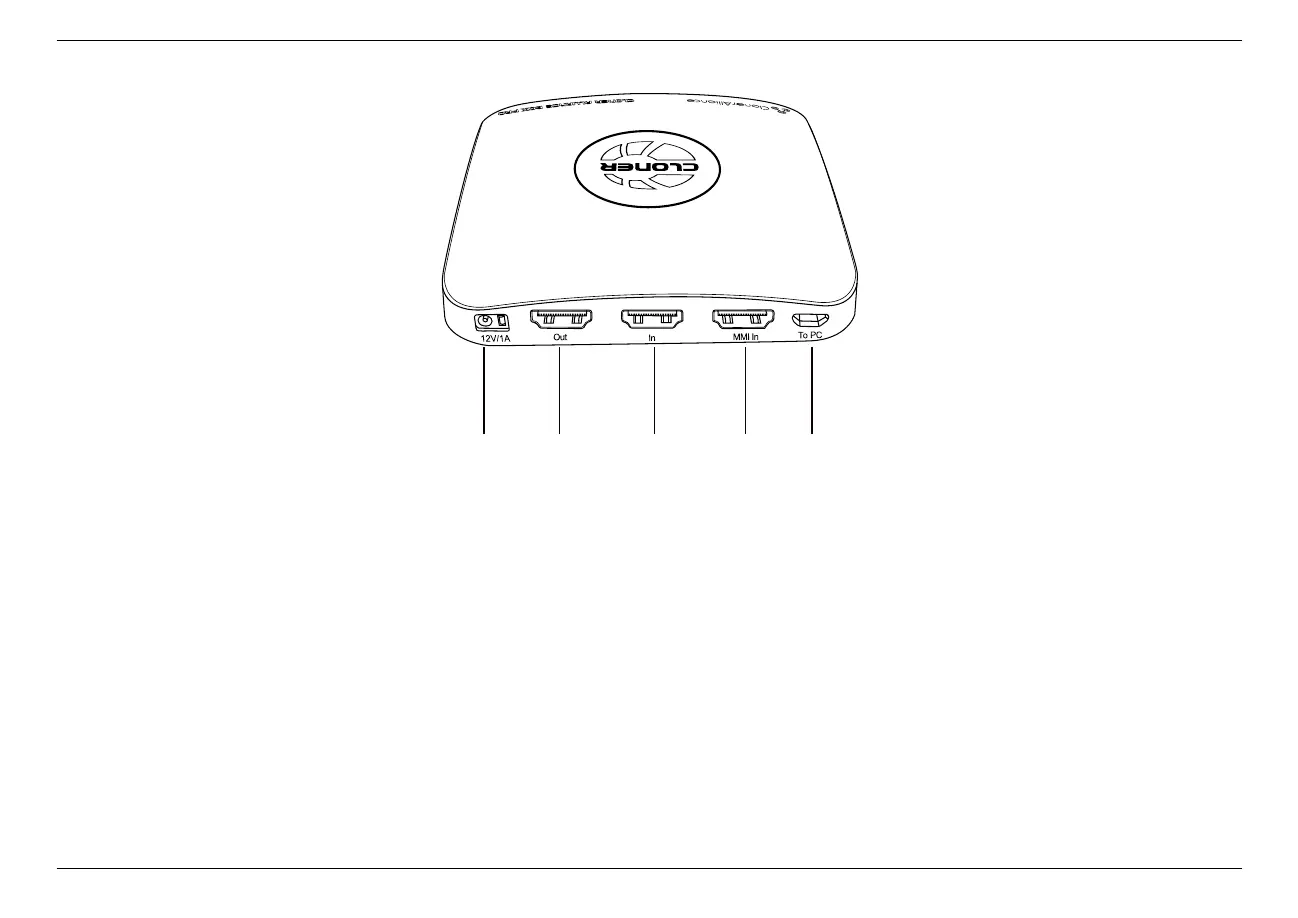
10. 12V/1A: Plug the power adapter into this port and power on ClonerAlliance Box Pro.
11. Out: Connect an HDMI cable between ClonerAlliance Box Pro and TV.
12. In: Connect an HDMI cable between the video player and ClonerAlliance Box Pro.
13. MMI: Connect the included VGA/AV/YPbPr to HDMI cable between the video player and ClonerAlliance Box Pro.
14. To PC: Connect the Micro-USB to USB cable between PC and ClonerAlliance Box Pro for recording videos to PC. This
function must be realized together with ClonerAlliance Helper.
1.2. Product Diagram 4



 To Next Page