ClonerAlliance Box Pro User Manual
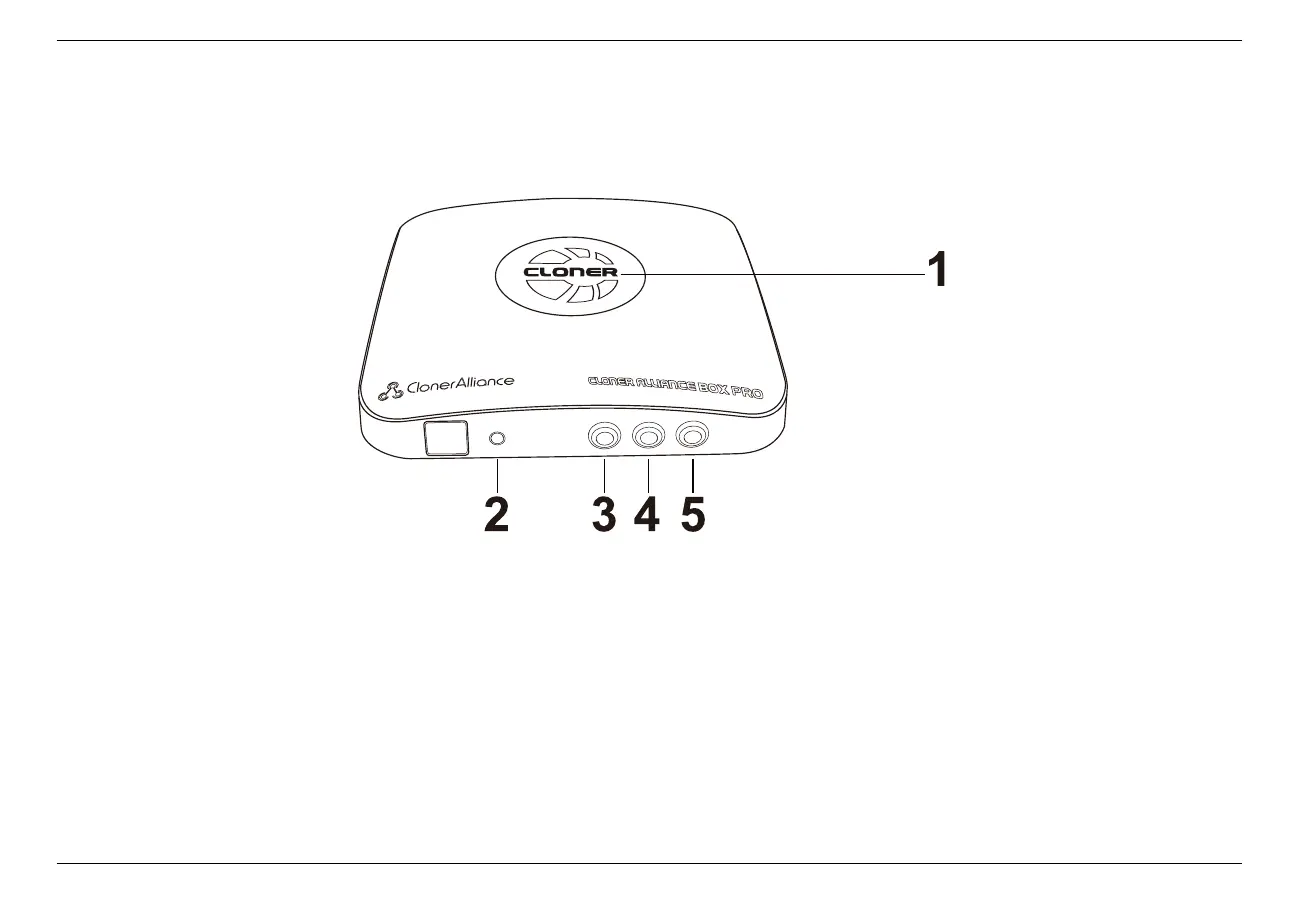
1.2 Product Diagram
1. LED indicator light for recording. Blue means recording in 1080p, while Green means recording in 720p or others.
2. When this light is on, it means ClonerAlliance Box Pro is turned on.
3. Source: Press this button to switch the input signal. HDMI, VGA, YPbPr and AV are available.
4. Snapshot: Press this button to take a snapshot.
5. Rec/Stop: ClonerAlliance Box Pro will be turned on automatically once it’s connected with power supply. Press and
hold “Rec/Stop”button on Box Pro for 5 secs to turn off the unit. Press “Rec/Stop”button again can turn it on again.
1.2. Product Diagram 2



 To Next Page