ClonerAlliance Box Pro User Manual
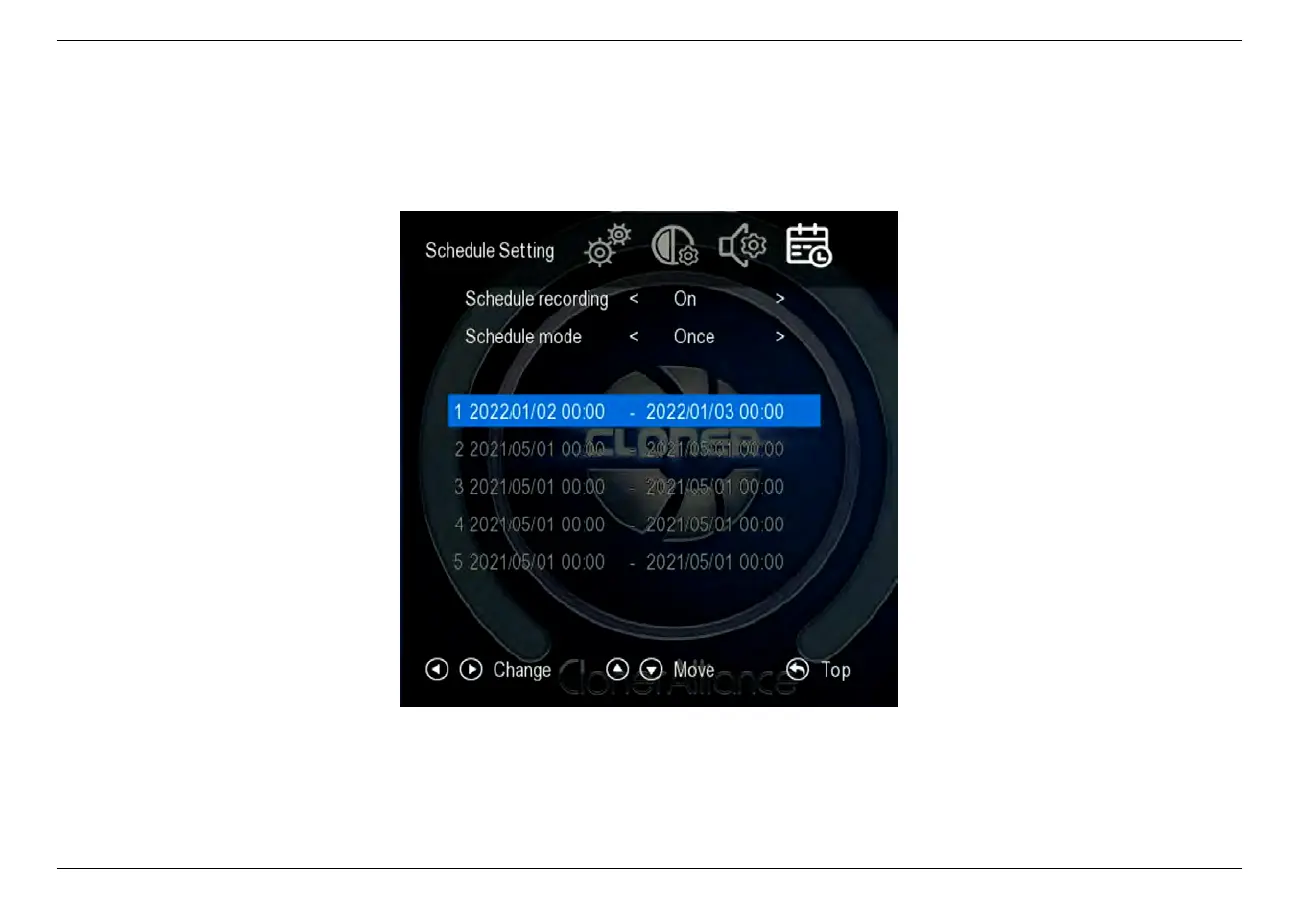
2. Press the SCHEDULE button on the remote control. Set the schedule mode as
“
Once
”
or
“
Every day
”
, start time
and stop time by using the four buttons of volume control on the remote control. Then exit schedule settings by clicking
“Back”button on the remote control.
3. Then ClonerAlliance Box Pro will start to record videos automatically at the scheduled time. Note: If you want to
record certain channel’s video, do select the channel first.
2.5. Schedule Recording 14



 To Next Page