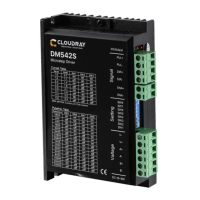
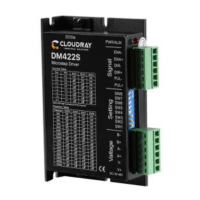
The Cloudray DM556S is a digital stepper drive designed for precise motor control, leveraging a 32-bit DSP platform from TI. It incorporates micro-stepping technology and a PID current control algorithm to deliver enhanced performance, characterized by low noise, minimal vibration, reduced heating, and high-speed, high-torque output. This makes it suitable for a wide range of stepper motors.
Function Description:
The DM556S driver is designed to control stepper motors by converting input power into a PWM chopping wave. It offers various control modes and features to optimize motor performance. The drive can be enabled or disabled via an ENA port, which also serves to restart the drive after an error state. It supports different pulse command modes, including Pulse & Direction, Dual Pulse (CW+CCW), and Orthogonal Pulse (A/B), making it compatible with various upper controllers such as PLCs, MCUs, and control cards.
Important Technical Specifications:
- Power Supply: Operates within a DC voltage range of 24V to 50V.
- Output Current: Capable of delivering up to 5.6 amps (peak value).
- Current Control: Utilizes a PID current control algorithm for precise and stable current regulation.
- Micro-stepping Settings: Offers 16 subdivision options configurable via DIP switches.
- Speed Range: Suitable for motors operating up to 3000 rpm.
- Resonance Suppression: Automatically detects and inhibits IF vibration at resonance points.
- Parameter Adaption: Automatically detects motor parameters during initialization to optimize control performance.
- Pulse Mode Support: Supports direction & pulse, CW/CCW double pulse, and A/B quadrature pulse input.
- Pulse Filtering: Features a 2MHz digital signal filter.
- Idle Current: Automatically halves the current when the motor stops running, reducing heat generation.
- Protection Features: Includes overvoltage, undervoltage, and overcurrent protection.
- Signal Isolation: Input and output control signals are optically isolated for enhanced reliability and safety.
- Environmental Requirements:
- Installation Environment: Avoids dust, oil, and corrosive environments.
- Vibration: Maximum 0.5G (4.9m/s²).
- Operating Temperature/Humidity: 0°C ~ 45°C / 90% RH or less (non-condensing).
- Storage and Transportation Temperature: -10°C ~ 70°C.
- Cooling: Natural cooling; should be kept away from heat sources.
- Waterproof Grade: IP54.
Usage Features:
- DIP Switch Configuration: The DM556S allows users to set the running current and micro-stepping subdivisions using DIP switches. There are 8 current selections and 16 subdivision options.
- Motor Connection Flexibility: Supports various stepper motor lead configurations:
- 4-wire motors: Single connection mode.
- 8-wire motors: Can be connected in series (for low-speed, higher inductance, set current to ~0.7x rated) or parallel (for high-speed, lower inductance, set current to ~1.4x rated).
- 6-wire motors: Can be connected in parallel (all windings connected, higher inductance, suitable for low speed) or central tapping (half windings connected, lower inductance, suitable for high speed).
- Power Supply Input: The drive can accept both AC and DC power, with a specified DC input voltage range. It is crucial to observe power polarity to prevent damage.
- Control Signal Compatibility: The pulse level for the DM556S drive is 3.3V-24V, eliminating the need for external resistors.
- Half/Full Flow Selection: DIP SW4 controls the quiescent current when the motor stops. Setting it to "off" halves the current (half-flow), reducing heat and improving reliability. Setting it to "on" maintains full current (full flow).
- LED Status Indication: A series of green and red LEDs provide clear indications of the drive's working status, including:
- Green on: Drive not enabled.
- Green flickering: Drive working normally.
- One green, one red: Drive overcurrent.
- One green, two red: Drive input power overvoltage.
- One green, three red: Internal voltage error.
- One green, four red: Tracking error exceeds limits.
- One green, five red: Encoder phase error.
- Optimized Performance: The drive's ability to automatically detect motor parameters and suppress resonance contributes to smoother and more efficient motor operation. Increasing the input voltage can enhance motor torque at high speeds, while lower voltages can reduce motor heating at low speeds.
Maintenance Features:
- Troubleshooting Guide: The manual provides a comprehensive troubleshooting section, detailing common phenomena, possible situations, and corresponding solutions. This includes issues like:
- Motor not working (power indicator off, locked rotor, slow speed, drive protected, enable signal problem, incorrect command pulse).
- Incorrect motor steering (reverse rotary direction, disconnected motor cable, single direction, wrong motor connection).
- Alarm indicator on (wrong motor/encoder connection, high/low voltage, disturbed signal, incorrect command input).
- Incorrect position or speed (wrong pulse per revolution setting, abnormal encoder signal).
- Drive terminal short circuit.
- Burned up drive (internal resistance too large, excessive solder).
- Motor out of tolerance (low motor torque, heavy load, low power supply current).
- Guarantee Clause:
- Warranty Period: 12 months from the date of delivery, offering free maintenance service.
- Exclusions: Warranty does not cover improper connection (e.g., reversed power polarity, hot-plugging motor connections), operation beyond electrical and environmental requirements, or unauthorized internal device modifications.
- Maintenance Process: Requires contacting customer service for rework permission, attaching a written document of the failure phenomenon, and providing contact/mailing information.
The DM556S is designed for ease of installation, recommending vertical or horizontal mounting with the front facing forward or top facing upward for optimal cooling. It emphasizes avoiding foreign matter during assembly and using M3 screws for fixation. For installations near vibration sources, a vibrating absorber or rubber gasket is recommended. In control cabinets with multiple drives, sufficient space and cooling fans are advised to ensure proper heat dissipation.



 To Next Page
 General