23 24
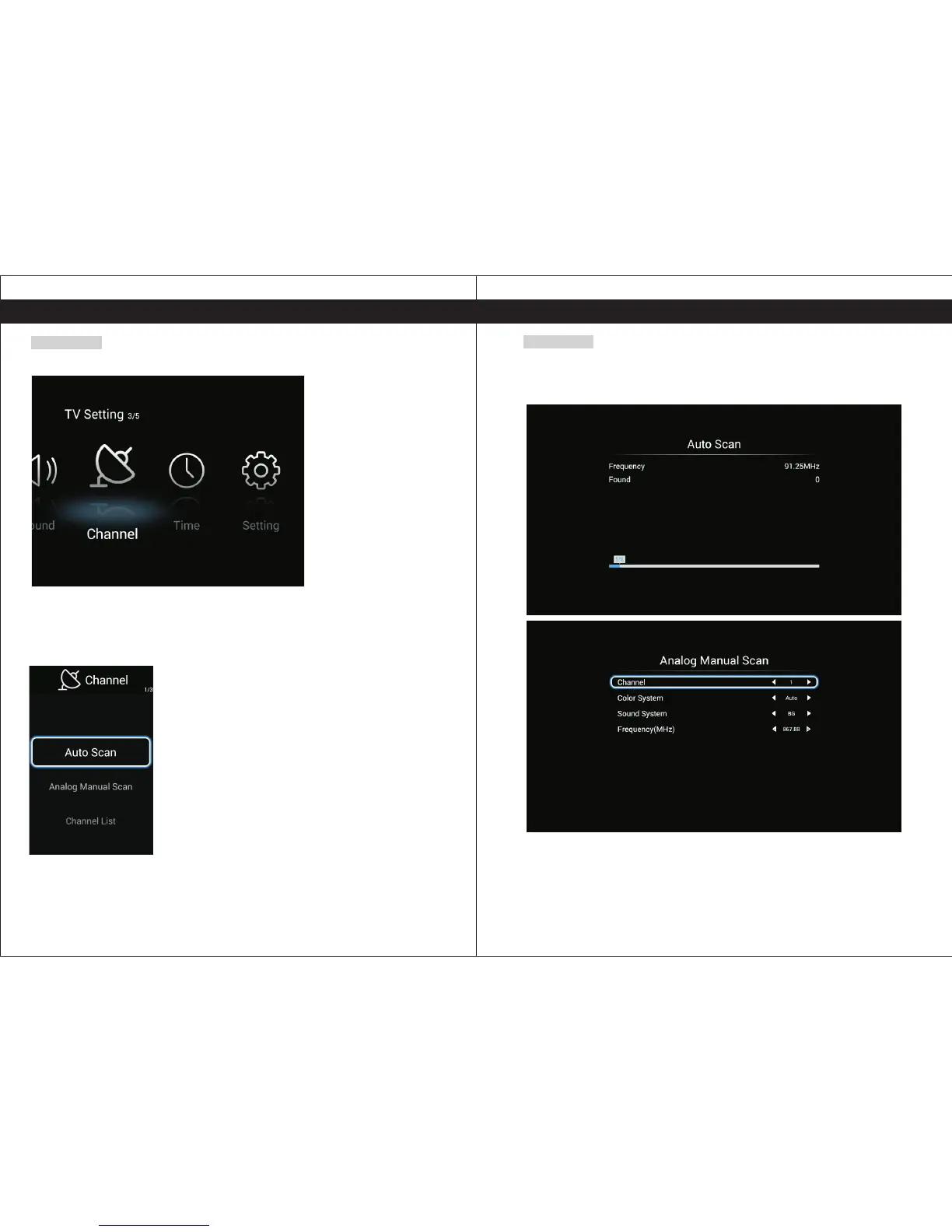
Channel
P 【 】/【 】to select Channel.ress ◄ ►
Press Enter button to enter the sub-title, and press ◄ ►【 】/【 】to sdjust.
Auto Scan Searching the programs automatically.
Anolog Manual Scan Searching the programs by input the frequency.
Channel List List the programs.
Auto Scan
Press▼/▲ to select Auto Tuning, then press OK to start auto search.
If you want to stop searching, press EXIT to stop searching.
Auto Scan will search for available channels and program receivable channels.
Channel Set the channel number.
Color system Select the color system. (PAL/SECAM/NTSC)
Sound System Select the sound system. (DK/BG/I)
Frequency Input the frequency of the channel.
TV SettingsTV Settings


 To Next Page