5 Clover Station Feature Guide English 6
Set up your Clover Station
Video set up: clover.com/setup
Europe: eu.clover.com/setup
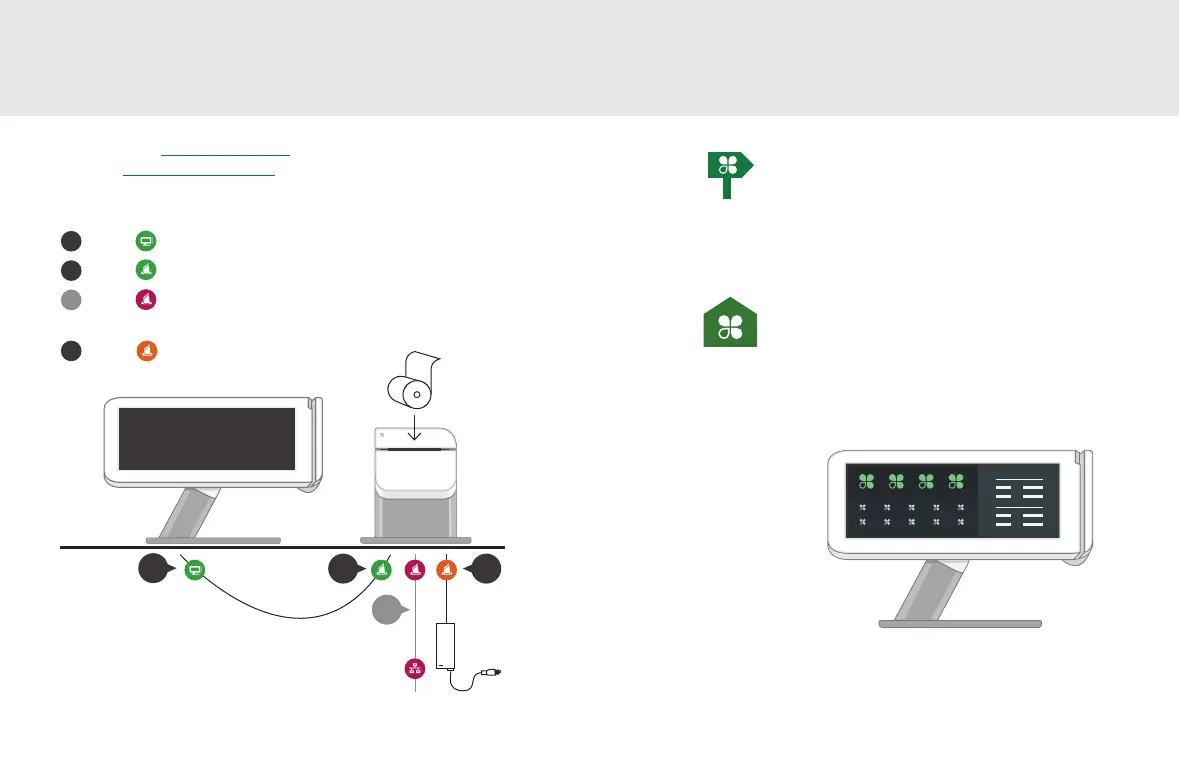
Connect the cables to the hardware in this order:
1
2
3
4
Plug into Display
Plug into Printer
Plug into Printer
(optional if using a wireless network)
Plug into Printer
1
2
3
4
Getting Started
Setup Wizard
This is your guide for setting up Clover
Station. Your activation code is in your
welcome email.
Home
Use your Clover Home screen for quick
access to all your Clover apps. Employees
can also log in and out from here.



 To Next Page