USE ONLY HAYWARD GENUINE REPLACEMENT PARTS
Page 12 of 14 Pump
5. DISPLAYING CURRENT SETTINGS
Note: The pump must be switched on, either running (post priming phase) or stopped.
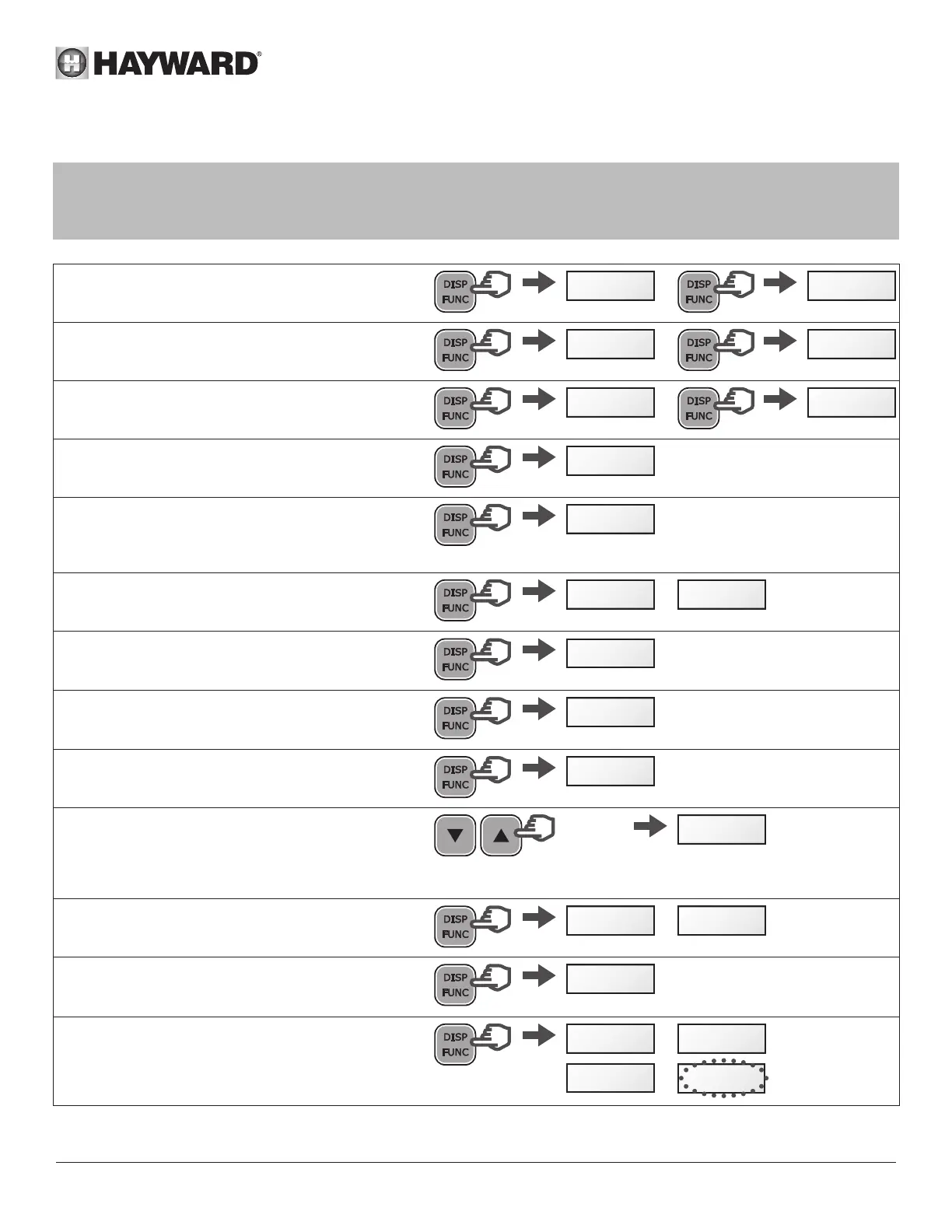
To display the current settings, press DISP/FUNC.
If no button is pressed for 15 seconds thereafter, the display will go back to normal (showing the current speed or
Stop).
• Press DISP/FUNC: the screen will display "hr"
Press again: the screen will display the internal
clock time
hr 11-45
• Press DISP/FUNC: the screen will display "t0"
Press again: the screen will display the 0t timetable
(the t0 speed is fixed at 2400 rpm)
t0 12-00
• Press DISP/FUNC: the screen will display "t1"
Press again: the screen will display its timetable
(hh-mm)
t1 09-20
• Press DISP/FUNC:
the screen will display the speed of the Timer
setting (in rpm)
1240
• Press DISP/FUNC: the screen will display the next
Timer setting, the timetable and the speed - you
can do this up to Timer setting 't5'
Note: Deactivated Timer settings are not displayed
etc ...
t2
• Press DISP/FUNC: the screen will display "P- - - -"
Power consumption (in Watts, a value of +/- 10%)
Note: P = 0 W when the pump is off.
/
P 0
P 634
• Press DISP/FUNC: the screen will display "h - - - -"
The pump's operating hours counter
Note: The counter runs up to 9999 hours
h2857
• Press DISP/FUNC: the screen will display "- - - - -"
Total energy consumption (in kWh)
Note: The counter runs up to 99999 kWh
06542
• Press DISP/FUNC: the screen will display "- - - - -"
Partial energy consumption (in kWh) since the last
reset
00086
• To reset the partial energy consumption counter:
Press and hold either of the up / down buttons for
3 seconds.
The message "CLEAr" will be displayed, indicating
that the counter has been reset to zero.
>3s
CLEAr
• Press DISP/FUNC: The screen will display "SF
On" or "SFOFF" to indicate that the Skimmer is on
or off
/
SF On SFOff
• Press DISP/FUNC: Screen displays "t - -"
This is the temperature of the power module (in
°C)
t 74
• Press DISP/FUNC to exit back to the normal
screen (showing current speed or Stop)
/
/
StoP 1640
t2400
StoP



 To Next Page