SHENZHEN CNCOTE TECHNOLOGY CO., LTD
Website: www.cncote.com Attn: Jack Foo,
Skype, cncote01, whatsapp, 008613480148499, email, jackfoo168@gmail.com
NOTE:For covert protective , the LED status will be invisible after installing the
back cover.
(1).Red Led -Power status indicator
Led status Meaning
Quick flashing Working normally (working by backup car battery ).
Slow plashing Working normally (working by battery of device)
the device will change to work by own battery
while backup battery had been cut down and it will
alarm .
Continuously in bright status Device error
(2).Blue LED-GSM status indicator
LED Status Meaning
Quick flashing Working normally ,uploading GPRS data to
platform server
Slow flashing Working normally ,receive GSM signal normally
Continuously in bright status No GSM signal
(3).Green LED- GPS status indicator
LED Status Meaning
Quick flashing Working normally , GPS Located
Continuously in bright status Searching GPS signal
7. Installation:
7.1
preparation before installation:
7.1.1, Open the packing box to check whether the type of device is correct and whether
the accessories are included ,or else please contact with your distributor.
7.1.2, To test SIM card, please install it into a normal GSM mobile and ensure it can send
and receive SMS, and enables for GPRS.
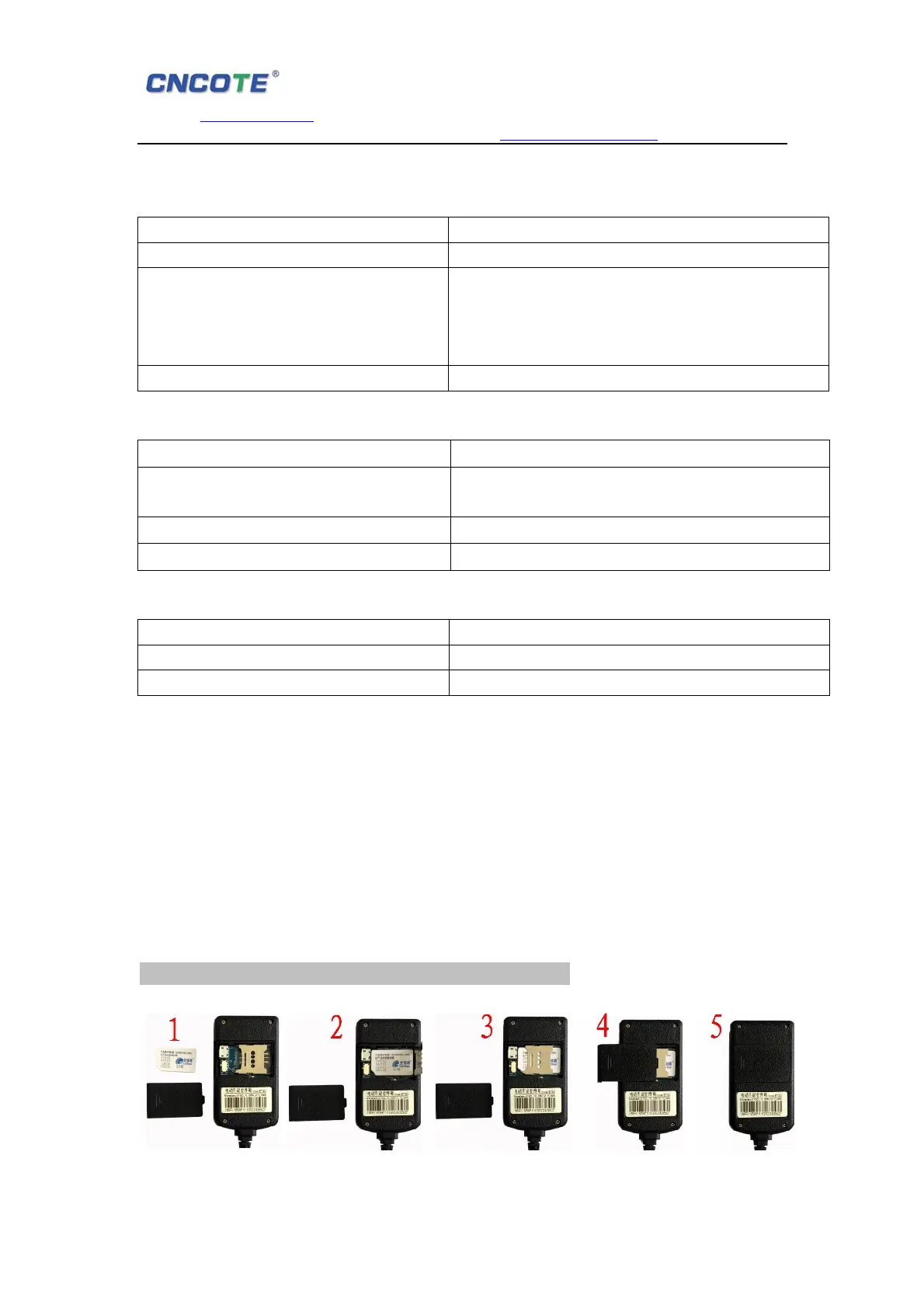
7.1.3, SIM installation, refer to below pictures.
Note:Power off before installing or removing the SIM card.


 To Next Page