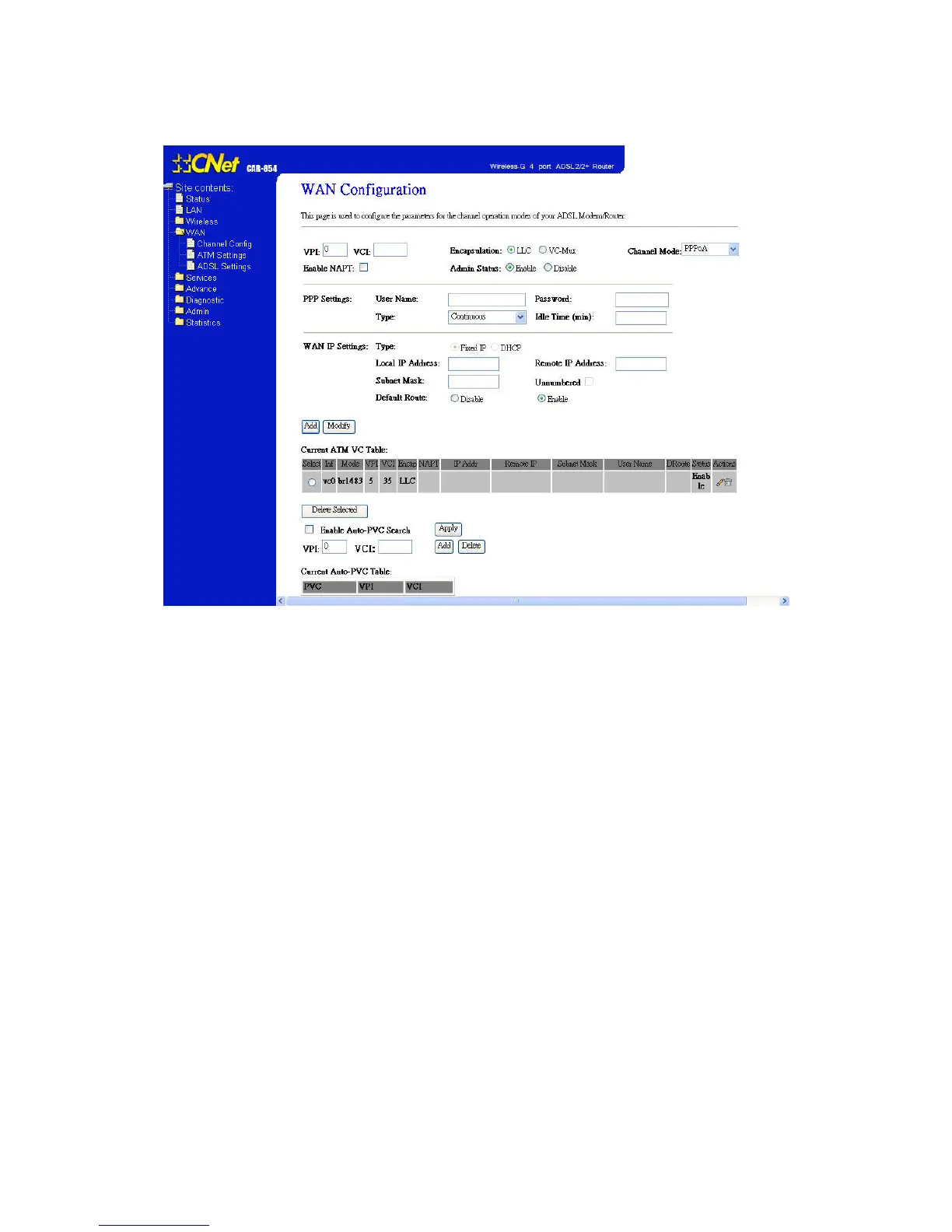
6.4 PPPoA Mode
1 Open the WEB page at “WAN/Channel Configuration”.
2 Select the Channel Mode to “PPPoA”. Set the parameters VPI/VCI and
Encapsulation mode according to the CO DSLAM’s setting.
3 Enter user/password from your ISP.
4 Click “Add” button to add this channel.
5. Enable DHCP server to allow the local PCs share the PPP connection.
6. Set DNS address from your ISP.
7. Open the WEB page at “Admin/Commit/Reboot”. Press “Commit” to save the
settings into flash memory.
8. The new settings will take effect after reboot the system.



 To Next Page