12
ENGLISH
• If thedehumidifier is switched off after thetimer settings have been made, thesettings will be
deleted.
• If thewater reservoir fills up (“P2” appears on thedisplay) while thedehumidifier is operating
and before theset timer time has been reached, thetimer setting will be deleted.
When thedehumidifier is switched off:
1. Press [ Timer ], thestart timer indicator lights up.
2. Set thedesired start time by pressing or holding down [ − ] or [ + ]. Each press changes thetime
in 30-min increments up to the10-hour mark. Thereafter in increments of 60 minutes.
3. Press [ Timer ] again, thestop timer indicator lights up.
4. Set thedesired stop time by pressing or holding down [ − ] or [ + ].
5. After afew seconds thedisplay reverts to showing thecurrent humidity and thetimer
indicators light up to show that thetimer settings are activated.
6. The [ Timer ] button can be pressed at any time to check thesettings.
7. Thetimer settings can be changed at any time by pressing [ Timer ] and then [ − ] or [ + ].
• If thedehumidifier is switched on after thetimer settings have been made, thesettings will be deleted.
• If thewater reservoir fills up (“P2” appears on thedisplay) while thedehumidifier is operating
and before theset timer time has been reached, thetimer setting will be deleted.
Automatic shut-o
• When thewater reservoir becomes full during normal use, thedehumidifier’s compressor
shuts off automatically.
• Thefan continues for another 30 seconds to dry theinside of thedehumidifier.
• Thedehumidifier beeps 8 times, the“Water Full” LED indicator flashes and “P2” appears on
thedisplay.
Emptying the water reservoir
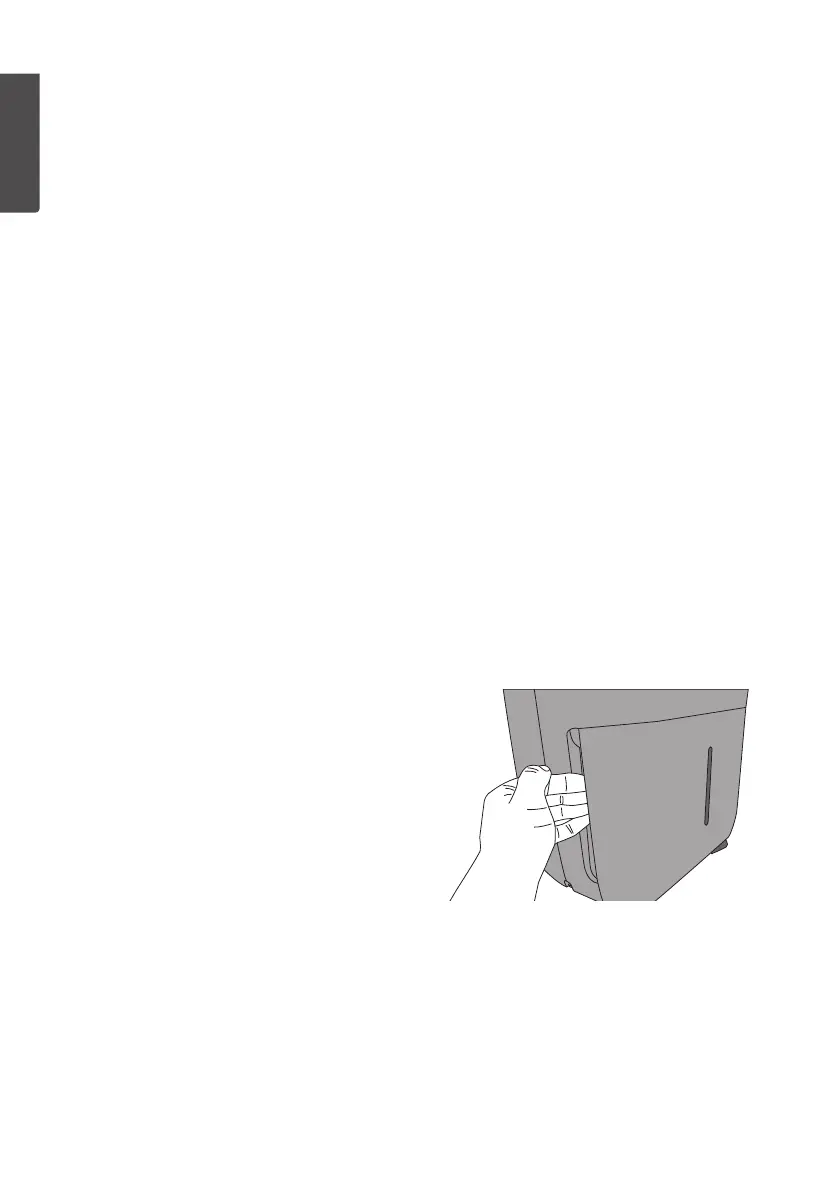
1. Unplug themains lead from thewall socket.
2. Grip thewater reservoir by thehandles (one
on each side) and pull it forwards.
3. Empty thewater out of water reservoir
and then refit it onto thedehumidifier.
Thedehumidifier will restart automatically once
thewater reservoir has been refitted if it was
shut off automatically.
Automatic defrost feature
• Thedehumidifier is equipped with anautomatic defrost feature. Frost can build up on some
components inside thedehumidifier under certain conditions. Thedefrost feature removes
this frost.
• Thedehumidifier’s compressor will shut off when thedefrost feature is activated and thefan
continues to run until thefrost has disappeared.
• Apurling sound might be heard from thedehumidifier during defrosting, this is normal.
• No settings can or need to be made for this feature.



 To Next Page