9
reply” ADMIN,CONFIG OK” by SMS.
6.3.2 Delete authorization: Send SMS“noadmin+password+space+authorized
number” to delete the authorized number.
6.4 Set up central number
Only 1 number can be set as central number.
6.4.1 Setup: send command “centernum+password+space+number” to
tracker, it will reply “centernum ok”. After setup monitor center number, the
messages of auto track by SMS will be set to this center number, if all alarms
need to be sent to this number too, then this center number must be setup as
authorized number.
6.4.2 Cancel: Send “centernum+password” to tracker, it will reply
“CENTERNUM,CONFIG OK”.
6.5 Single Tracking
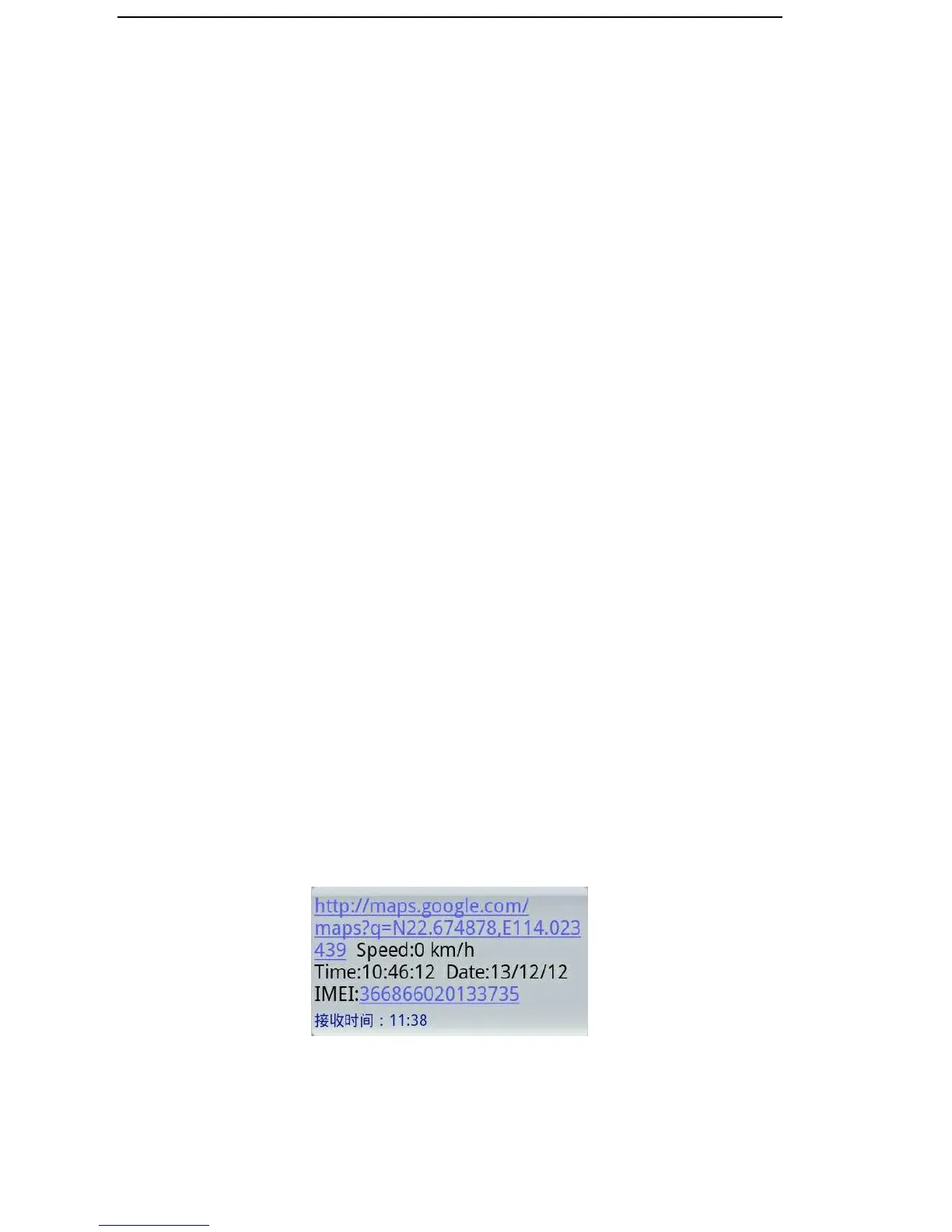
Make a missed call or send SMS “smslink123456” to device number, it will
reply a real time tracking message include Long & Lat info.
6.6 Continuous Tracking Automatically
6.6.1 Send SMS command “ITV+password+space+moving time



 To Next Page