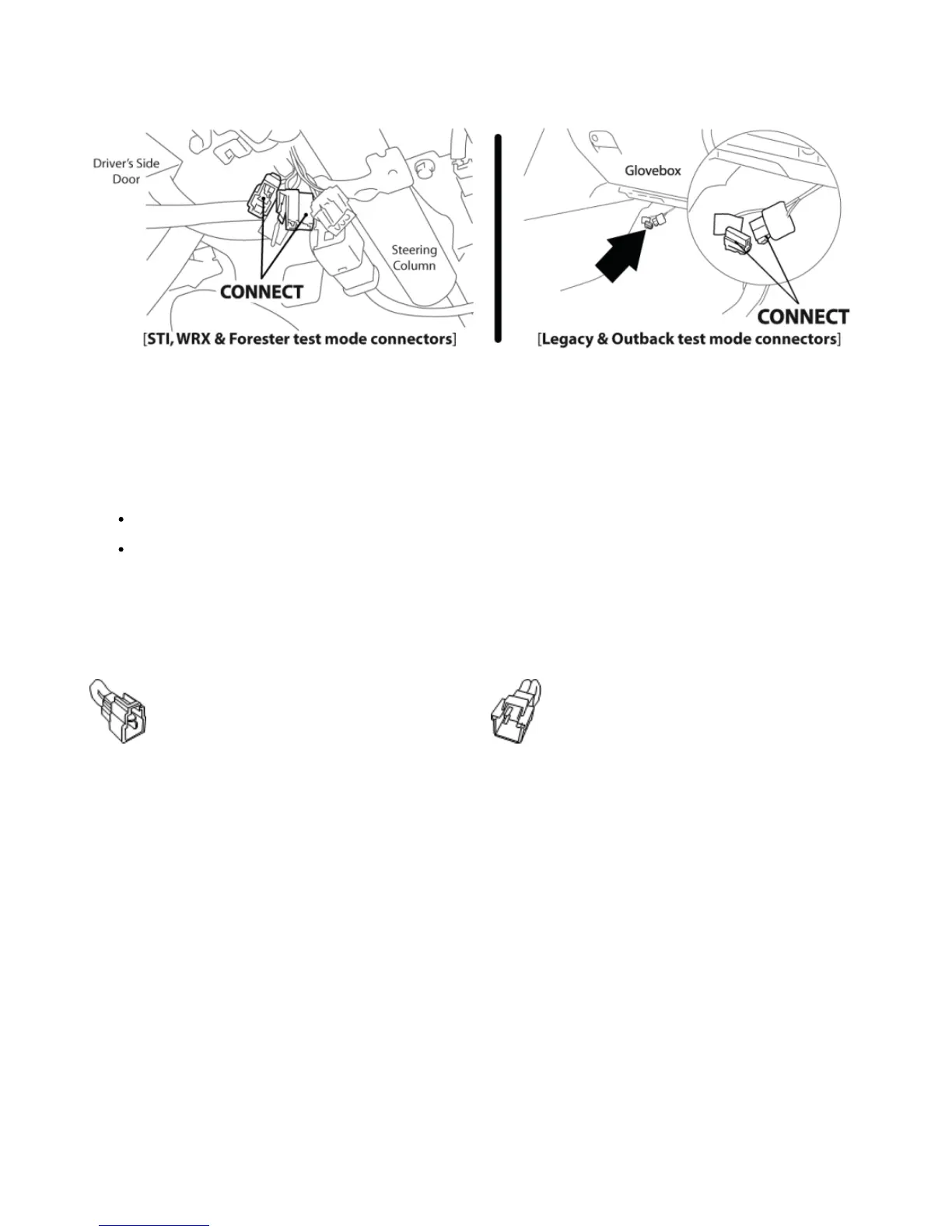
Impreza and Forester models will have this located under the driver's side dash to the left of the steering column (see left diagram). The
Legacy and Outback models will have this located on the passenger side (see right diagram). With the connectors located, enable Test Mode
by plugging the two connectors into each other. To ensure Test Mode was successfully enabled, turn the key to the ON position, but do not
start the engine. You may hear the radiator fans cycling on/off as well as the fuel pump cycling and the 'Check Engine' light should blink. THIS
IS A NORMAL FUNCTION OF TEST MODE. Once test mode is verified, turn the key back to the OFF position to continue.
NOTE: The Test Mode connectors must be connected whenever reflashing the ECU (Installing, Change Map Reflash, and
Uninstalling).
NOTE: In the event that the vehicle does not enter Test Mode after plugging in the green connectors, refer to the Troubleshooting
Section.
3. On 2002 – 2005 WRX models (AP3-SUB-001 Accessport), identify the correct Initialization Connector for your vehicle (2002 WRX = BLUE,
2003 - 2005 WRX = WHITE). Attach the Initialization Connector to the corresponding connector under the driver's side dash. This connector
will be located near the green Test Mode connectors and will be translucent white in color. Do not proceed until this step is complete.
2002 WRX
Initialization Connector (Blue)
2003 – 2005 WRX
Initialization Connector (White)
4. Locate the vehicle's OBD-II port. Location of the OBD-II port may
vary depending on the vehicle model.


 To Next Page