If a previous installation of an Accessport is detected, you will be given the option to overwrite it with a new installation. Be
aware that the previous installation will be permanently lost and unrecoverable. This detection may occur prior to saving the
stock ECU program data, in which case the ECU program data will not be saved. In the case of a previous install, a stock ECU
program supplied on the Accessport will be used when you uninstall.
Install Accessport Programming
With the stock ECU data saved, the Accessport will automatically proceed with installation to the vehicle. At this point, the Accessport
reprograms the vehicle's ECU with new program data and calibration parameters from the installation map file. This process will take several
minutes to complete.
WARNING!
Do not disturb the Accessport and the OBD-II connector while installation is taking place. Failure to do so may result in
incomplete ECU reprogramming which will render the vehicle inoperable. If an error occurs during the reflash, the Accessport
will enter Recovery Mode and attempt to recover the reflash.
Installation Complete
Follow all on-screen prompts on the Accessport to complete the installation process. If applicable, disconnect the Test Mode connectors
(green) you connected in Step 2 and the Initialization Connector you connected in Step 3. These connectors MUST be disconnected before
operating the vehicle.
The Accessport is now fully installed and ready for use and the vehicle's ECU is programmed with new calibration data. The Accessport does
not need to be plugged into the vehicle for the calibration to be in effect. You can disconnect the Accessport at this time or leave it plugged in
to use any of the many features outlined below.
Please note that the Accessport is designed to work with only one vehicle at a time. Once the Accessport is installed, it cannot be used
with another vehicle until it is uninstalled from the original vehicle.
NOTE: AP3-SUB-002 and AP3-SUB-003 cars will need to recalibrate the drive-by-wire throttle body system after a reflash or ECU reset. After
a reflash, when you first turn the key to the ON position the throttle blade will open fully then return to a closed position. During these few
seconds, the engine may not start. . The engine will start when this process is done.This is perfectly normal behavior
The best way to proceed after a reflash or ECU reset is to turn the key to the ON position and count to 5 – 10 seconds before trying to start
the engine. If you follow this simple procedure, the engine will fire up on the first try.
Accessport Features & Functionality
Gauges
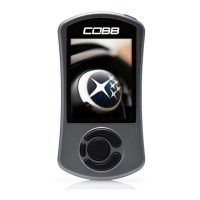
The Accessport can read sensor data from the factory ECU and display it as an
on-screen gauge. This feature allows the Accessport to function as an auxiliary gauge
displaying boost, RPM, temperature, or any number of other parameters available in
the factory ECU.
The Accessport can also record sensor data from the factory ECU while you drive.
With the ability to store multiple sessions, the Accessport can function as a complete
engine datalogger and diagnostic tool. To begin datalogging, press the button[OK]


 To Next Page