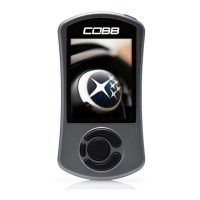
Accessport Buttons:
Vehicle Identification
The Accessport will attempt to automatically determine the target vehicle for installation. Verify that the identified vehicle is correct and press [
to confirm.OK]
If an error occurs:
Please refer to the .Troubleshooting
Map Selection
After the Accessport identifies the vehicle, it will present a list of maps. Maps that are not intended for the identified vehicle are displayed in
gray. The Accessport will reprogram the ECU with the calibration data from the map selected for installation. This will become the base data
for the ECU. To ensure the best performance, select the map that most closely matches the modification level of the vehicle.
If you are unsure about which map applies to your modification level, please visit the section of our website. You can find map notes forMaps
each of our maps by clicking on your vehicle and choosing your intake type. The map notes will list the modification requirements for each of
our maps.
Select a map and press to proceed with the installation. If you wish to see a longer description for the highlighted map, press and hold[OK]
the button on the desired map. After reading the description, you can press to go back to the map list or press to select[OK] [CANCEL] [OK]
that map and proceed with the installation.
What Is A Map?
The Accessport reprograms the tuning parameters inside the factory engine control unit (ECU) using map files, which contain specially written
instructions for the Accessport to follow during the reprogramming process. A map file can contain information for any number of different
modifications or enhancements to a vehicle, ranging from a race map for a heavily modified vehicle to an economy map for a stock vehicle.
Through the use of the Accessport and different map files, the ECU can be reprogrammed to accommodate virtually any vehicle
configuration.
Save Stock ECU Program Data
After confirming the map to be installed, the Accessport will download the current stock ECU program data from the vehicle. The Accessport
saves this data for use during the uninstall process to ensure that the vehicle is completely returned to stock. The download process will take
a few minutes to complete.
WARNING!


 To Next Page