Operation
8
Using the VHF
Basic functions
Switching the radio on and off
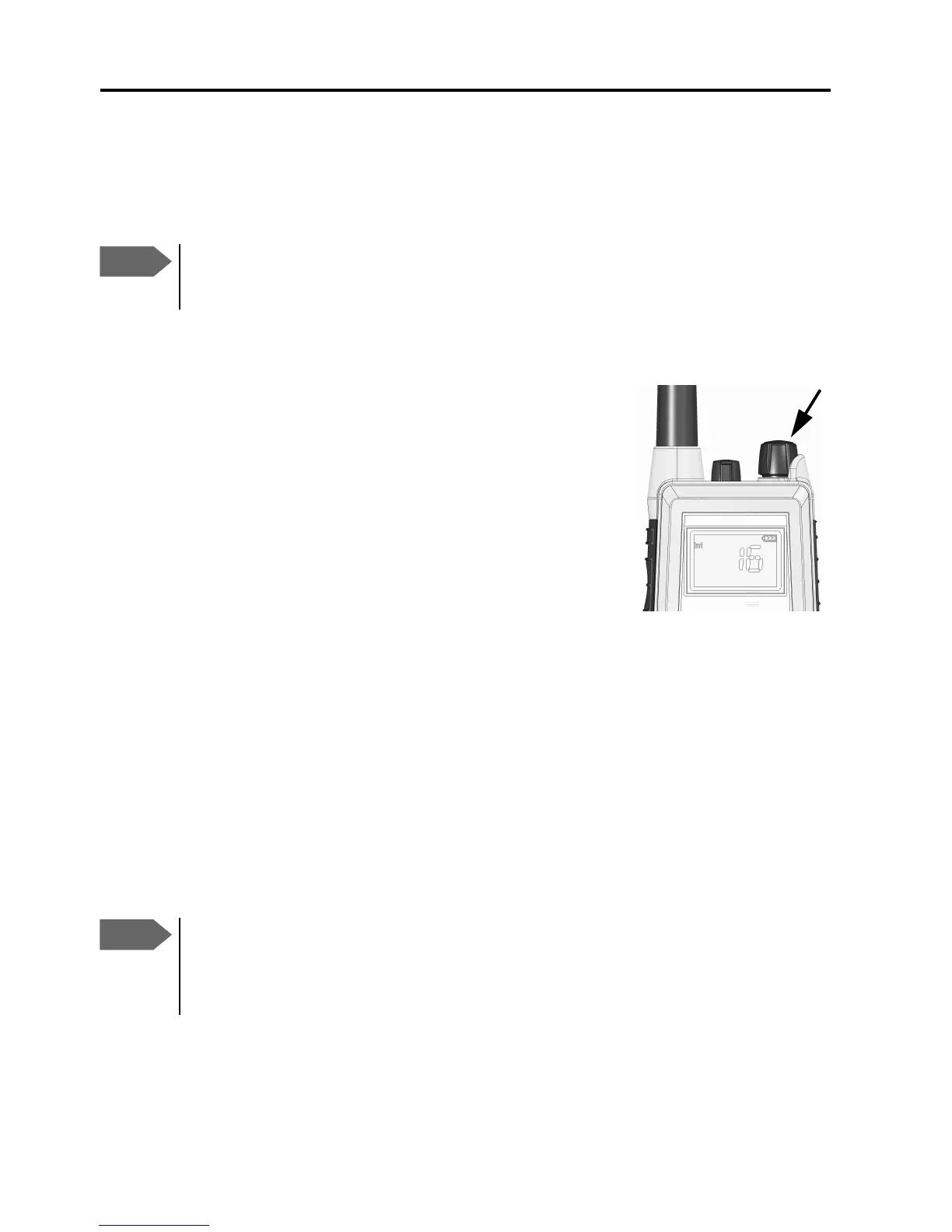
• To switch the radio on, turn the knob at the top
of the radio clockwise.
The display lights up showing the last used
channel and the battery level.
• To switch the radio off, Turn the knob back
counter-clockwise until it clicks.
Selecting the working channel
• To select channel 16 (Distress or Safety), press the 16/C key.
• To select the Call channel, use a long press on 16/C.
• To select among all available channels, press or on the keypad.
For fast selection, press and hold or .
The display shows the currently selected channel. The bottom left corner
of the display shows “Dup” if the channel is a semi-duplex channel.
Note
Before using the radio, mount the antenna at the top of the
radio. The antenna is delivered with the radio.
Note
Long press on or can also be used to select preferred
channels. For information on how to program preferred
channels, see Configuring the radio on page 19.
0845


 To Next Page