Nothing Comes Close to a Cobra
®
English
8 9
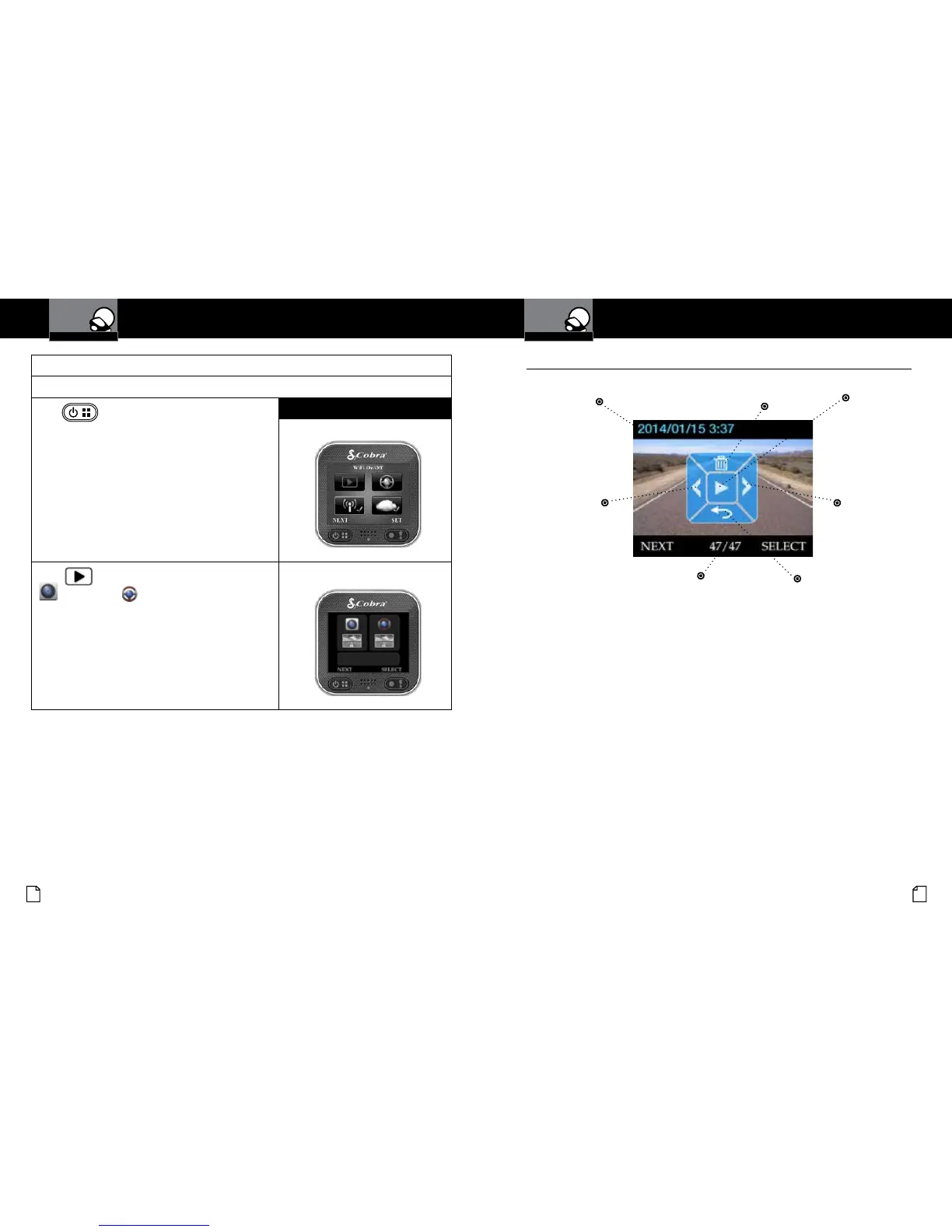
Video playback:
If you’re currently recording video, you need to stop recording video rst.
Press
to bring up the main menu:
Visual Display
The main Menu will appear:
Select
and use the buttons to view Action Cam
or Dash Cam les.
Playback Selection Screen will appear:
Using the Playback Screen
•
Previous Video
Next Video
Delete Video
Back
Play Video
Timestamp
File Number
Camera Operation
Your Dash Cam
Camera Operation
Your Dash Cam
Use the NEXT and SELECT soft keys to select, play and delete les or return to
the main menu screen.
Videos can also be viewed and managed using the Drive HD™ App or a
computer (explained later in this manual).


 To Next Page