Turning your Radio On and Off
Turn ON/OFF Knob clockwise to turn the radio on and counterclockwise to turn
the radio off.
1. In the ON position, the radio chirps and briefly shows
all feature icons available on the radio.
2. The display screen then shows the current channel,
code and all features that are enabled.
Battery Low
When battery power is low, the final bar in the Battery
Low icon will blink and an audible tone will sound twice
before the radio shuts off. Your batteries should be
recharged. It normally takes about 8 hours to fully charge
batteries.
Auto Battery Save
If there are no transmissions, receptions, or if the radio is
in scan mode within 10 seconds, the radio will
automatically switch to Battery Save mode and the
Power Saver icon will flash in the display. This will not
affect the radio’s ability to receive incoming transmissions.
Communicating with Another Person
1. Press and hold the Talk button.
2. With the microphone about two inches (5 cm) from
your mouth, speak in a normal voice.
3. Release the Talk button when you are finished talking
and listen for a response.
You cannot receive incoming calls while pressing the
Talk button.
Operation
Using Your Radio
4 5
Battery Low
ON/OFF Knob
Two Inches
from Mouth
The radio will display flashing battery icon
while charging if the radio is on.
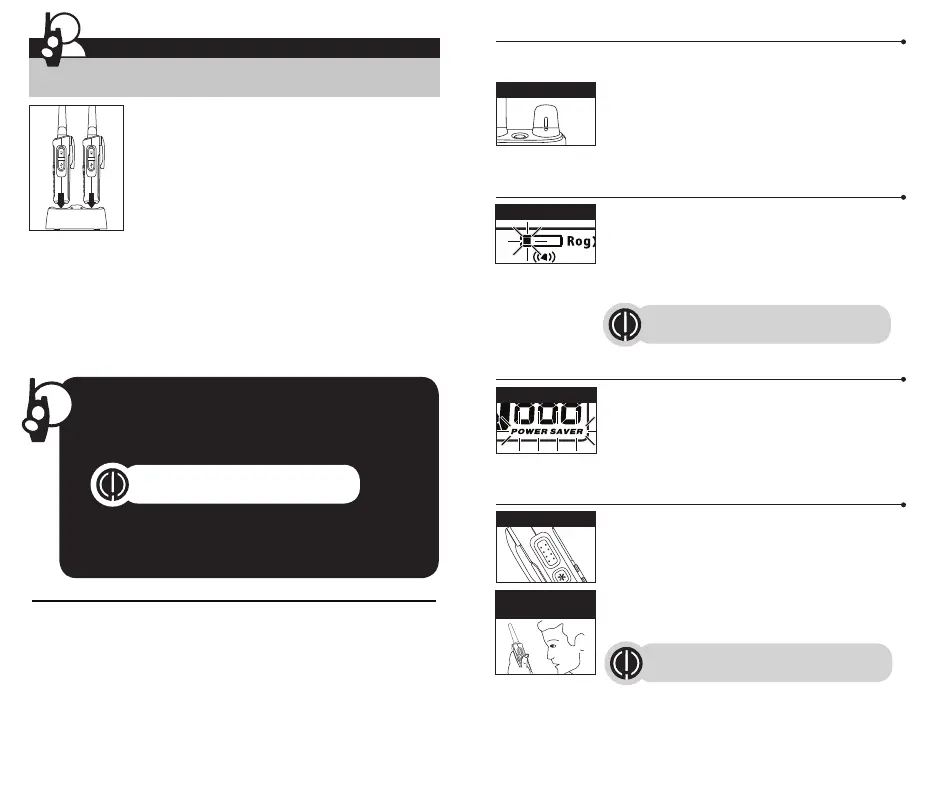
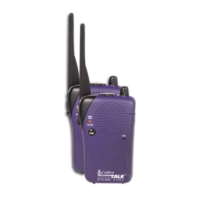
For charging microTALK
®
radio(s) in desktop charger:
1. Insert radio(s) into desktop charger as shown.
2. Insert the USB-C cable into jack on back of charger.
3. Plug the cable into USB-compatible power port. For
pluggable equipment, the socket-outlet shall be installed
near the equipment and shall be easily accessible.
If charging light is not on, check position of radio. Radio
should be upright. The charge indicator light will stay on
(Red) as long as the radio is in the charging well, and the light will go off when
the charging is complete.
Note: To charge a single radio, you can bypass the desktop charger and simply
insert the USB-C’s connector directly into the charge jack located at the right of
the radio.
The radio will display flashing battery icon while charging.
Cobra recommends your radio be turned off while being charged.
Battery Save Mode
Talk Button
Getting Started
Quick Start
1. Turn ON/OFF/Volume Knob clockwise to turn the radio
on and
counter clockwise to turn the radio off.
2. Select a desired channel. (Details please refer P.8)
3. Press and hold the Talk button while speaking into the
microphone.
4. When finished talking, release the Talk button and listen for a
response.
Both radios must be tuned to the same
channel/privacy code to communicate.
Waterproof
This radio is waterproof to IP54 standards. It is dust / splashproof from any
direction. The radio is resistant to water and rain splashes only when the
battery cover, headset accessory and USB-C ports are sealed. Open the battery
compartment door or headset port/USB charge cover only when the radio is
dry. Use of a headset accessory should be in dry environments only. The
USB-C cable and plug is not waterproof. Do not expose the charger to rain or
snow. Charge the radios only in a dry location. The battery door must be tightly
closed with the screw to maintain the weatherproof seal of the radio.
Both radios must be tuned to the same
channel/privacy code to communicate.




 To Next Page