25
VIDEO MODE
To play your digital video les, select Video Mode from the “Select Mode” screen
and press ENTER.
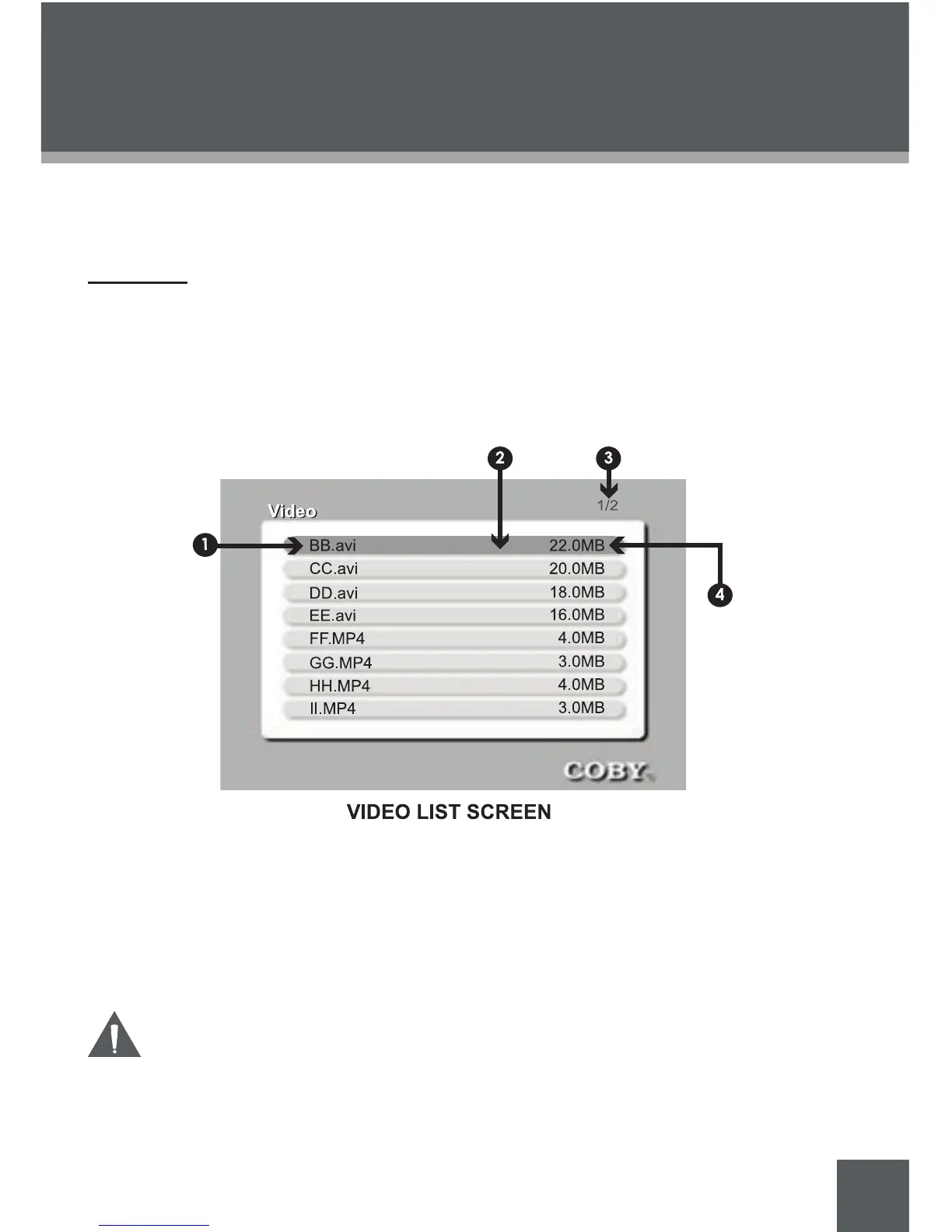
Video List
Upon entering Video Mode, your photo frame will scan the memory card for avail-
able audio les and display the “Video List“ screen shown below. The Video List
displays the lenames of all available video les.
Use the navigation keys to select a video le and press ENTER to start play-
back.
Filename
Selected le (highlight bar)
Current Page Number / Total Number of Pages
File size
The Video List will display supported Video les, only.
Your photo frame can play digital AVI and MP4 video les from
most digital cameras.
•
1.
2.
3.
4.


 To Next Page