Page 17 Getting Started
English
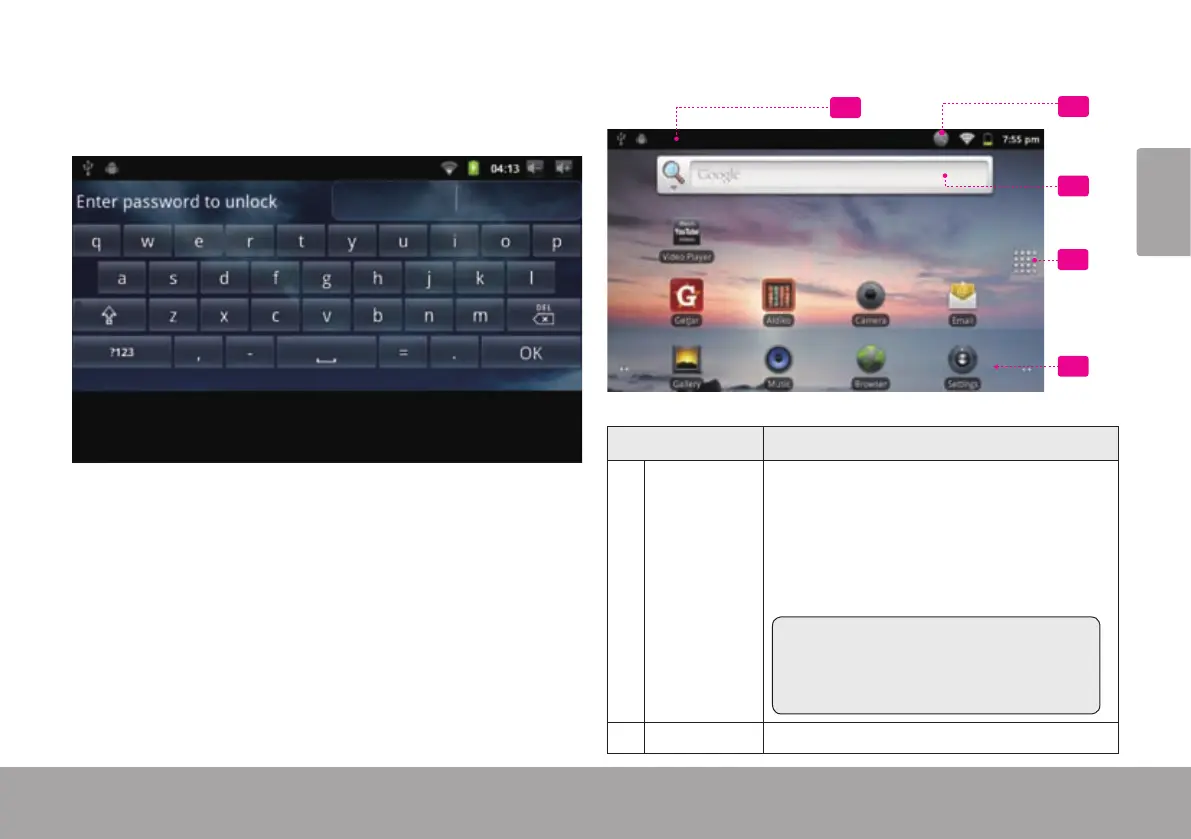
If a password has been set, enter the password to nish
unlocking the screen. The Screen Unlock password can
be set in the Location and security settings menu.
The home screen is the starting point for all of the
features of your tablet.
2
3
4
1
5
Name Description
1 Notication
bar
Shows notication icons such as new mes-
sages and alarms; drag the bar down to the
bottom of the screen to open the full Noti-
cations panel. The right side of the bar also
shows status information such as the time,
battery level, and network signal strength.
Note: You can press the Menu key and
then touch Noticatio ns to open the
full Notications panel from the Home
screen.
2 Search icon Touch to search with Google.



 To Next Page