VIDEO
TRANSFER
–
Getting Started
Converting your
VIDEO
files and transferring it into your player
.
Install the Conversion Utility
1.
Insert the driver CD
2.
Copy the “
MTVVideoConverter_Ver1.12.11.3
” folder.
3.
Paste the “
MTVVideoConverter_Ver1.12.11.3
” folder on your
desktop.
Run the Conversion Utility
1.
On your desktop, open the
MTVVideoConverter_Ver1.12.11.3
folder.
2.
Double click on the “
VideoConvert
”
camera icon.
3.
The program will initialize.
Converting Video
(
s
ee
diagram b
elow)
1.a
Find and Select the video files to convert in the INPUT Video f
ield
.
1.b
Select the directory where you want to save the converted file
.
1.
c Start the conversion process
When th
e conversion is complete
d
, copy and paste or
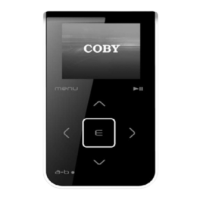
drag and drop the converted files to your MP3 player
MOVIE DIR folder
.
Done!!



 To Next Page