EasyManua.ls Logo

Coby MPC7092 - User Manual

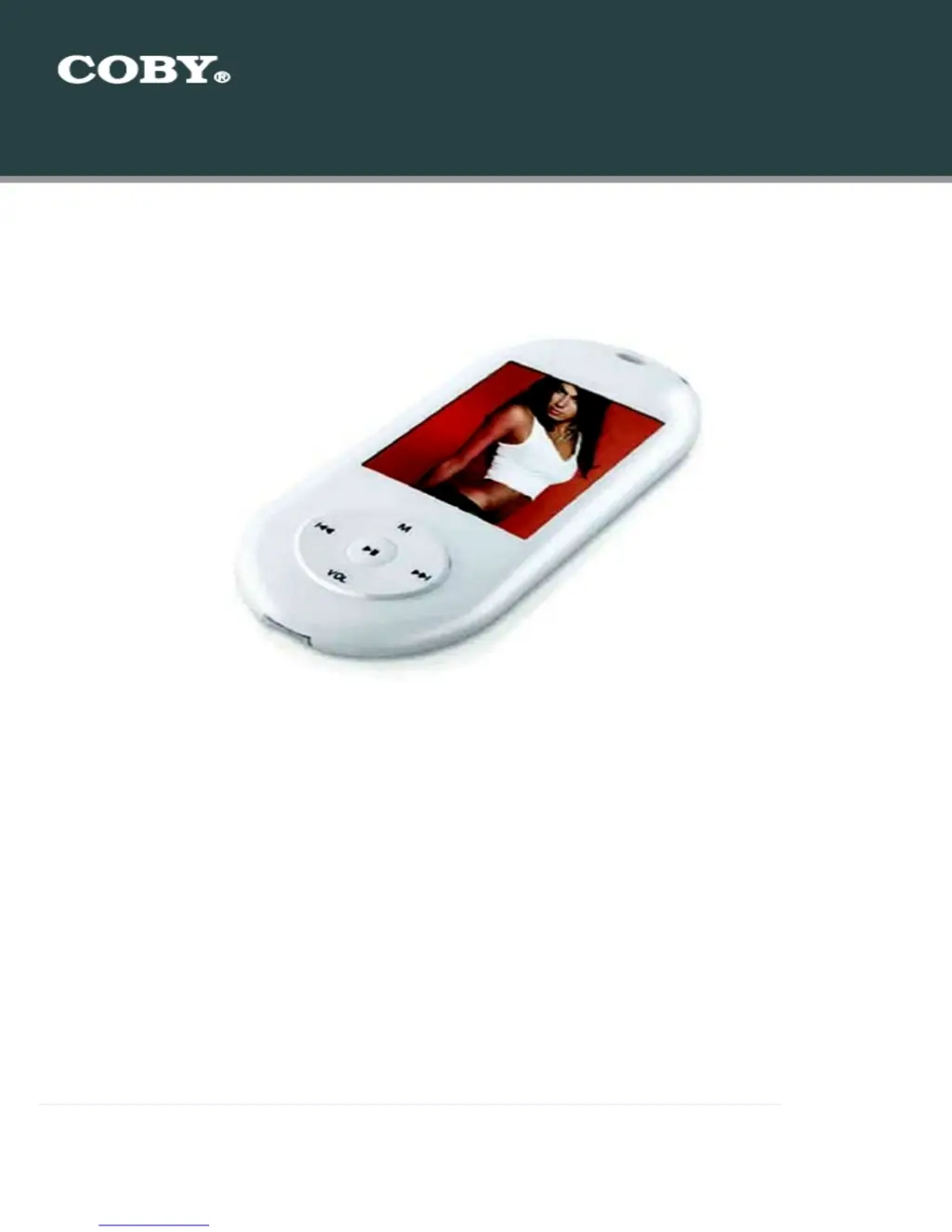
Coby MPC7092
12 pages
Print Icon
To Next Page IconTo Next Page
Loading...
Setup Guide
Thank you for choosing a COBY MP3 player
!
~
This guide will cover how to
transfer your music CD
’s
into
your COBY
MP3
player
using Windows Media Player 11
.
~
This guide will also provide common troubleshooting solution
s
for your
C
OBY MP3 playe
r.
COBY MPC
7092
Requirements
Windows Media Player 11 (WMP11)
If your computer does not have Windows Media Player installed, please download the
latest version of Windows Media Player (WMP) from Microsoft’s website
www.microsoft.com/windows/windowsmedia/player/download/download.aspx
The directions in this guide are given for Windows Media Player 11 (WMP11)

Questions and Answers

  • M
    Mrs. Alexandra Nelson DVMAug 12, 2025
    How to turn on Coby MP3 Player when there is no power?
    • B
      Brian SheltonAug 12, 2025
      If your Coby MP3 Player has no power, make sure the power switch on the back of the unit is in the "ON" position. If it is already on, the battery level may be too low, so charge the unit.
  • C
    christophermejiaAug 16, 2025
    How to fix Coby MPC7092 when it has no power?
    • S
      Sara BennettAug 16, 2025
      If your Coby MP3 Player has no power, here are a couple of things to check: * Ensure that the power switch on the back of the unit is set to the 'ON' position. * The battery level may be too low, so charge the unit.
  • F
    Felicia NguyenAug 23, 2025
    What to do if music does not play or freezes on Coby MPC7092?
    • R
      Robert RogersAug 23, 2025
      If music doesn't play or freezes on your Coby MP3 Player, consider these potential causes: the WMA file(s) might be DRM protected, the file(s) could be corrupted or damaged, the file format might be unsupported (like ACC, WAV, or M4A), or the file is an unknown WMA file with DRM or requesting DRM time.
  • J
    James JonesAug 27, 2025
    Why is there no sound after file transfer on my Coby MP3 Player?
    • D
      Douglas ProctorAug 27, 2025
      If you're experiencing no sound after transferring files to your Coby MP3 Player, there might be a few reasons: First, ensure that the headphones are securely connected to the player. Also, verify that your WMA file(s) are not DRM protected. Finally, check that the file format is supported (it should not be ACC, WAV, M4A, etc.).
  • S
    sherri74Aug 30, 2025
    Why am I getting a video conversion error on my Coby MPC7092?
    • F
      fsalazarAug 30, 2025
      If you encounter a video conversion error with your Coby MP3 Player, it could be due to a couple of reasons. First, make sure the original file(s) plays correctly on your computer; if it doesn't, you may need to obtain the necessary codec for that file(s). Another reason could be that the video format is not supported by the player.
  • A
    Austin KellerSep 3, 2025
    What to do if Coby MPC7092 MP3 Player is not recognized by computer?
    • L
      Linda BlairSep 3, 2025
      If your Coby MP3 Player isn't being recognized by your computer, try the following: * Check the connections. * Switch USB ports. * Go into the player's 'SETTINGS' and change the 'Online Device' from Media Device to USB Disk.
  • S
    sharon53Sep 7, 2025
    How to resolve video conversion error on Coby MPC7092 MP3 Player?
    • C
      Cory WongSep 7, 2025
      To resolve video conversion errors on your Coby MP3 Player: * Ensure that the original files play on your computer. If not, you may need to obtain the codec for those files. * The format may be unsupported.
  • M
    mariagreenSep 10, 2025
    What to do if my Coby MPC7092 MP3 Player is not recognized by the computer?
    • W
      Wendy FisherSep 12, 2025
      If your Coby MP3 Player isn't being recognized by your computer, try these steps: First, check the USB connections to ensure they are secure. If the connection is good, try switching to a different USB port on your computer. As an alternative, go into the player's SETTINGS and change the "Online Device" setting from Media Device to USB Disk.

Summary

System Requirements

Windows Media Player 11 (WMP11)

Specifies the required software version for audio transfer operations.

Audio Transfer Process

Launch Windows Media Player

Instructions for opening the Windows Media Player 11 application.

Rip Audio CD Tracks

Guide to inserting an audio CD and selecting tracks for ripping.

Configure Rip Settings

Steps to set audio format (MP3) and bit rate for ripping.

Start Ripping

Initiating the conversion of audio tracks from CD to digital files.

Transfer Music to COBY Player

Connect COBY Player

Steps for physically connecting the MP3 player to the computer.

Select and Sync Songs

Browsing library, selecting tracks, and initiating transfer.

Disconnect Player

Safely removing the MP3 player after the synchronization is complete.

Video File Conversion

Install Conversion Utility

Guide to installing the necessary software for video conversion.

Convert Video Files

Instructions for using the converter to prepare video files.

Common Troubleshooting

Player Power and Connectivity Issues

Solutions for power, freezing, and player recognition problems.

Audio and File Transfer Issues

Troubleshooting audio playback, no sound, and file transfer errors.

Video Conversion Errors

Solutions for errors encountered during video file conversion.

Coby MPC7092 Specifications

General IconGeneral
BrandCoby
ModelMPC7092
CategoryMP3 Player
LanguageEnglish

Related product manuals