EasyManua.ls Logo

Coby MPC7095 - User Manual

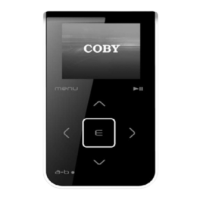
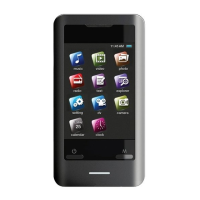
Coby MPC7095
13 pages
Print Icon
To Next Page IconTo Next Page
Loading...
Setup Guide
Thank you for choosing a COBY MP3 player
!
~
This guide will cover how to
transfer your music CD
’s
into
your COBY
MP3
player
using Windows Media Player 11
.
~
This guide will also provide common troubleshooting solution
s
for your
C
OBY MP3 playe
r.
COBY MPC
7095
Requirements
Windows Media Player 11 (WMP11)
If your computer does not have Windows Media Player installed, please download the
latest version of Windows Media Player (WMP) from Microsoft’s website
www.microsoft.com/windows/windowsmedia/player/download/download.aspx
The directions in this guide are given for Windows Media Player 11 (WMP11)
All manuals and user guides at all-guides.com
all-guides.com

Questions and Answers

  • M
    Mitchell WashingtonAug 11, 2025
    What to do if my Coby MPC7095 has no power?
    • C
      Caitlyn SchroederAug 11, 2025
      If your Coby MP3 Player isn't turning on, try the following: first, ensure the "HOLD" button is turned off. Second, the battery level might be too low, so charge the unit. Finally, reset the unit by inserting a pin into the "Reset" hole on the back.
  • R
    rosalesjessicaAug 18, 2025
    Why is there no sound after file transfer to my Coby MP3 Player?
    • K
      kylemitchellAug 19, 2025
      If there's no sound after transferring files to your Coby MP3 Player, ensure the original file plays on your computer first. If it doesn't, you'll need to obtain the codec for that file. Also, the format may be unsupported.
  • K
    kimberlymillerAug 25, 2025
    Why my computer does not recognize Coby MP3 player?
    • D
      dudleydavidAug 26, 2025
      If your computer isn't recognizing your Coby MP3 player, check the connections first. Try switching USB ports and avoid using a USB extension cable. As an alternative, go into the player's "Setup" menu and change the USB mode from MTP to MSC, or MSC to MTP.
  • E
    Erik AndersonSep 1, 2025
    What to do if I get a video conversion error on my Coby MPC7095?
    • T
      Thomas WalkerSep 1, 2025
      If you encounter a video conversion error on your Coby MP3 Player, make sure the original file plays on your computer. If not, you may need to obtain the correct codec for that file, or the format may be unsupported.

Summary

Requirements

Windows Media Player 11 (WMP11)

Specifies the need for Windows Media Player 11 (WMP11) for transferring music.

Audio Transfer Guide

Launch Windows Media Player 11

Instructions on how to start the Windows Media Player 11 application.

Insert Audio CD and Rip Tracks

Guide on inserting an audio CD and selecting tracks for ripping.

Configure Audio Rip Settings

Details on setting rip options like format (MP3) and bit rate.

Start the Audio Ripping Process

Steps to begin converting audio CD tracks to MP3/WMA format.

File Transfer to COBY Player

Launch and Connect Player

Steps to launch WMP11 and connect the COBY player to the computer.

Browse and Select Music Files

How to navigate the music library and choose songs for synchronization.

Sync Music to COBY Player

Procedure for transferring selected music files to the COBY MP3 player.

Disconnect Player Safely

Instructions on how to safely unplug the COBY player after syncing.

Video Transfer Guide

Install and Run Conversion Utility

Steps to install and launch the MTV Video Converter software.

Convert Video Files for Player

Guide on selecting input/output files and starting the video conversion process.

Troubleshooting Common Issues

Power and Playback Problems

Solutions for issues like no power, music freezing, or playback errors.

File Transfer and Video Errors

Troubleshooting for no sound, video conversion failures, and unsupported formats.

Device Connection Issues

Steps to resolve problems with the computer not recognizing the MP3 player.

Coby MPC7095 Specifications

General IconGeneral
BrandCoby
ModelMPC7095
CategoryMP3 Player
LanguageEnglish

Related product manuals