www.cobyusa.com Page 23
Optional Audio/Video Output Connections
There are various connection options depending on your TV or other equip-
ment; please refer to the documentation supplied by the manufacturer of your
TV or stereo system for more connection information as necessary.
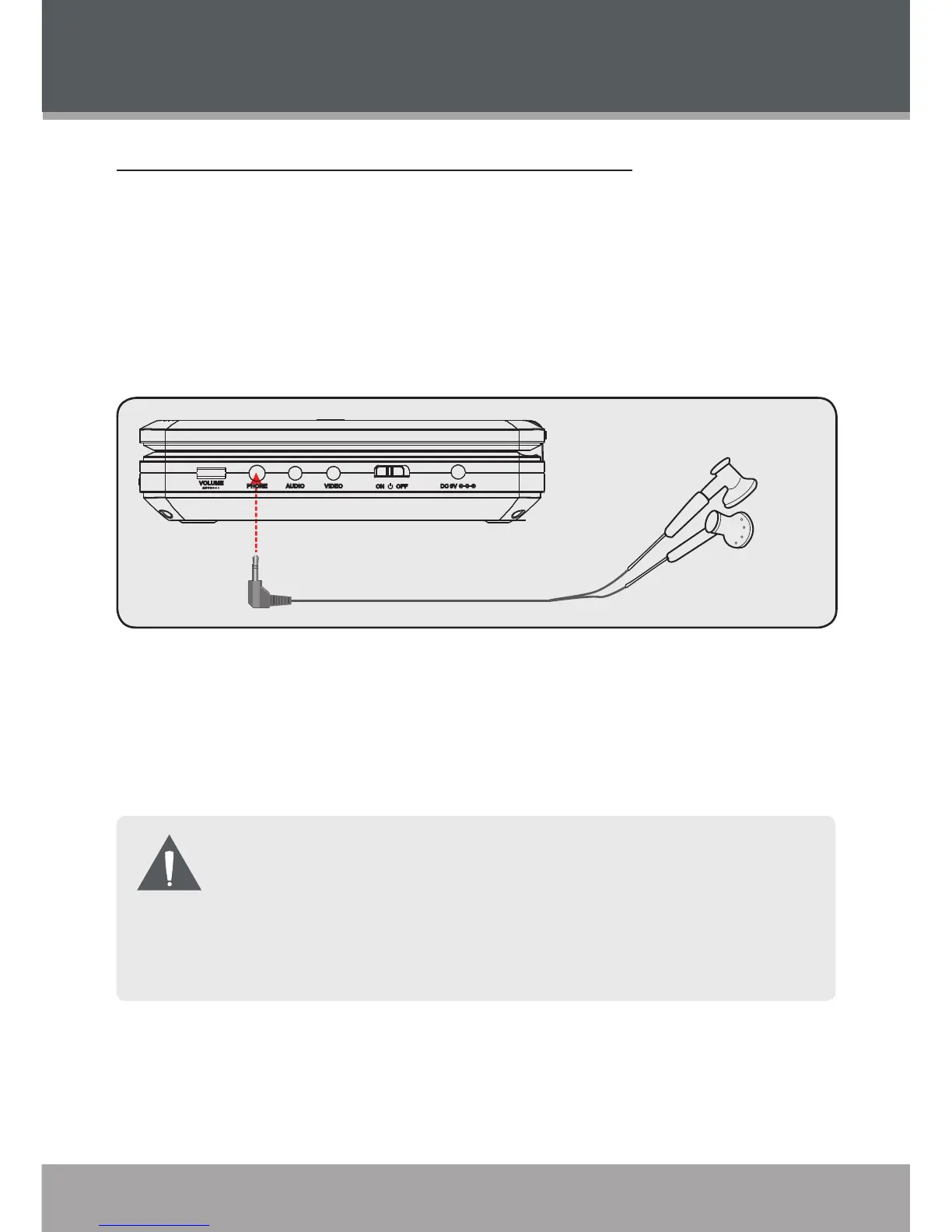
Using Headphones or Earphones
Your player can output audio to a pair of headphones or earphones for private
listening during playback.
Lower the volume of the unit.
Connect a pair of headphones or earphones terminating in a 3.5mm plug
to the Headphone Out jack of the unit.
Increase the volume gradually until a comfortable level has been reached.
Audio output to the integrated stereo speakers will stop automatically
when headphones are connected.
Hearing experts advise against the constant use of personal stereos
played at high volume. Constant high volume use can lead to hearing
loss. If you experience ringing in the ears or hearing loss, discontinue
use immediately and seek medical advice.
1.
2.
3.
CONNECTIONS


 To Next Page