www.cobyusa.com Page 25
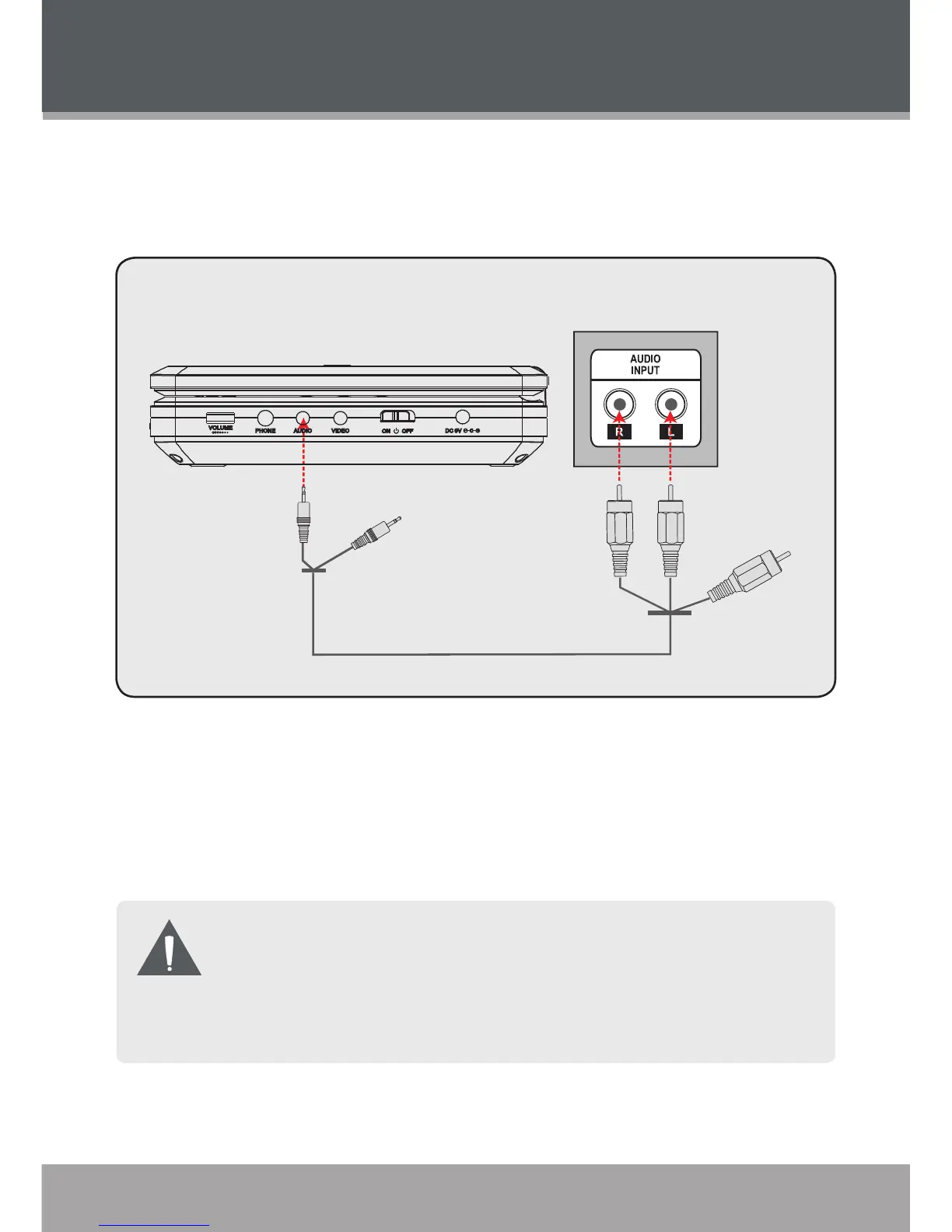
Connecting Audio to a Stereo Receiver System
Your player can output audio to an external stereo system (e.g., a receiver or
amplier).
Using an AV patch cable, connect the player’s Audio Out jack to the RCA
Stereo In jacks (red and white) of your stereo system.
Set the receiver or amplier to the correct input line. Please refer to the
documentation supplied by the receiver/amplier manufacturer for more
information.
The video output of the unit is active but unused in the example shown
above. You may choose to connect the video output to a TV or other
device.
An AV patch cable (optional) is required for Audio/Video output
connections.
1.
2.
CONNECTIONS



 To Next Page