www.cobyusa.com Page 33
PLAYER FUNCTIONS
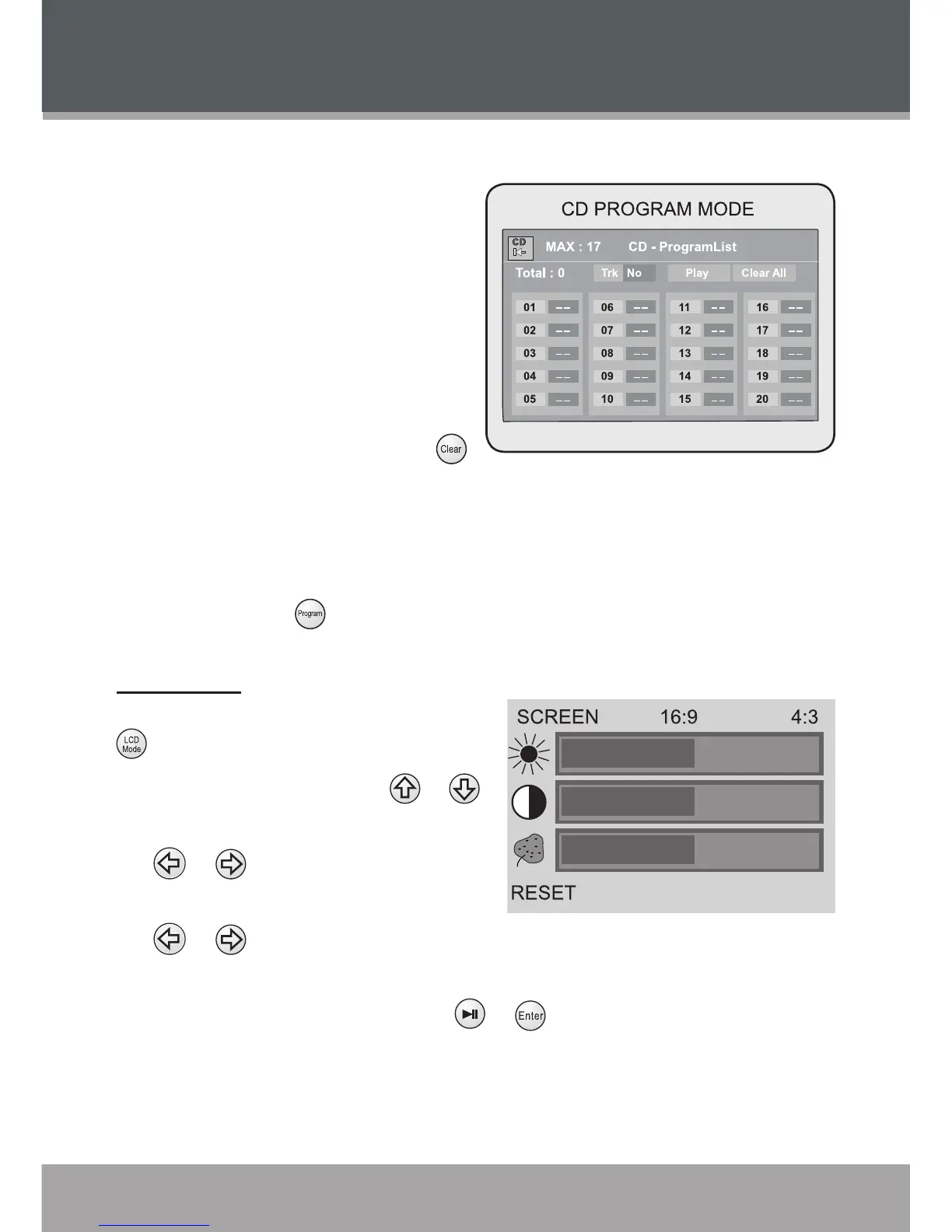
CD Program Mode
Load a CD and enter Program
mode.
Use the Navigation Keypad to
select a eld.
The left column designates
the program order number.
Enter track numbers in the
right “Trk” columns with the
Numeric Keypad (or press
to clear the eld).
To start over, use the Navigation Keypad to select “Clear All” to delete all
Track selections.
To play your programmed selections, use the Navigation Keypad to select
“Play” or press to cancel.
LCD Mode
Adjust the LCD display settings. Press
to access the LCD Mode menu.
To select an option, press or .
To adjust the selected option, press
or .
When SCREEN is selected, press
or to set the screen aspect
ratio as 16:9 (widescreen) or 4:3 (standard).
When RESET is selected, press or to conrm and return all LCD
display options to their default settings.
•
•
•
•
•
•
•
•
•
•


 To Next Page