CONNECTIONS
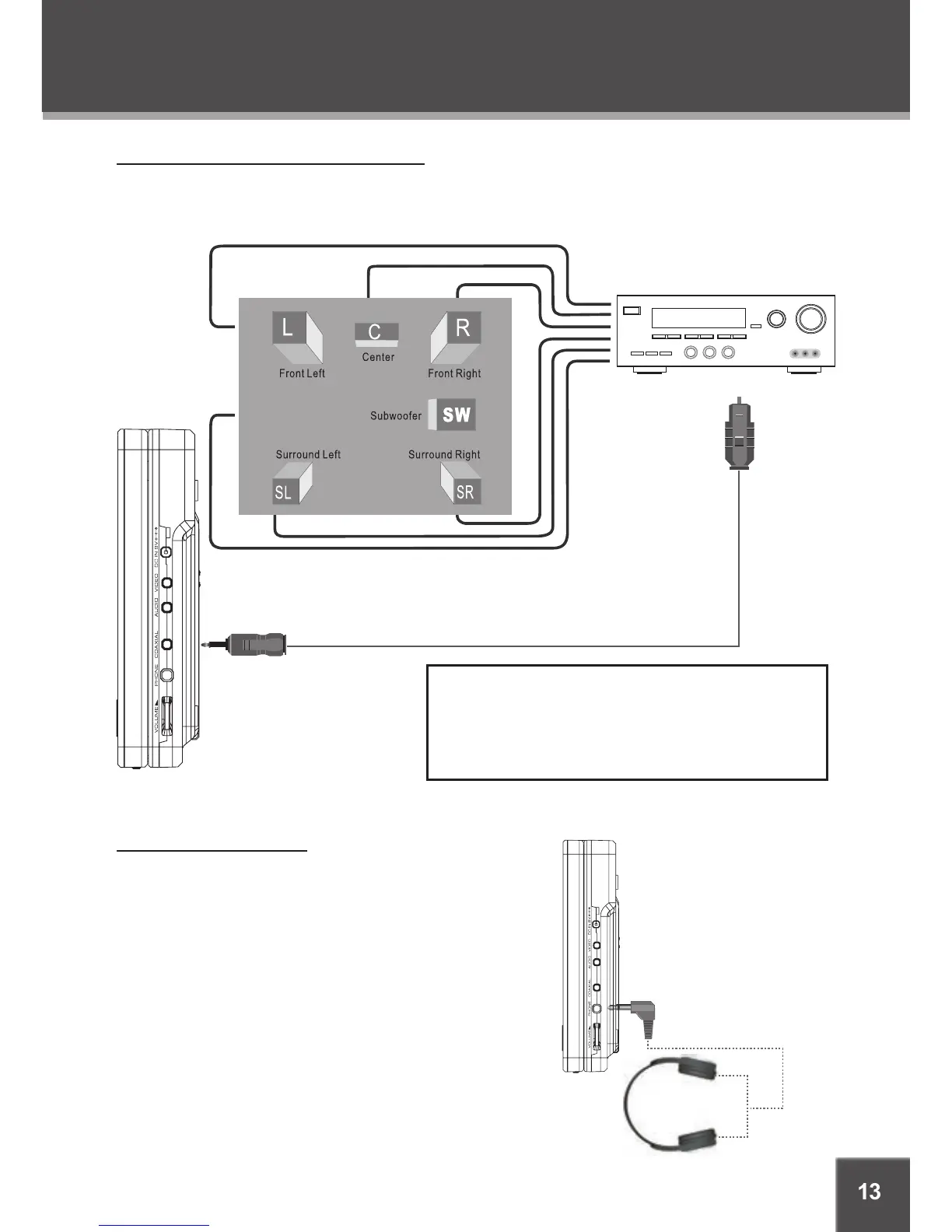
Dolby Pro Logic Surround Connection
The main unit can output 5.1-channel surround sound audio through the Coaxial Digital Audio Out
jack. You will need a Dolby Pro Logic Surround amplier and an coaxial adapter cable to use this
feature.
Headphone Connection
Connect headphones to the headphone jacks for private
listening.
Lower the volume level before connecting head-
phones, then gradually increase the volume for com-
fortable listening.
Hearing experts advise against the constant use of
personal stereos played at high volume.
Constant high-volume use can lead to hearing loss.
If you experience ringing in your ears or hearing
loss, discontinue use immediately and seek medical
advice.
•
•
•
Note:
Please refer to your receiver’s instruction manual
for more information on how to properly set up your
surround sound system.


 To Next Page